 Hibret ህብረት
Ask your group with a survey
A short survey for your group only: a date for the next meeting, who brings food, or what to study next. Surveys are made on the website.
-
 11
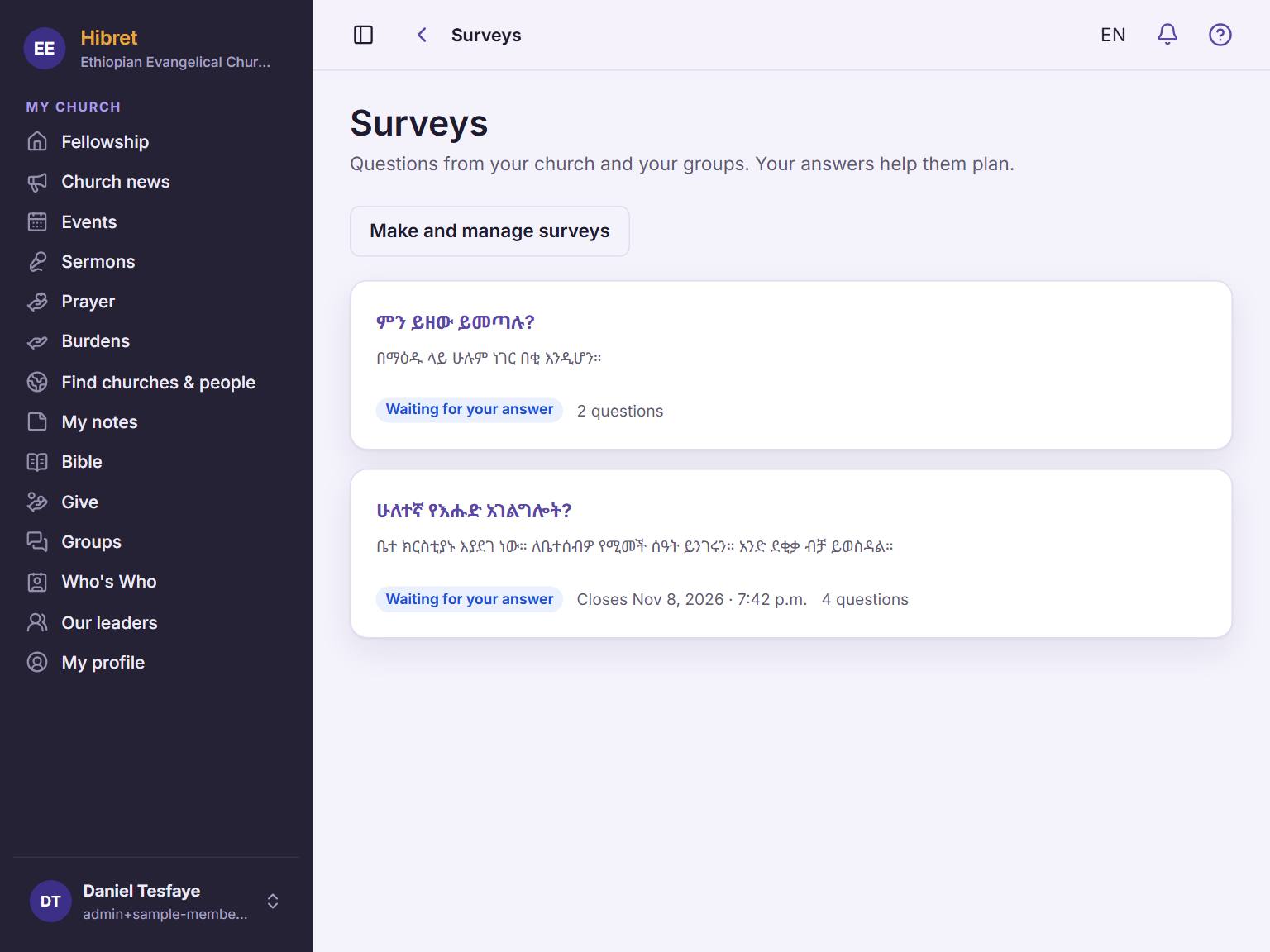
11On the website, open "Surveys". Tap "Make and manage surveys" 1.
-
 12
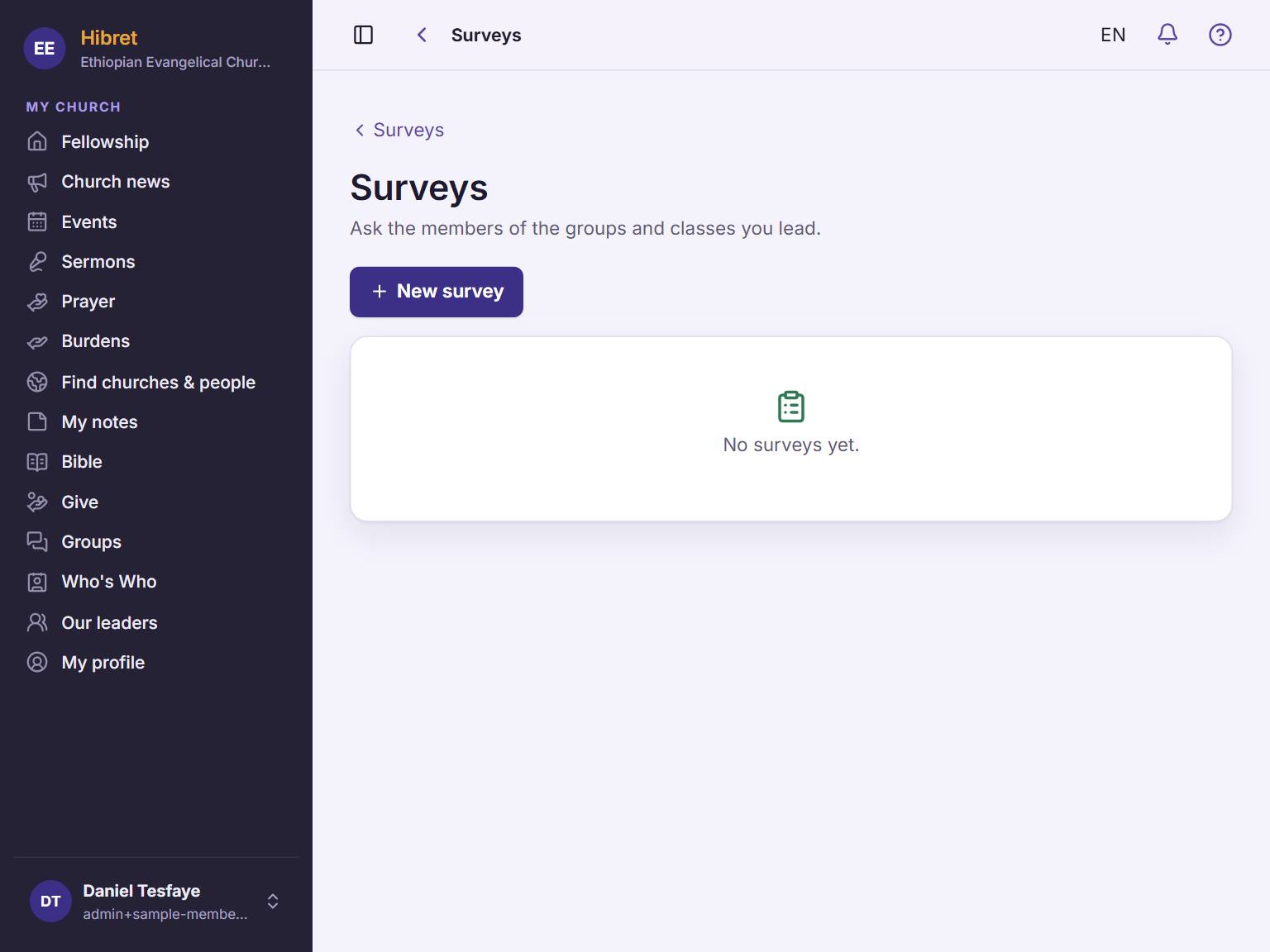
12Tap "New survey" 1.
-
 12343
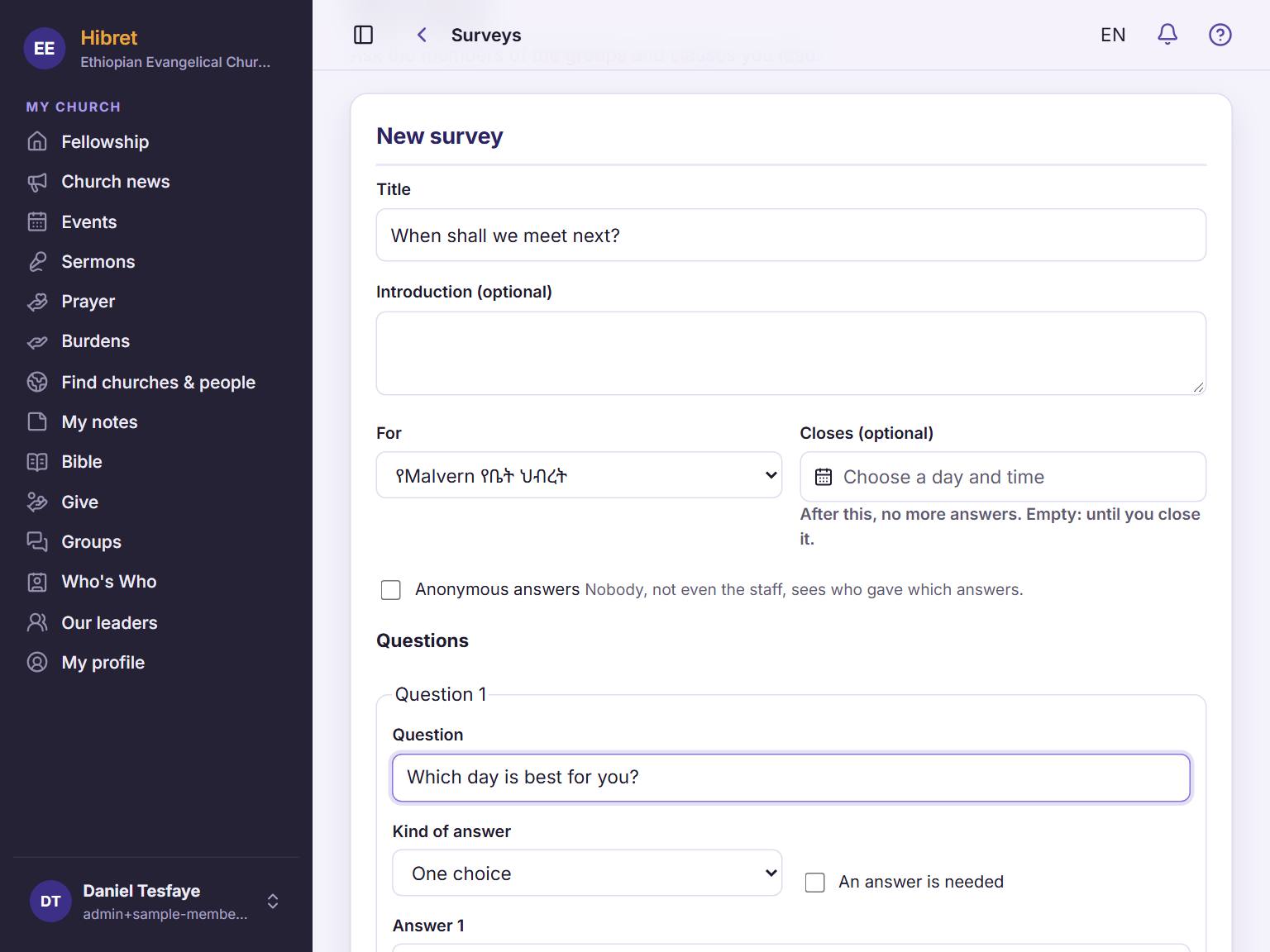
12343Write a title 1. Under "For", choose your group 2. Write your question 3 and choose the kind of answer 4.
-
 124
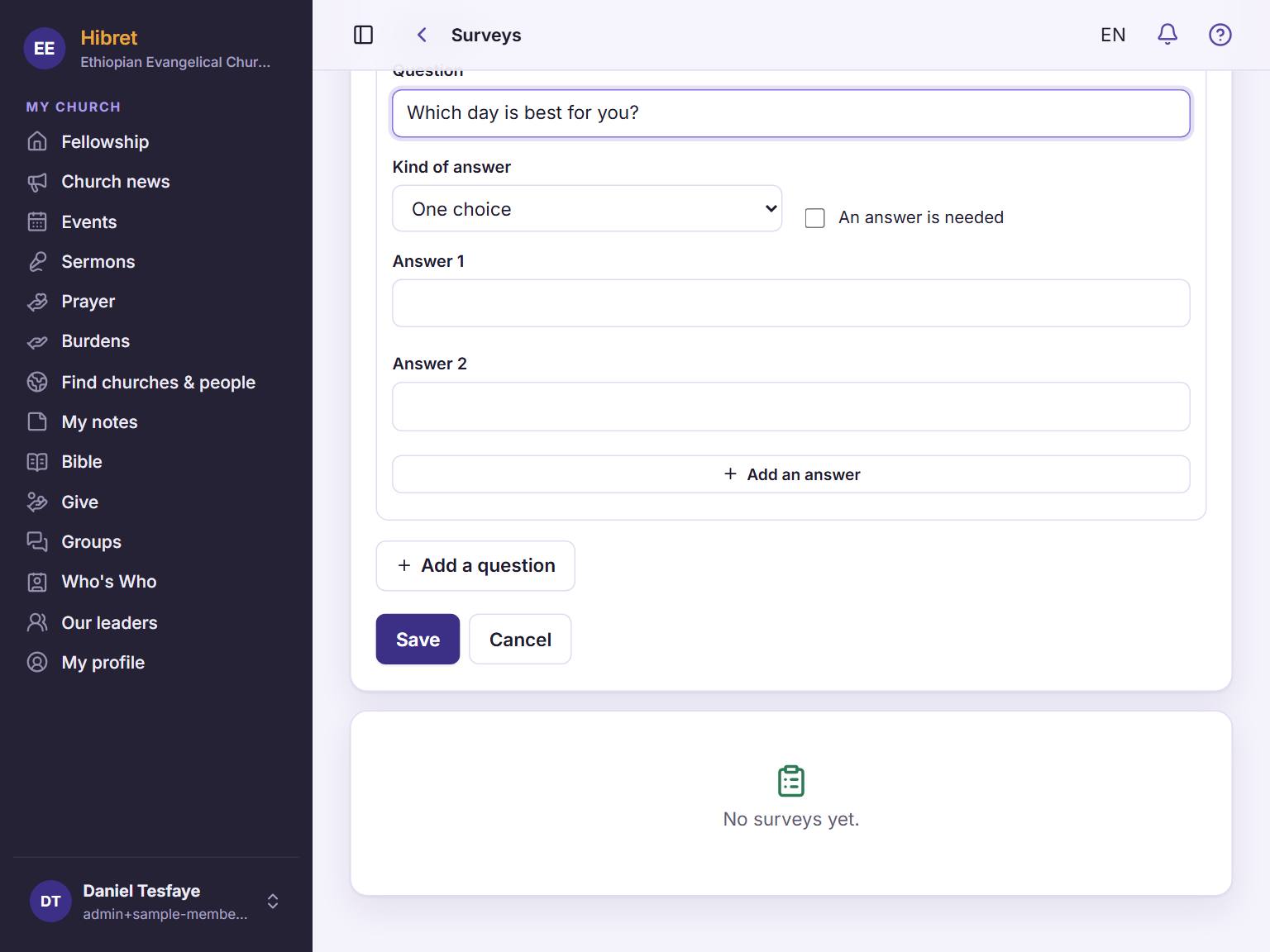
124Add the answers people can choose. Tap "Add a question" 1 for one more question. Tap "Save" 2.
The survey is saved as a draft. In the list, tap "Open" to send it to your group.