 Hibret ህብረት
Change a church setting
Each setting explains its rule. Every change is kept in a list, and you can undo it.
-
 1231
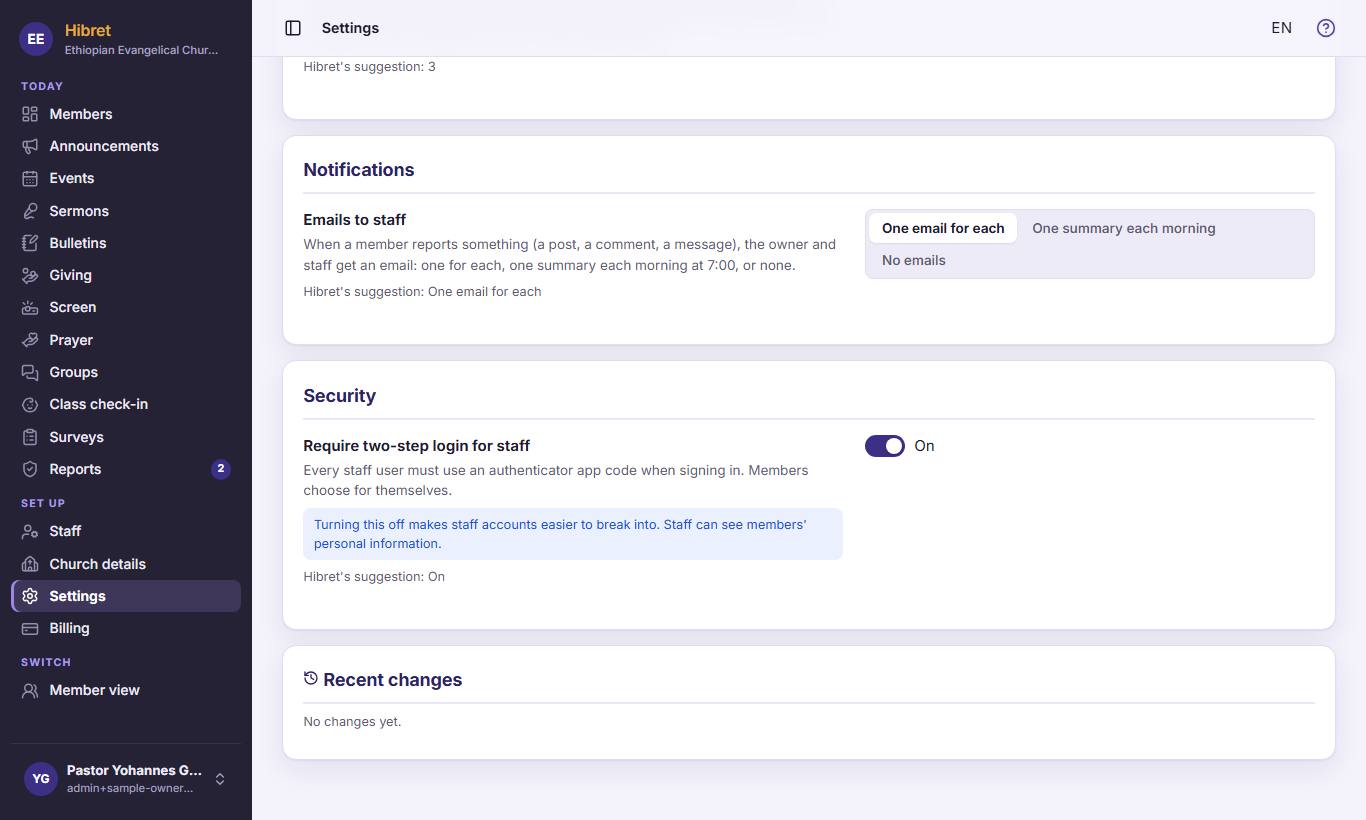
1231In the menu, click "Settings" 1. For example, choose how staff get emails about reports 2. Choose if staff must use two-step login 3.
-
 122
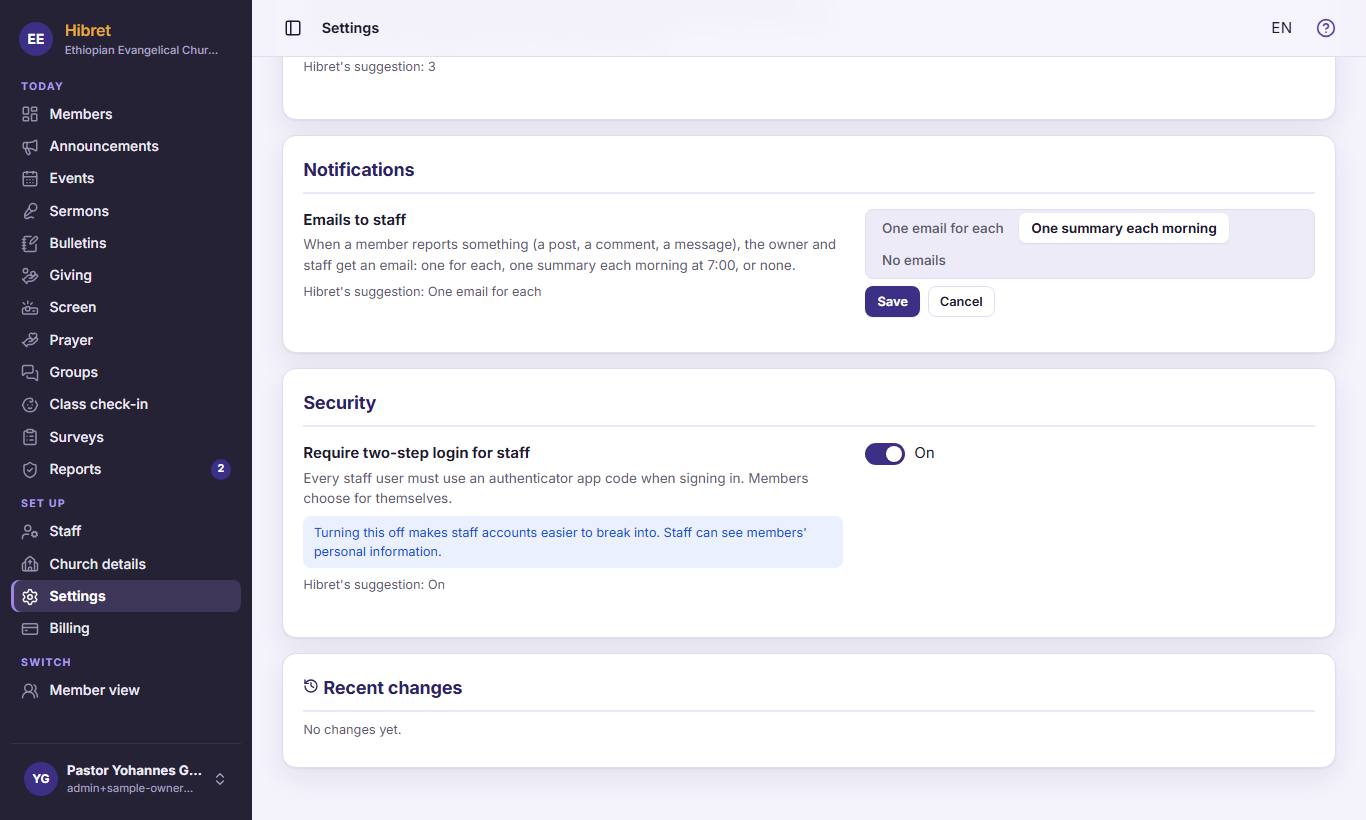
122After a change, click "Save" 1 to keep it, or "Cancel" 2 to leave it as it was.
The new rule works at once for the whole church.
-
 13
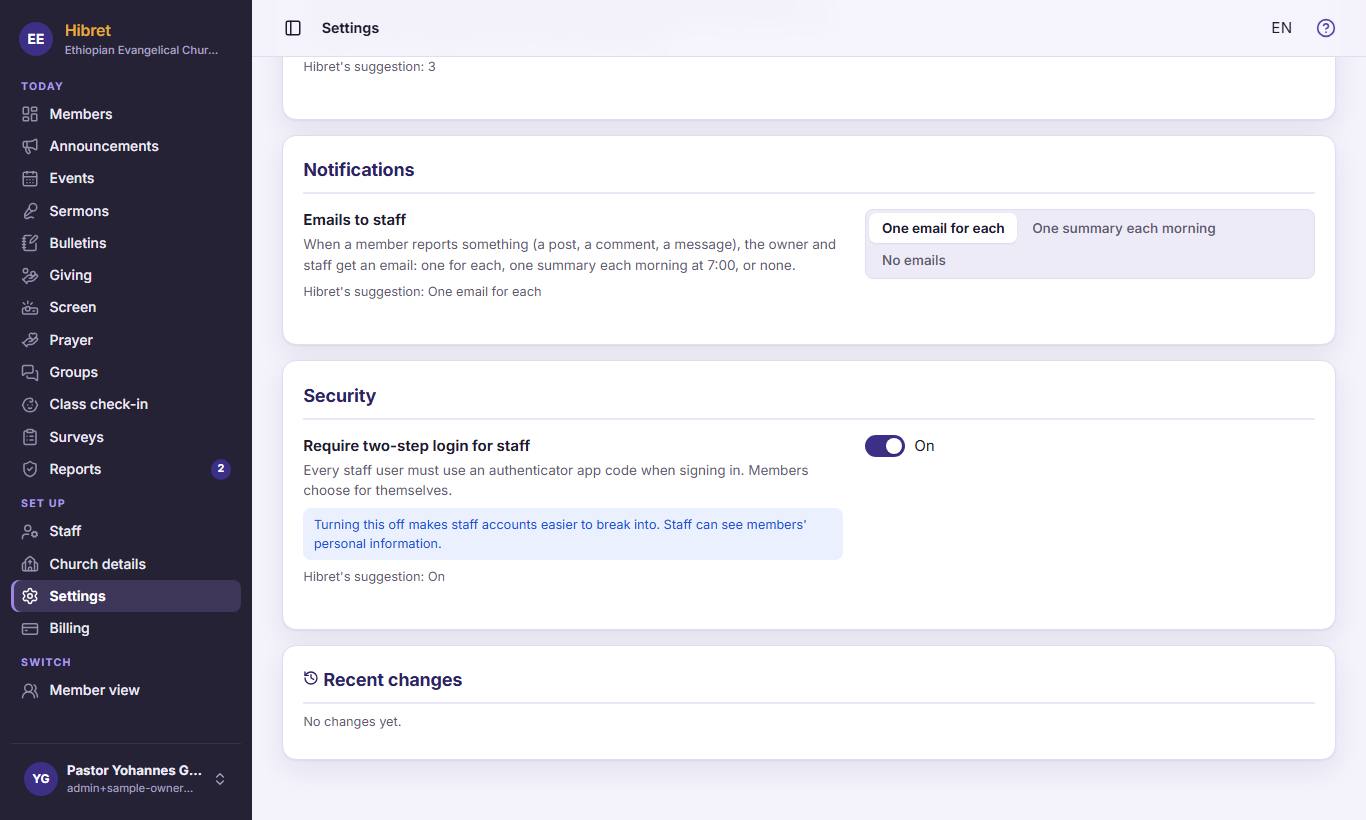
13At the bottom, "Recent changes" 1 shows who changed what and when. Click "Undo" on a line to go back.