 Hibret ህብረት
Children's check-in: the overview
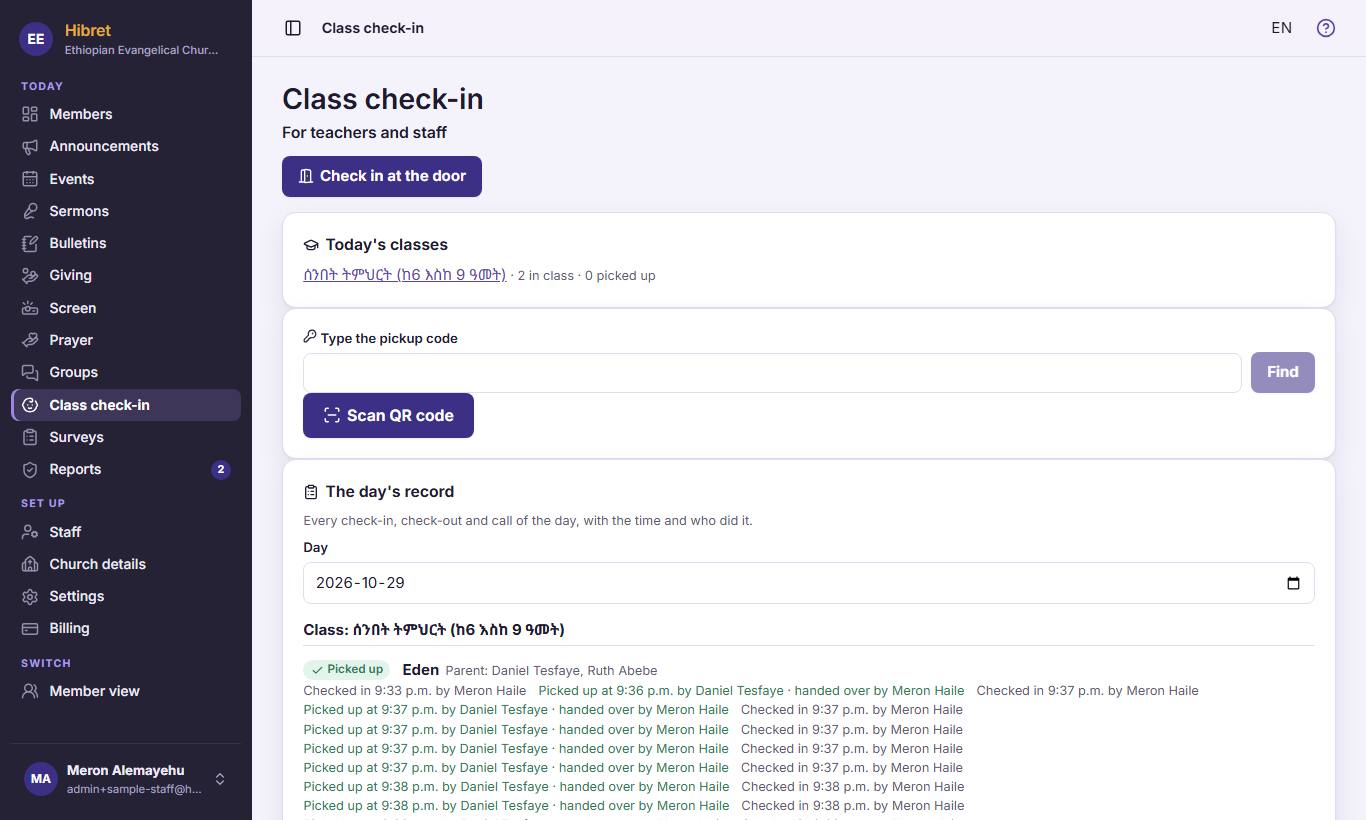
Class check-in shows today's classes, who is in class and who was picked up. Teachers and staff use it.
-
 123451
"Check in at the door" 1 checks children in when families arrive. "Today's classes" 2 lists each class with the number in class. For pickup, type the code 3 or press "Scan QR code" 4. "The day's record" 5 shows every check-in of a day.
-
 122
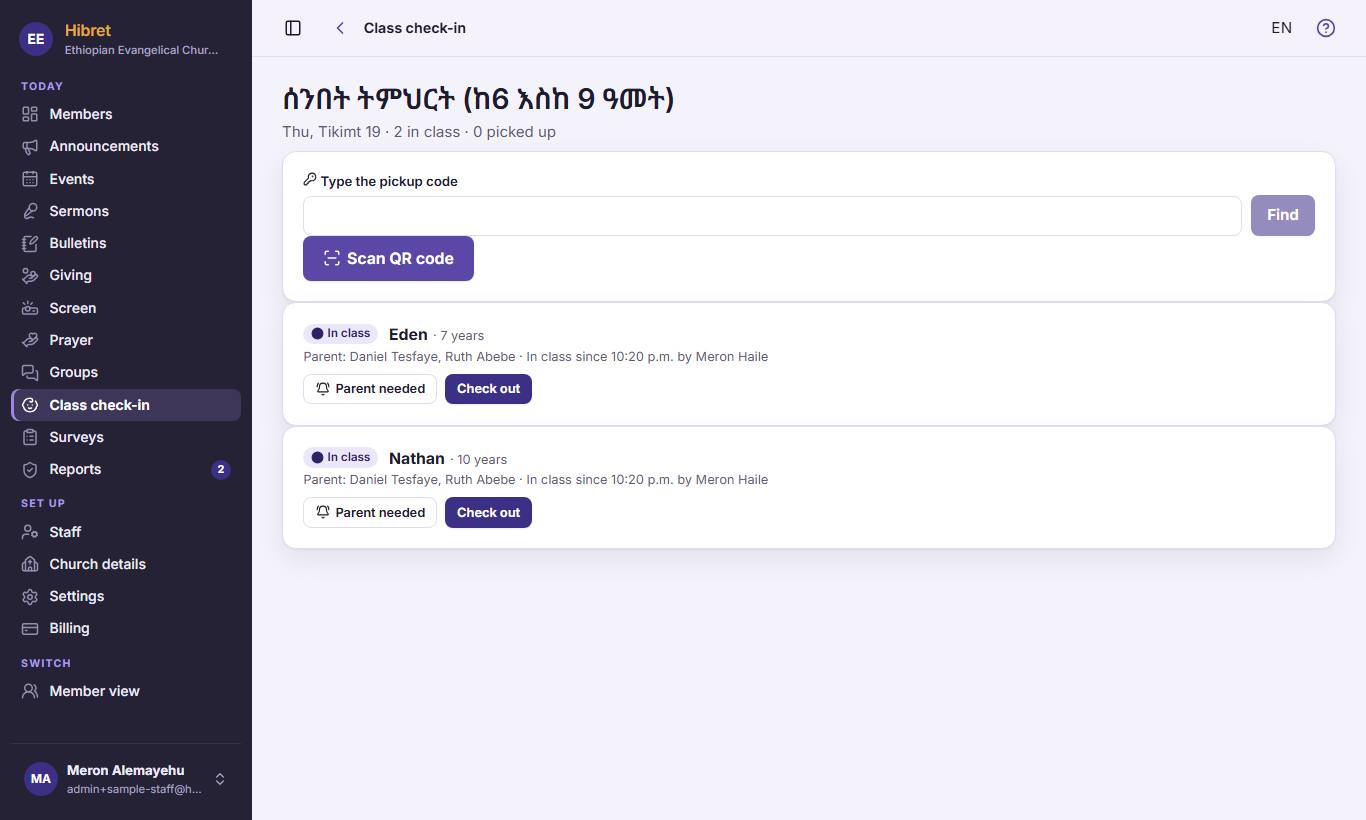
122Open a class. Press "Parent needed" 1 to call a parent. Press "Check out" 2 when the child is picked up.
The parent gets a message at once.