 Hibret ህብረት
See your notifications
The bell tells you when someone comments, reacts, answers you or needs you.
-
 11
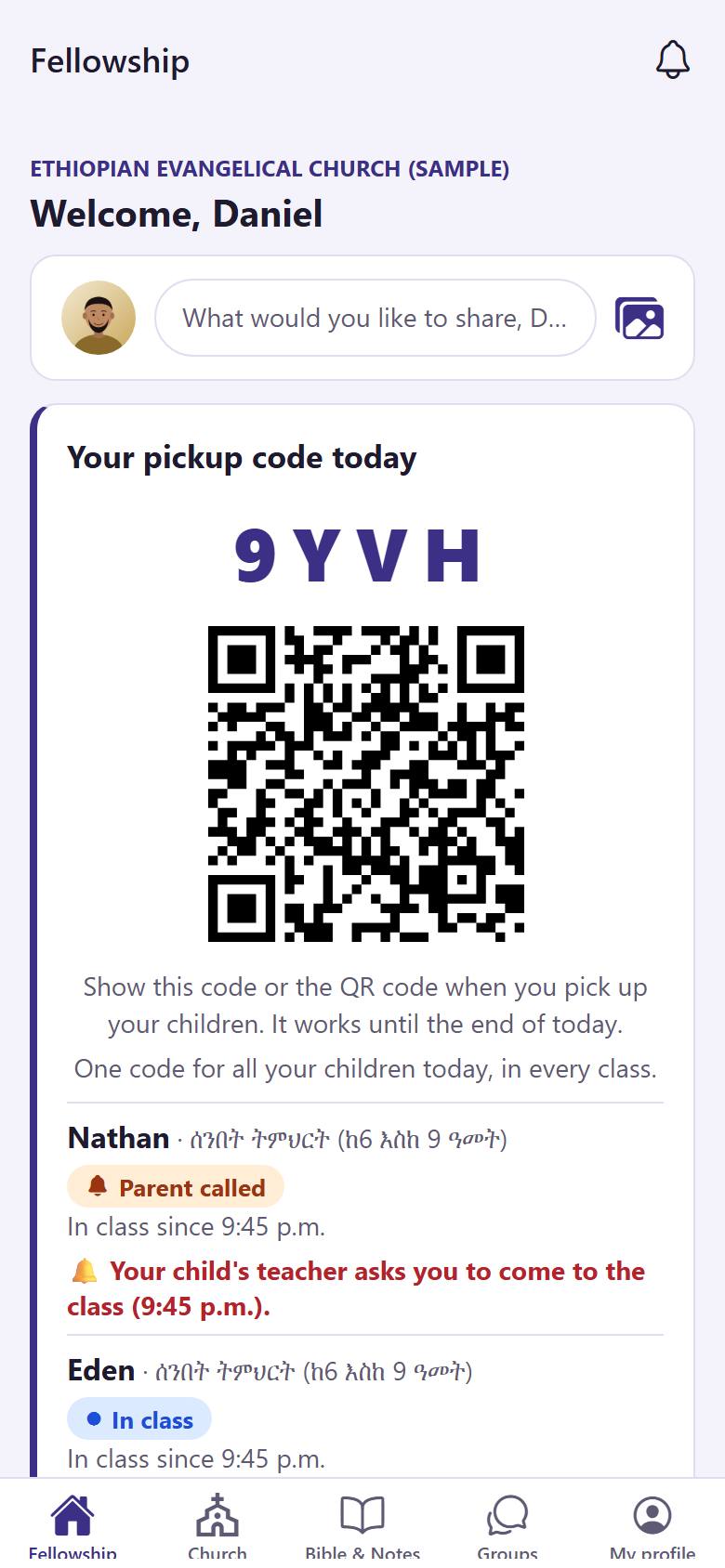
11On "Fellowship", tap the bell 1 at the top. The red number is how many you have not read yet.
-
 122
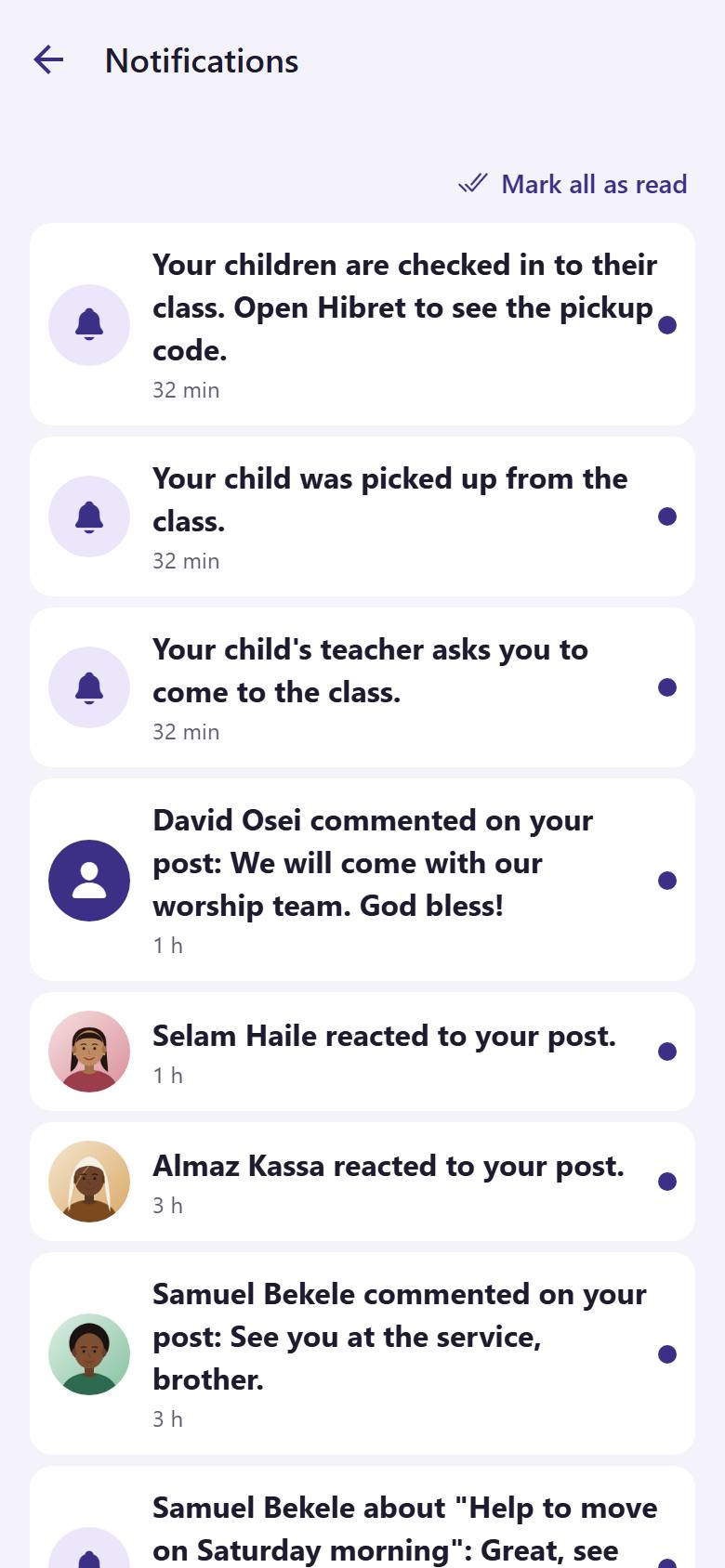
122Tap a notification 1 to open what it is about. Tap "Mark all as read" 2 when you have seen them all.
The red number on the bell goes away.