 Hibret ህብረት
Add a staff member or a viewer
Staff help you run the church on Hibret. A viewer can look at everything but changes nothing.
-
 121
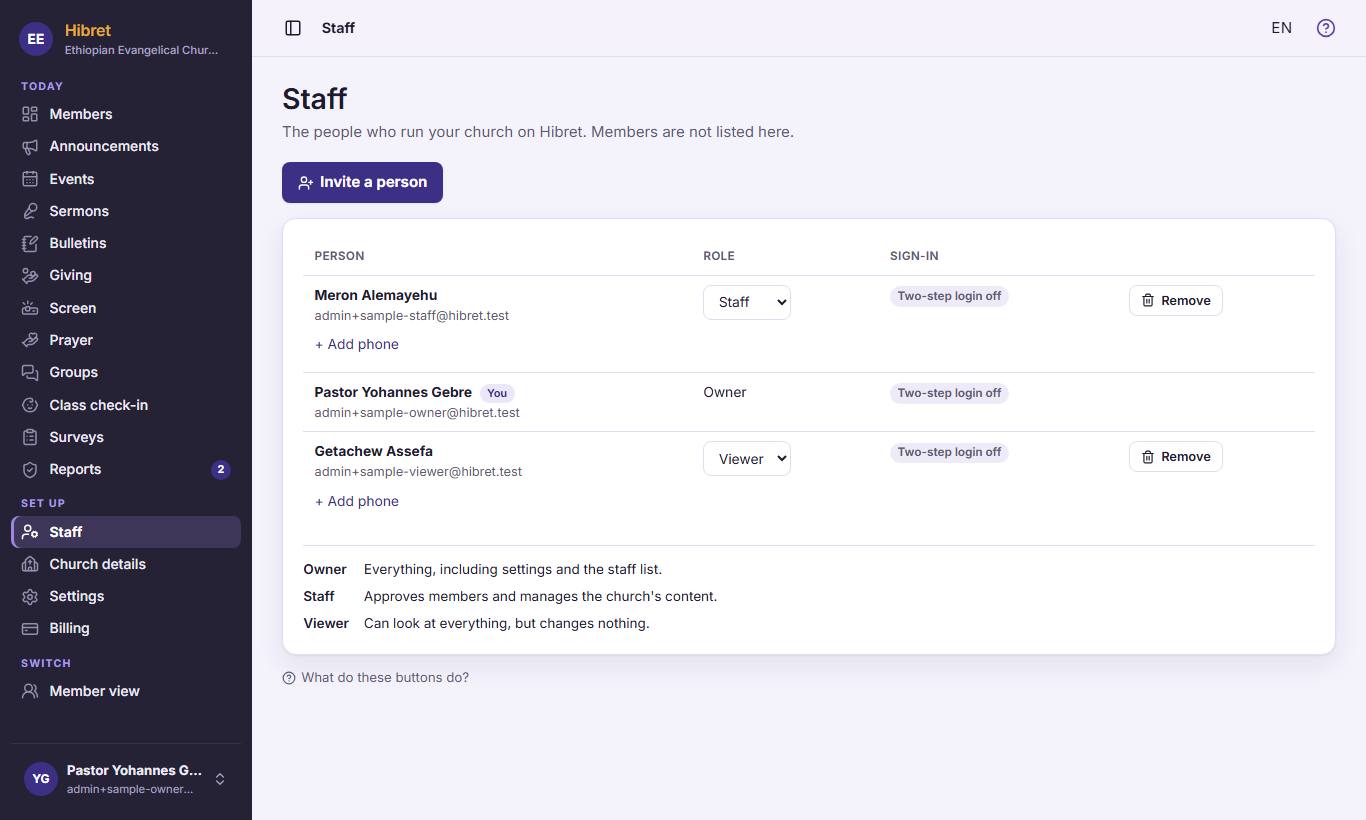
121In the menu, click "Staff" 1. Then click "Invite a person" 2.
-
 123452
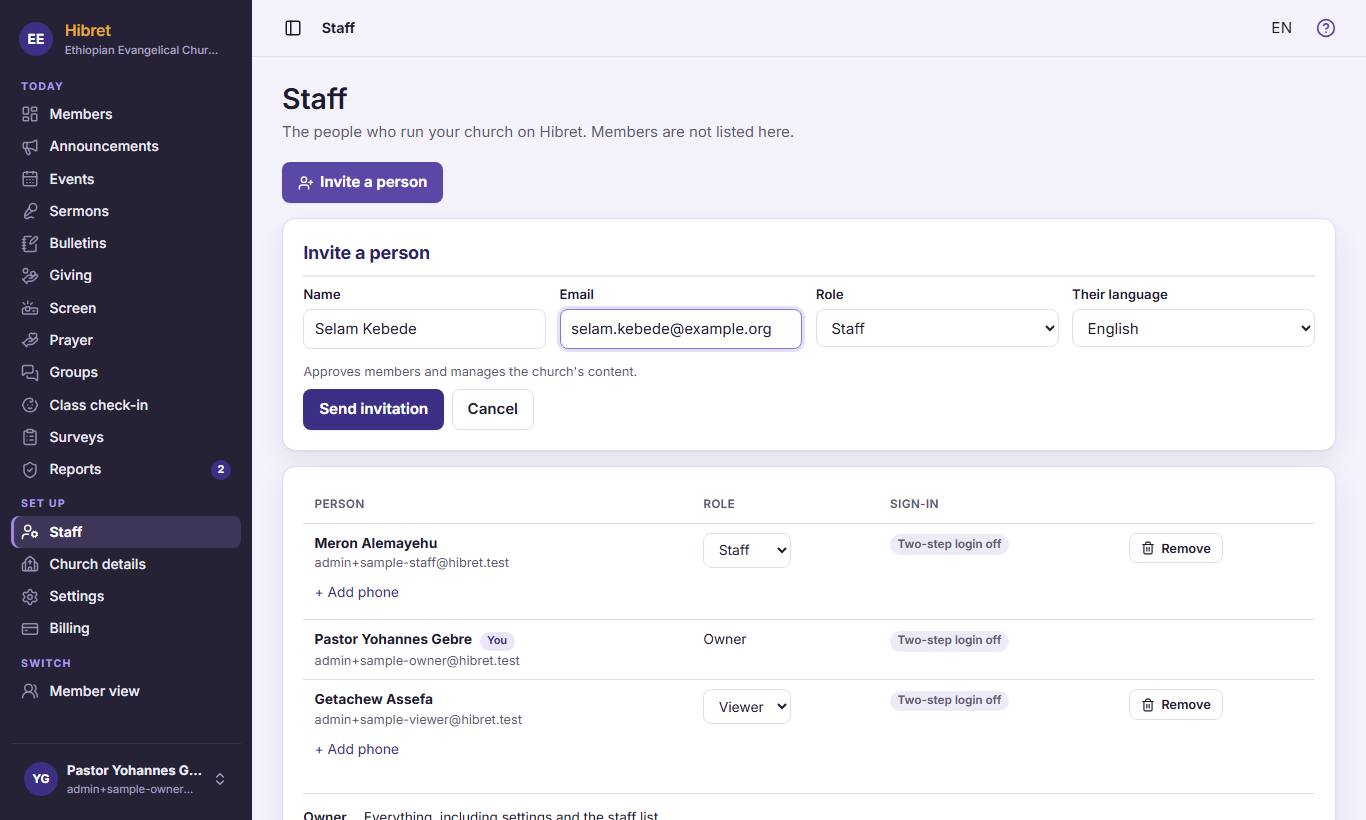
Write the person's name 1 and email 2. Choose the role 3: "Staff" or "Viewer". Choose the language of their email 4. Click "Send invitation" 5.
The person gets an email with a link. They set a password and two-step login, then they are on the list.