 Hibret ህብረት
Approve or decline a person who asks to join
People who sign up for your church wait until staff approve them. Approve only people you know belong to your church.
-
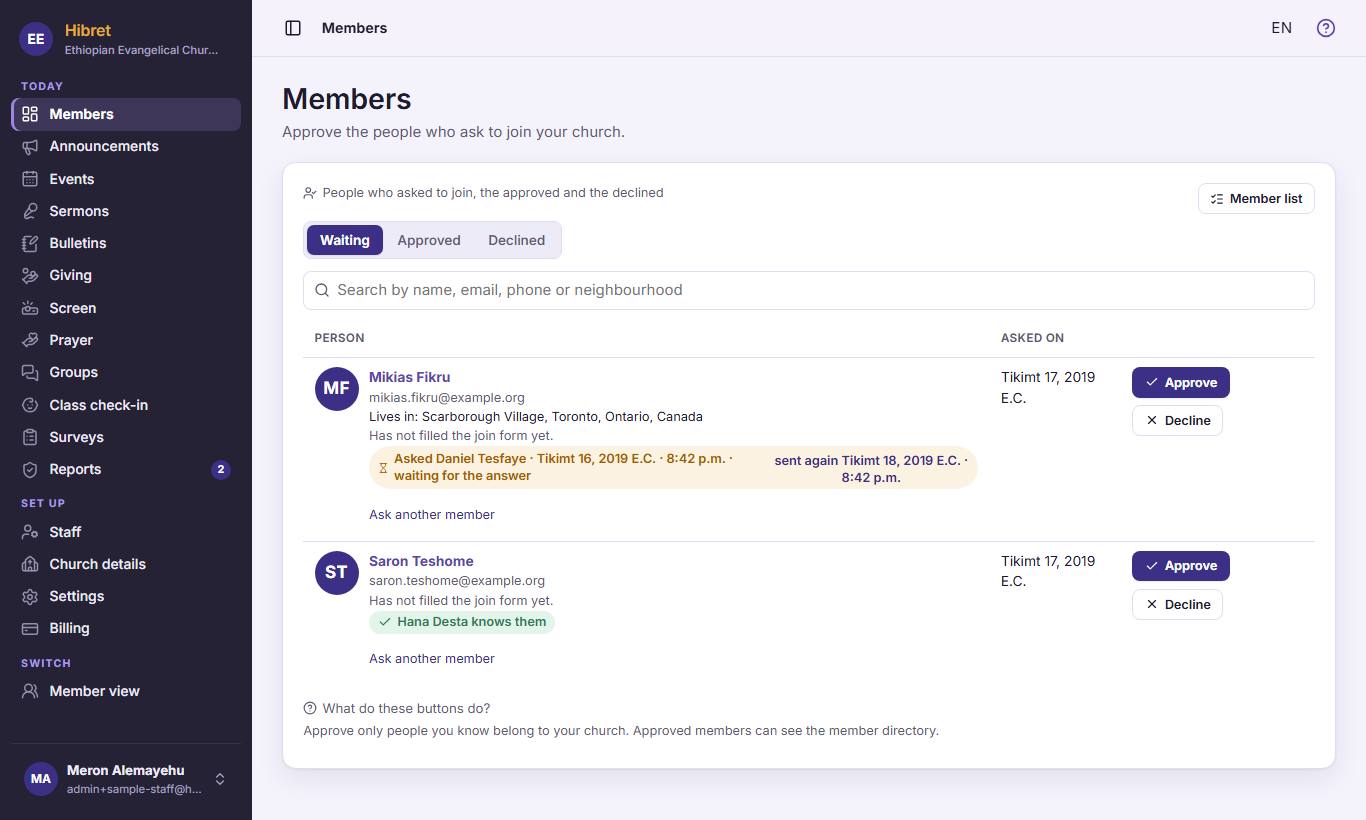 1231
1231"Waiting" 1 lists the people who asked to join. Under a name you see what other members said about them 2. Press "Approve" 3 when you know the person belongs to your church.
The person becomes a member and can see the member directory.
-
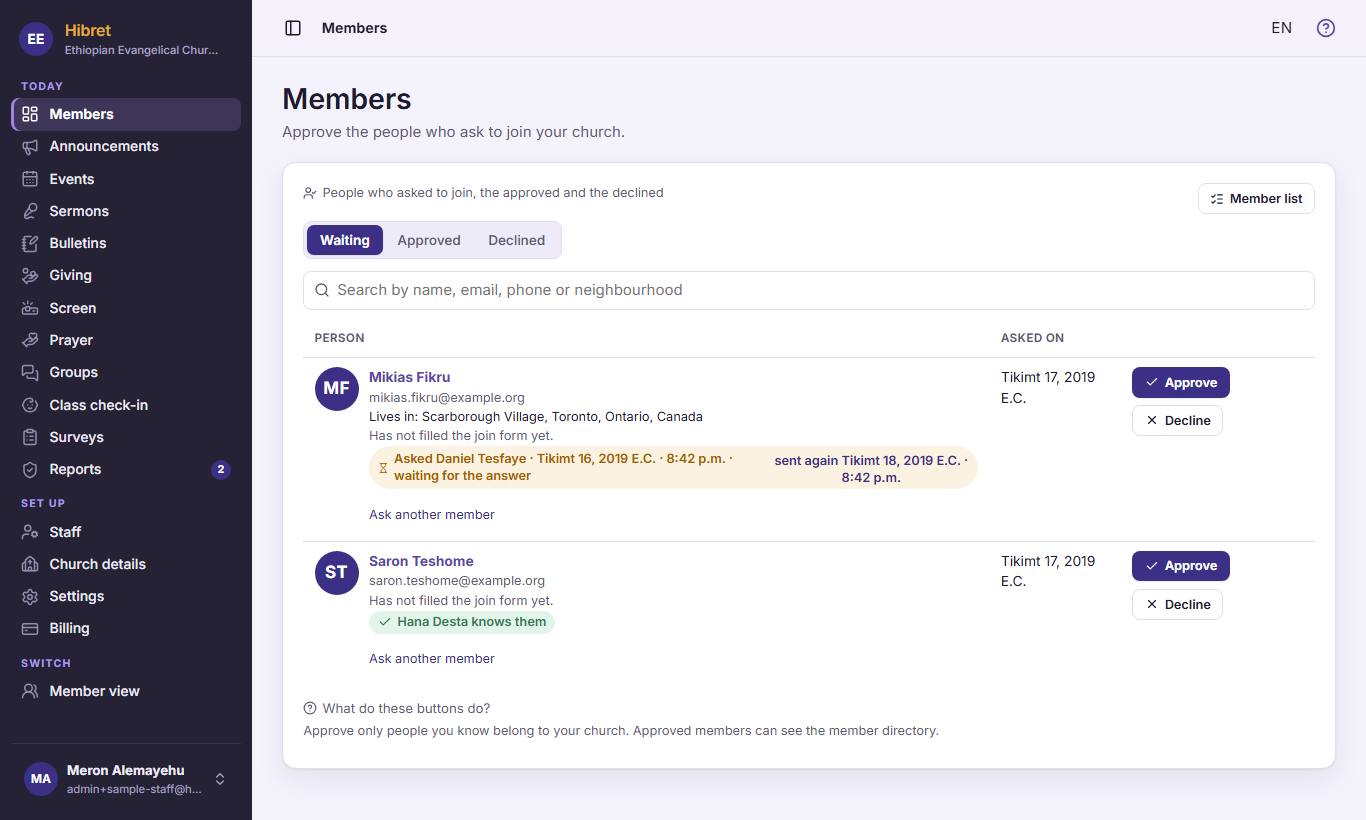 12
12Not sure? Press "Ask another member" 1 and choose a member who may know the person. Hibret asks that member for you.
The answer shows under the name: "knows them" or "does not know them".
-
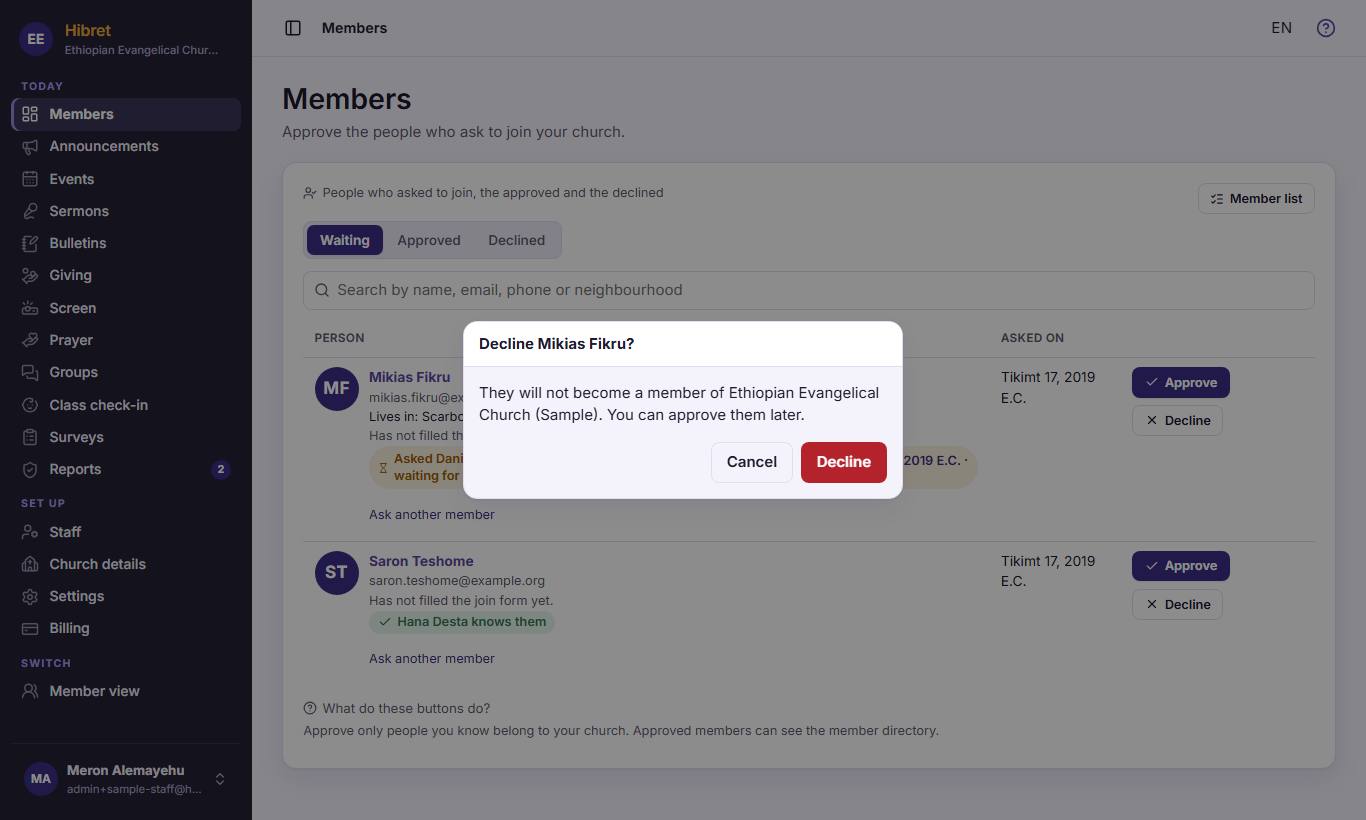 1233
1233To turn someone away, press "Decline". Hibret asks first 1. Press "Cancel" 2 if you changed your mind, or "Decline" 3 to decline.
A declined person can still be approved later, under "Declined".