 Hibret ህብረት
Check out with the parent's pickup code
The parent shows the pickup code or its QR code on the phone. You see the whole family and check the children out together.
-
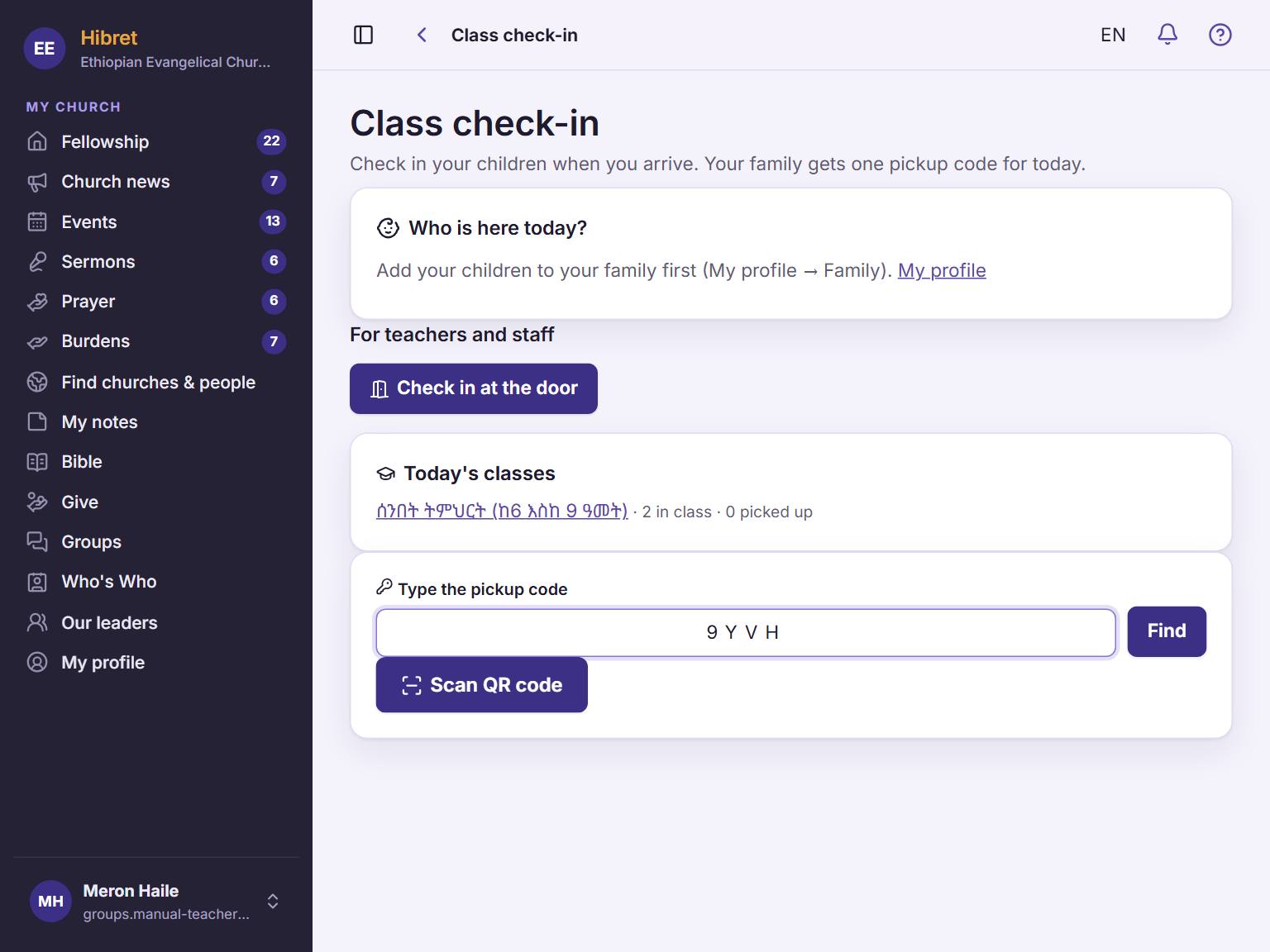 1231
1231Type the code from the parent's phone 1 and tap "Find" 2. Or tap "Scan QR code" 3 and hold the parent's QR code to the camera.
-
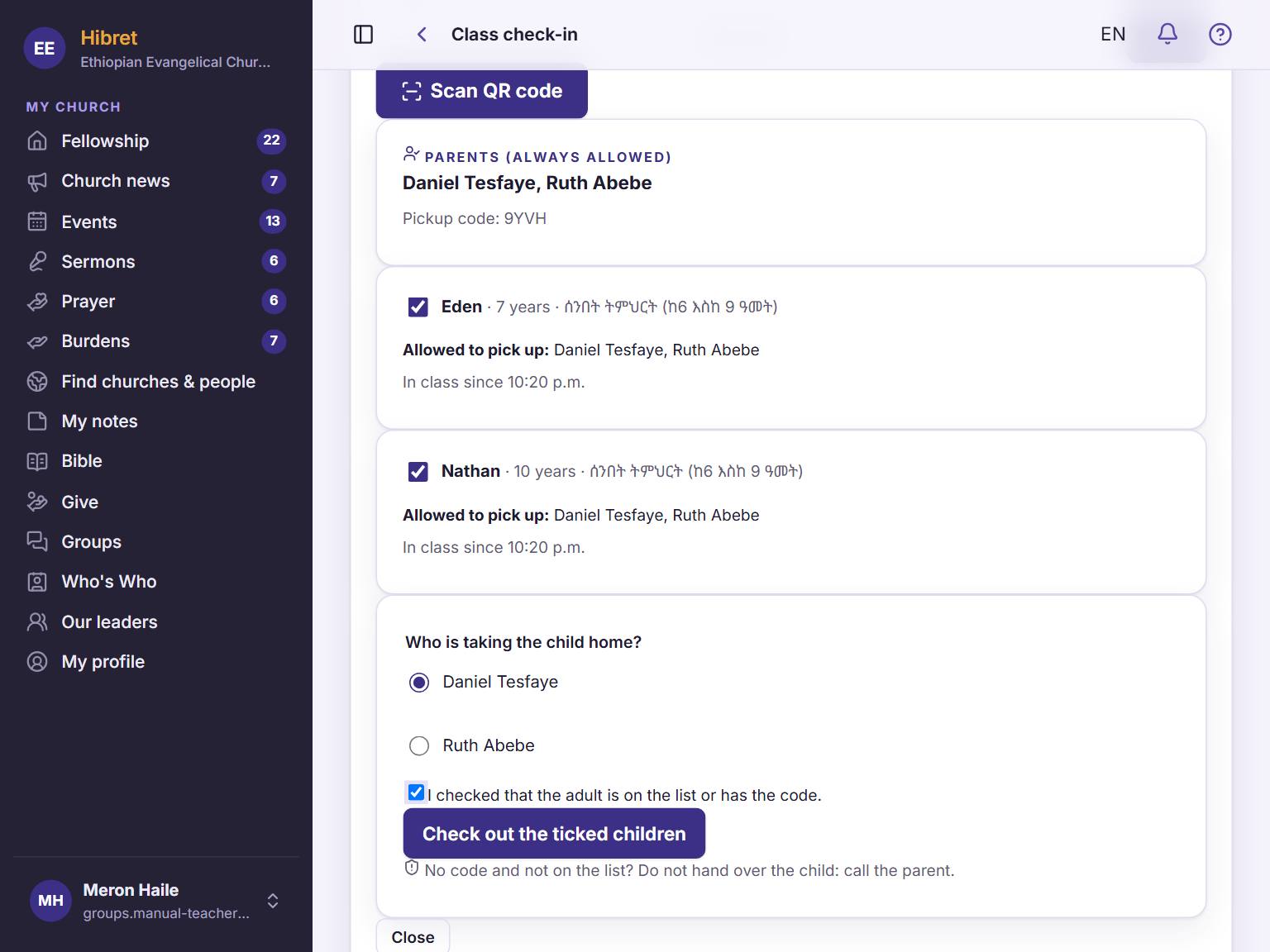 123452
Check the parents' names 1 and the ticked children 2. Choose who takes them home 3, tick that you checked the adult 4 and tap "Check out the ticked children" 5.
All the ticked children show "Picked up". If the code is wrong, nobody's names show.