 Hibret ህብረት
Write a note with a verse
Keep what you learn: from a sermon, a Bible study or your own reading.
-
 121
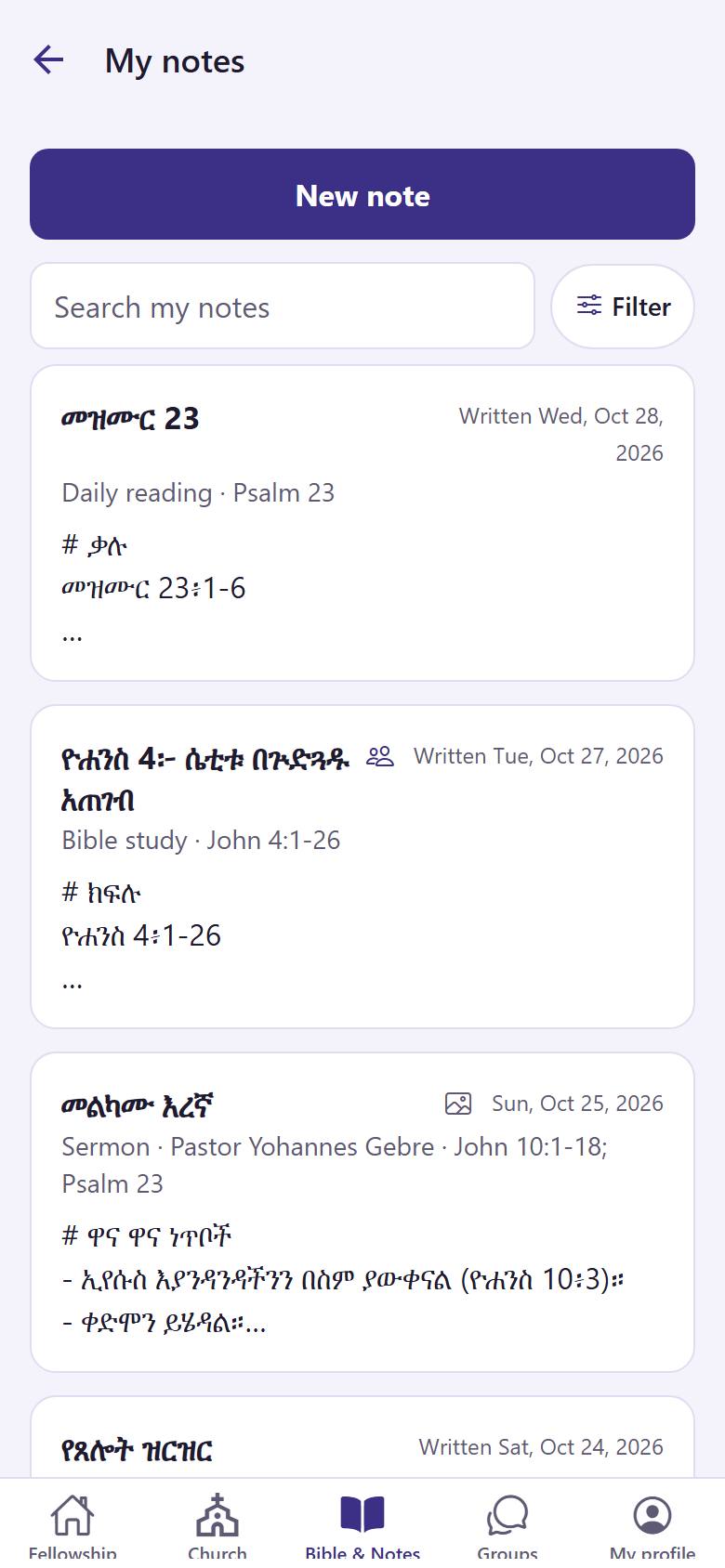
121In "Bible & Notes", open "My notes". Tap "New note" 1. Tap a note 2 to read or change it.
-
 12342
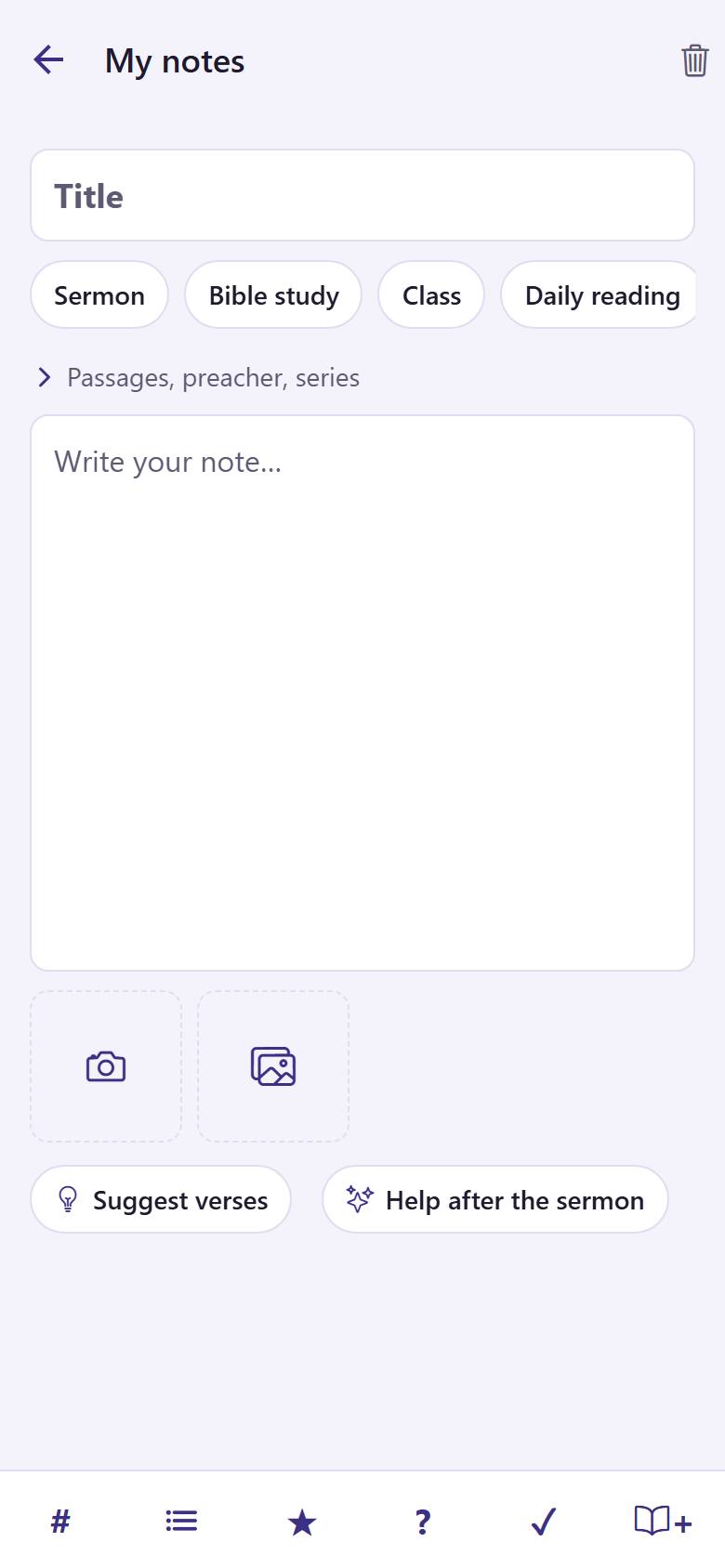
12342Write a title 1 and choose the kind of note 2. Write your note 3. Tap the book 4 to add a Bible verse.
Hibret saves your note by itself while you write.
-
 123
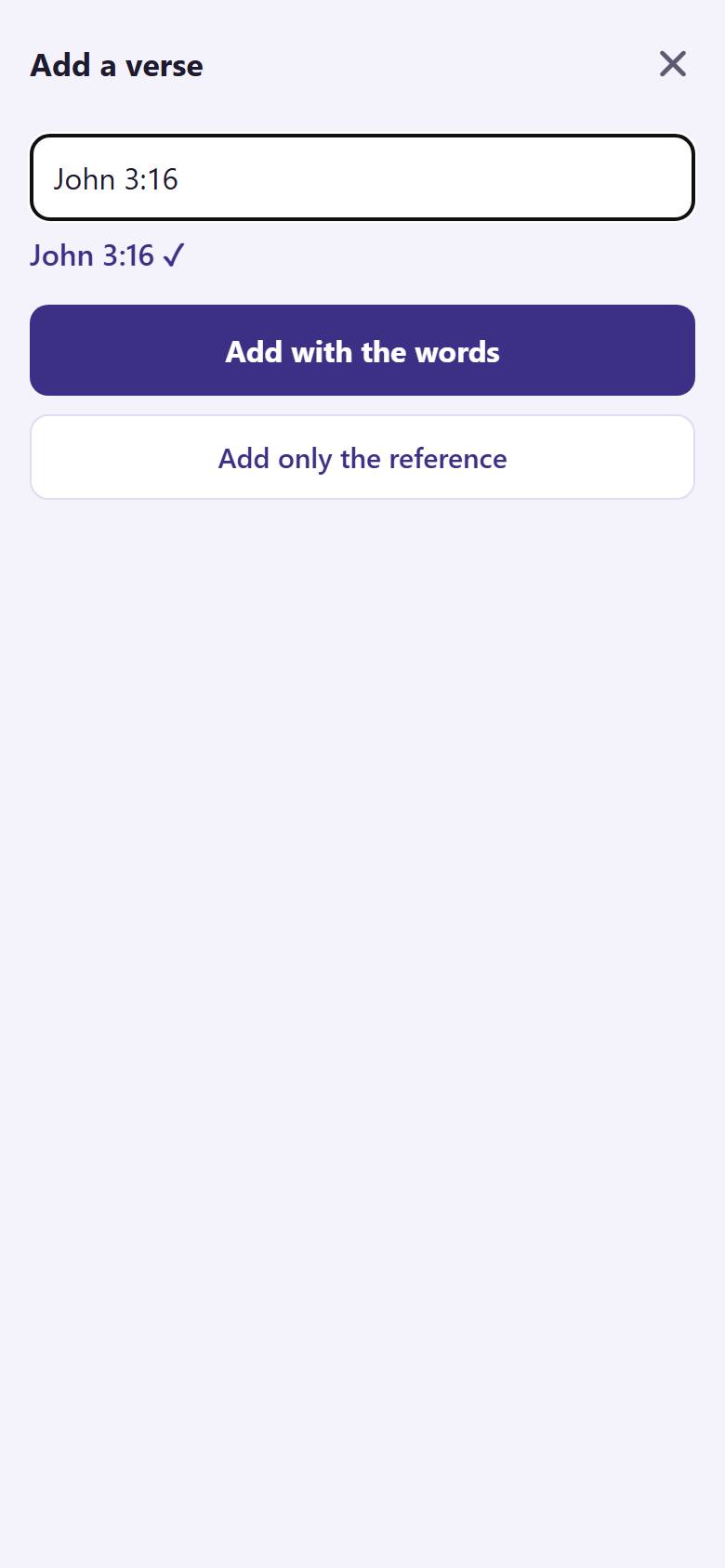
123Type the verse 1, for example "John 3:16". Tap "Add with the words" 2 to put the words of the verse in your note.
The verse shows as a button in your note. Tap it later to read it.