 Hibret ህብረት
Choose a plan and pay for it
Your plan sets how many members and how much space for photos your church has.
-
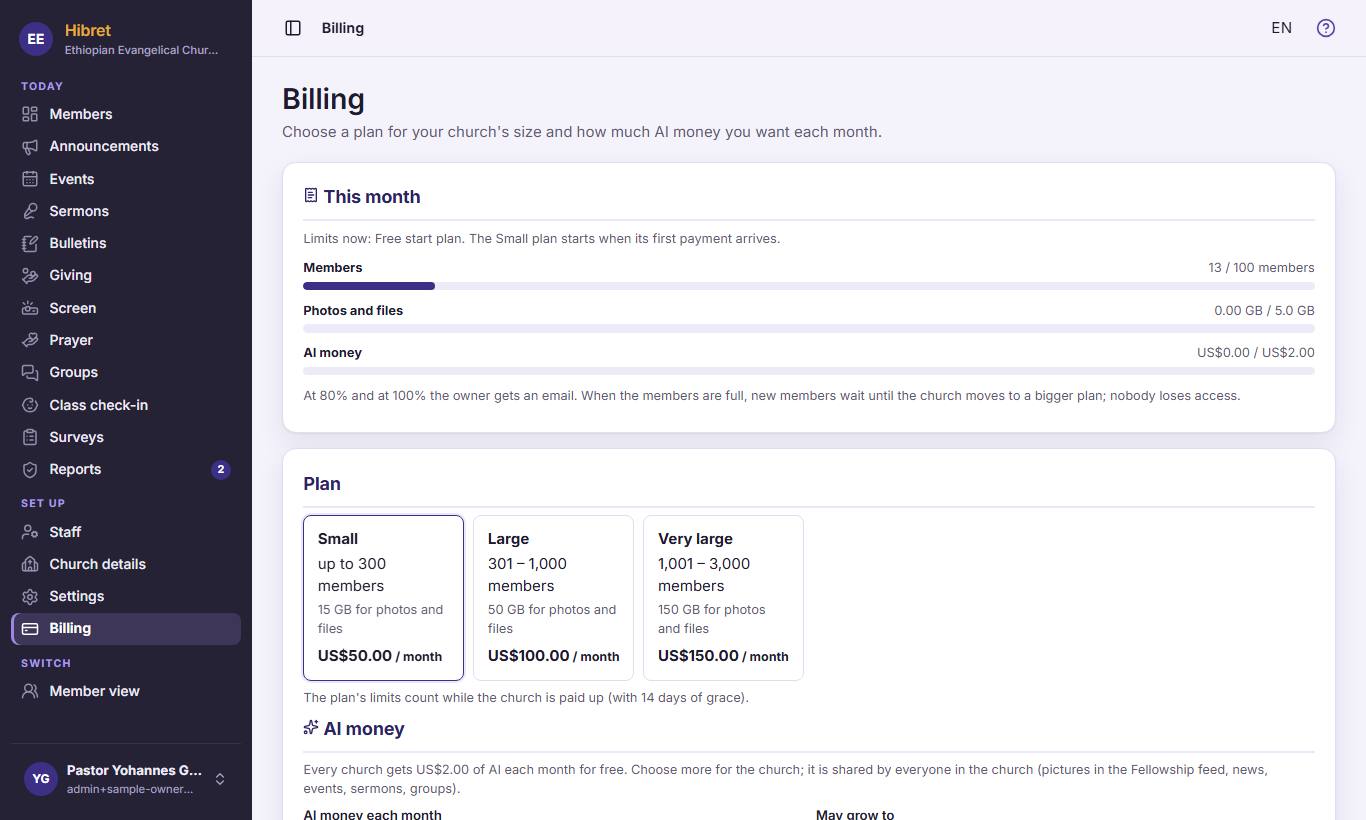 1231
1231In the menu, click "Billing" 1. "This month" 2 shows your members, photos and AI money against the limits. Choose the plan for your church's size 3.
At 80% and at 100% you get an email. Nobody loses access.
-
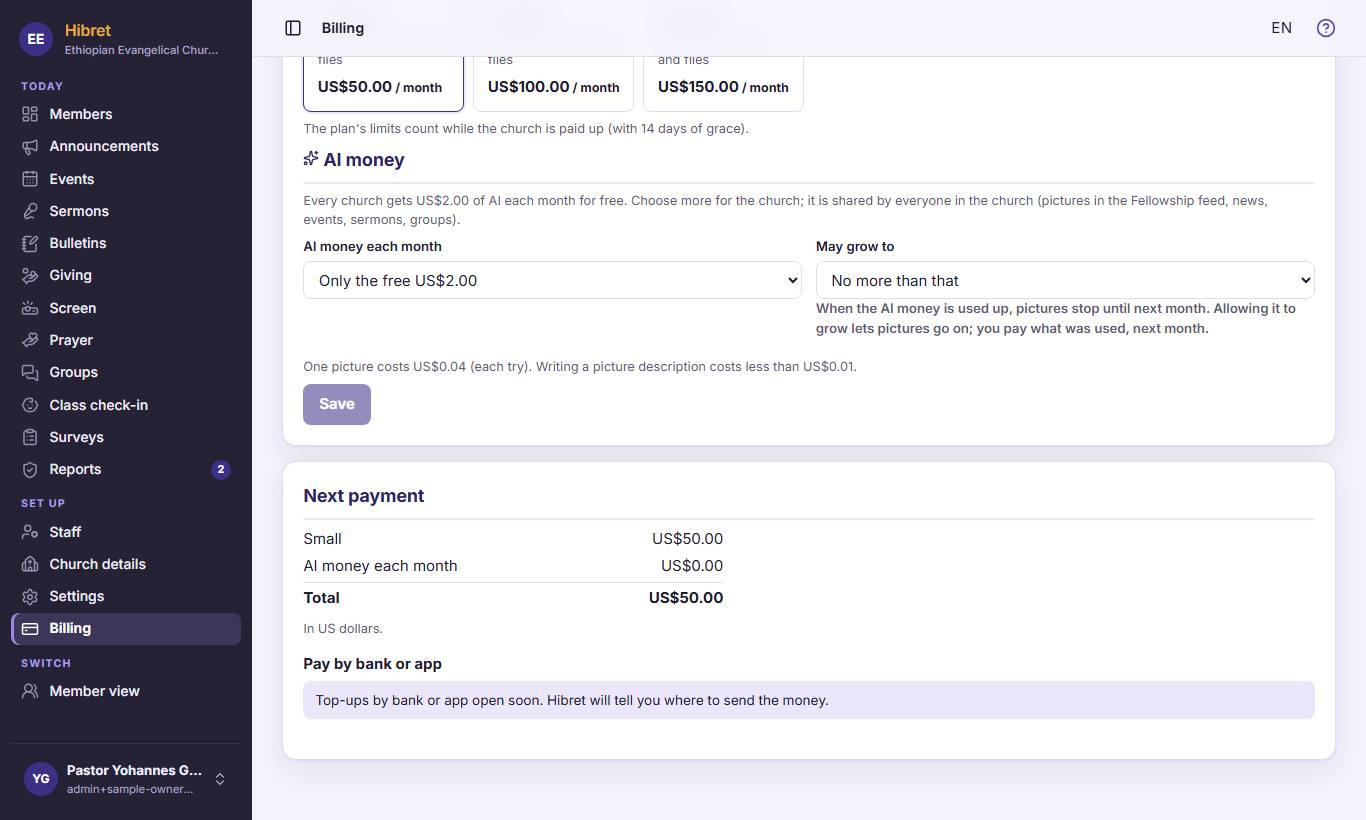 122
122"Next payment" shows what to pay 1. Under "Pay by bank or app" 2 you see how to send the money (bank, Interac, telebirr…). After you sent it, choose how you sent it, write the bank reference and click the button to say you sent it.
Hibret checks the payment. The plan starts when it arrives.