 Hibret ህብረት
Change or remove a staff member
Give someone more or fewer rights, or remove them when they leave.
-
 121
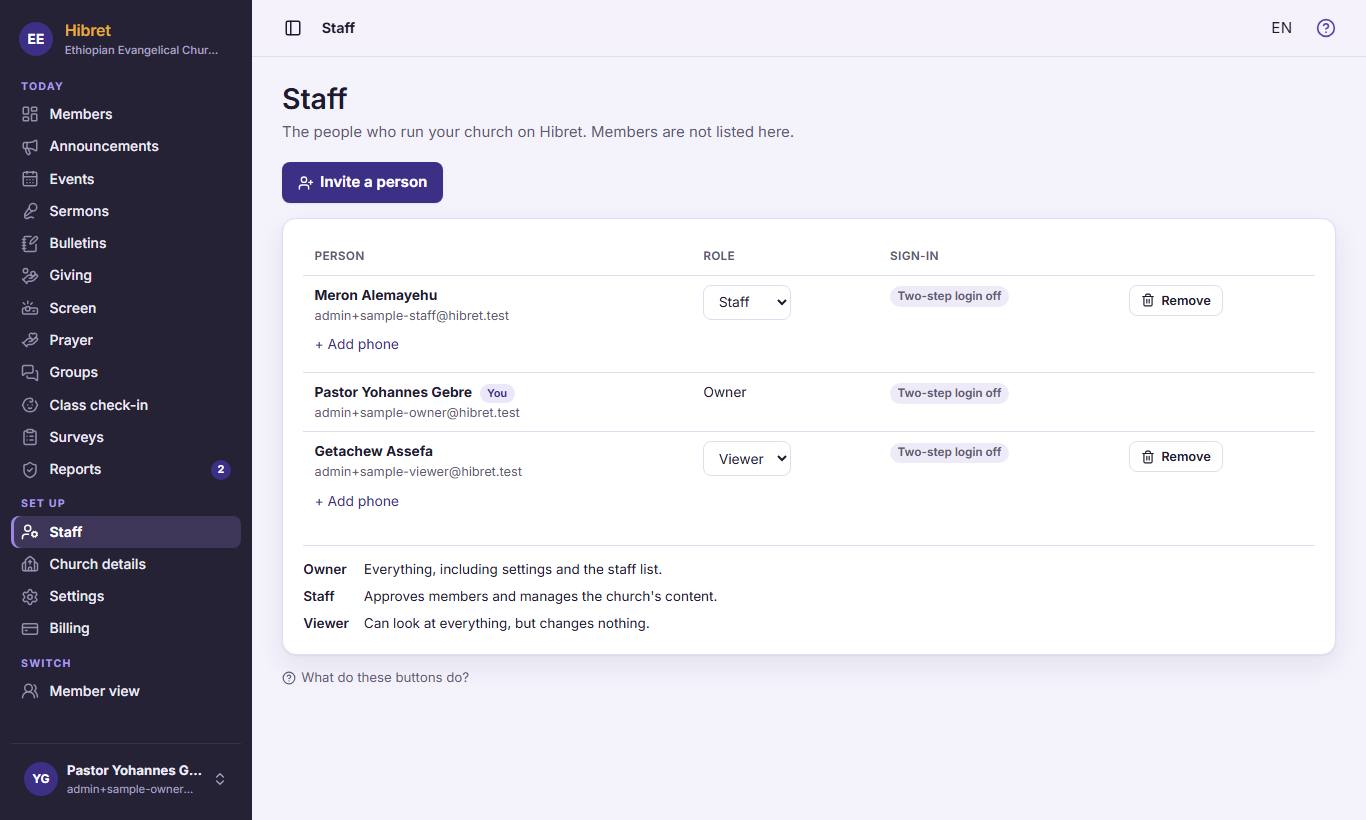
121On "Staff", choose a new role in the list 1. It is saved at once. The roles are explained below 2. If someone lost their phone, click "Reset two-step login" on their line (you see it when their two-step login is on).
-
 12
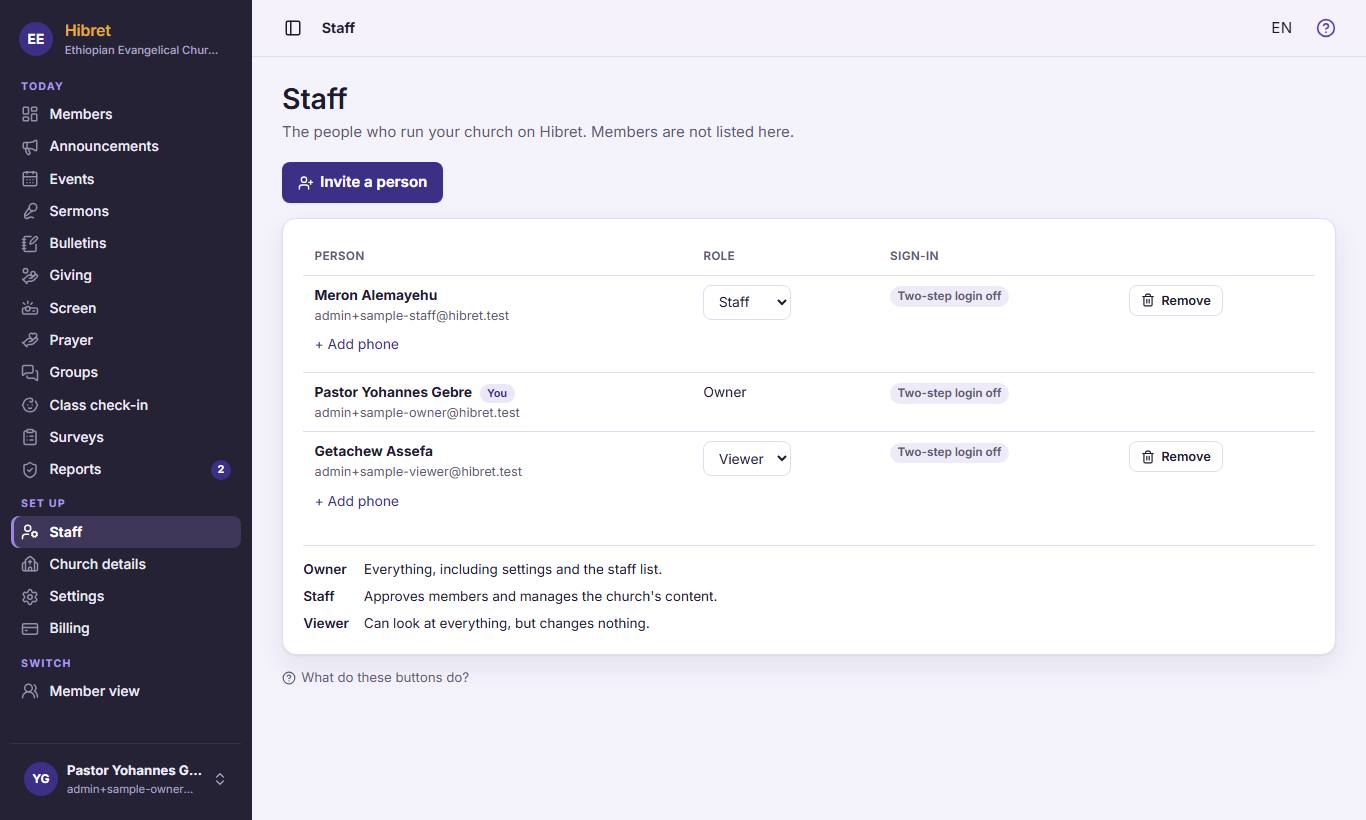
12To take someone off the staff, click "Remove" 1 on their line.
-
 123
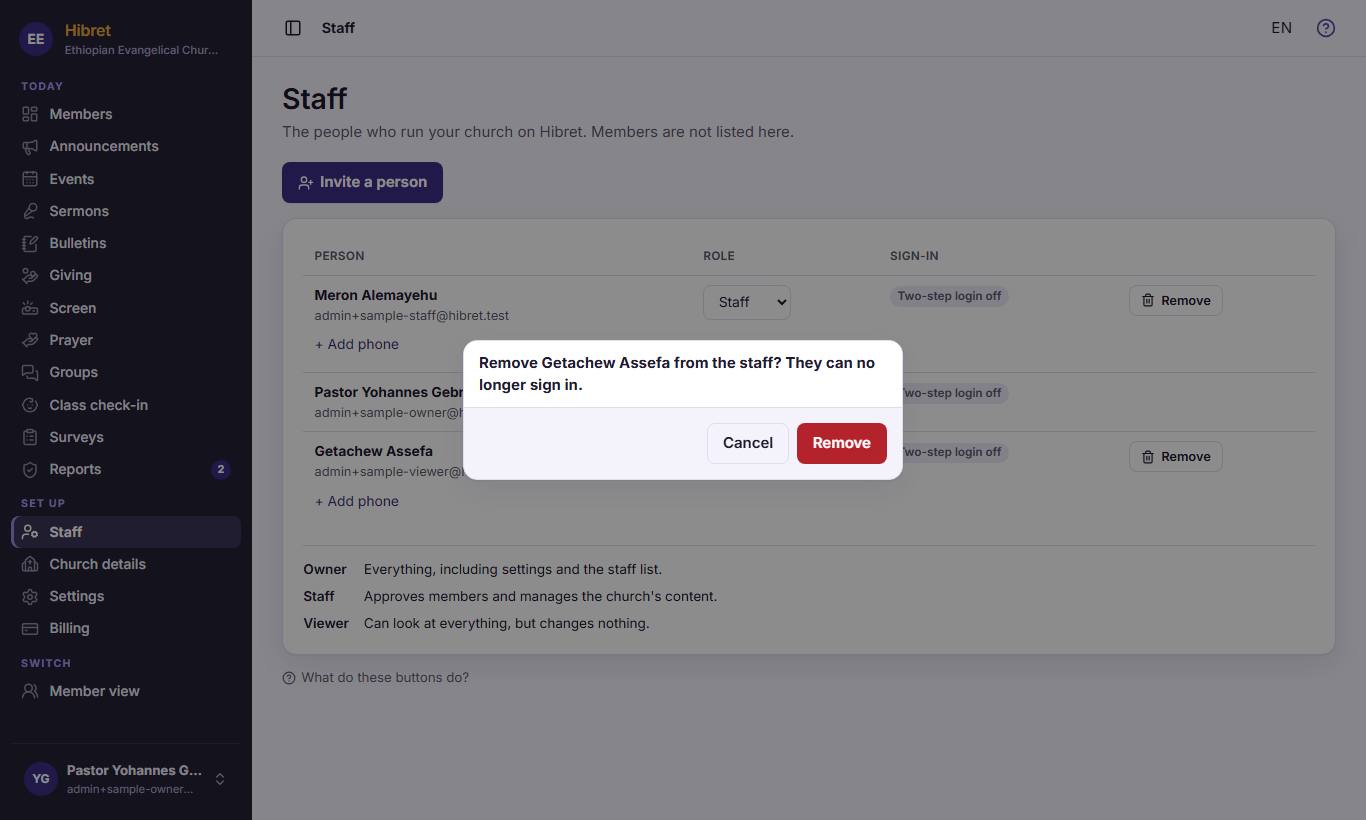
123Hibret asks first. Click "Cancel" 1 to keep the person, or "Remove" 2 to remove them.
A removed person can no longer sign in to the church portal.