 Hibret ህብረት
Add an event or a weekly service
Events go into your members' calendar. A service that repeats every week is one event with "Repeats".
-
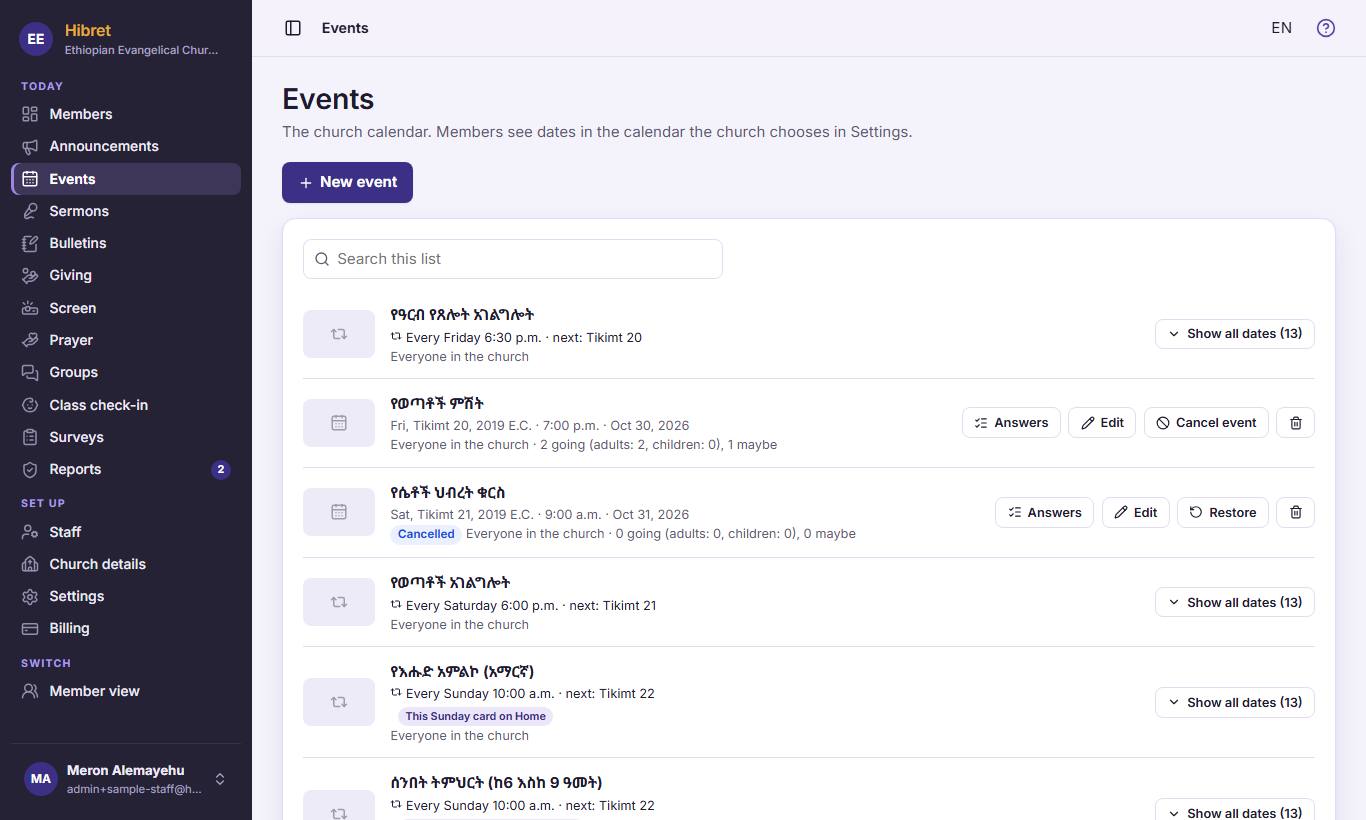 11
11In "Events", press "New event" 1.
-
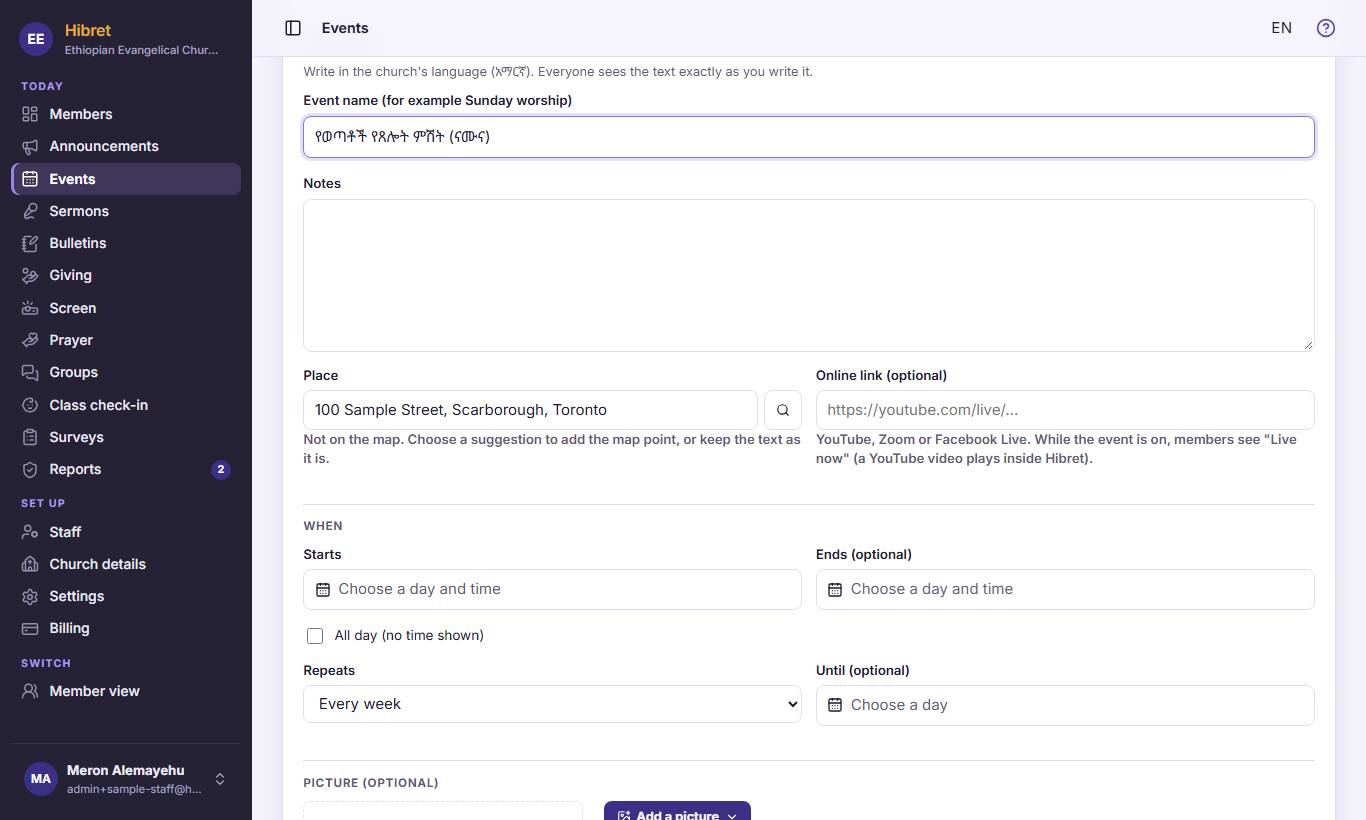 12342
12342Write the name 1 and the place 2. Choose the day and time it "Starts" 3. For a weekly service, choose it in "Repeats" 4.
-
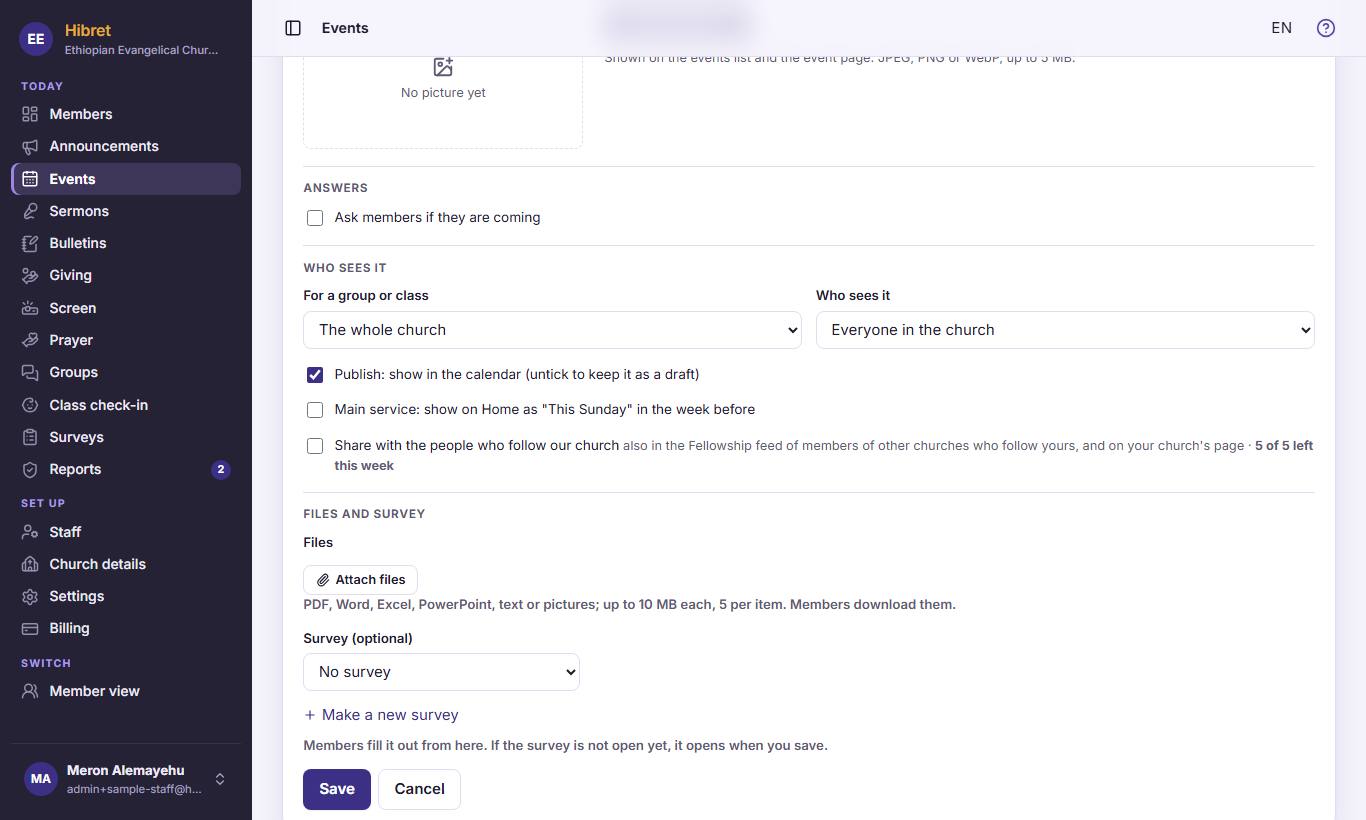 12343
12343Tick "Ask members if they are coming" 1 to know who comes. Choose a group or class 2 if it is only for them. Tick "Main service: show on Home as "This Sunday" in the week before" 3 for the main Sunday service. Press "Save" 4.
The event is in the members' calendar. A weekly service shows every date.