 Hibret ህብረት
A group or class from start to finish
Everything a group can have: the kind, who can join, when a class meets, who learns in it, a picture, and how members find it.
-
 12341
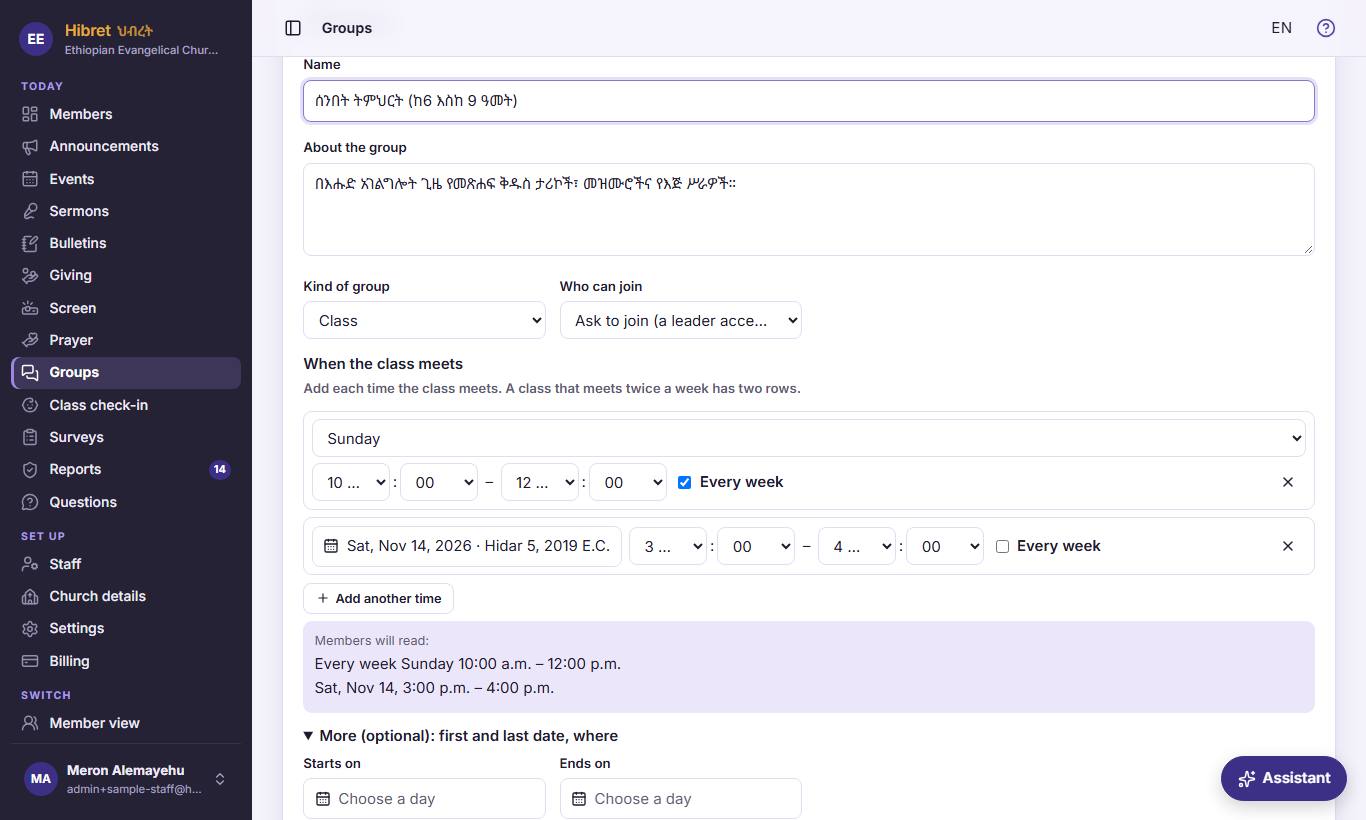
In "Groups", press "New group", or "Edit" on a group. The name 1, what it is about 2, the "Kind of group" 3 and "Who can join" 4.
- 1 The name members see in the list of groups.
- 2 A few words: who the group is for and what it does. Members read it before they join.
- 3 "Fellowship", "Home cell", "Ministry", "Youth", "Prayer", "Class" or "Other". Members see the kind on the group. Only a "Class" gets class times, who learns, and ages.
- 4 "Anyone can join": a member joins at once. "Ask to join (a leader accepts)": a leader accepts each one. "By invitation only": the group is hidden from other members, and its leaders invite people.
-
 12342
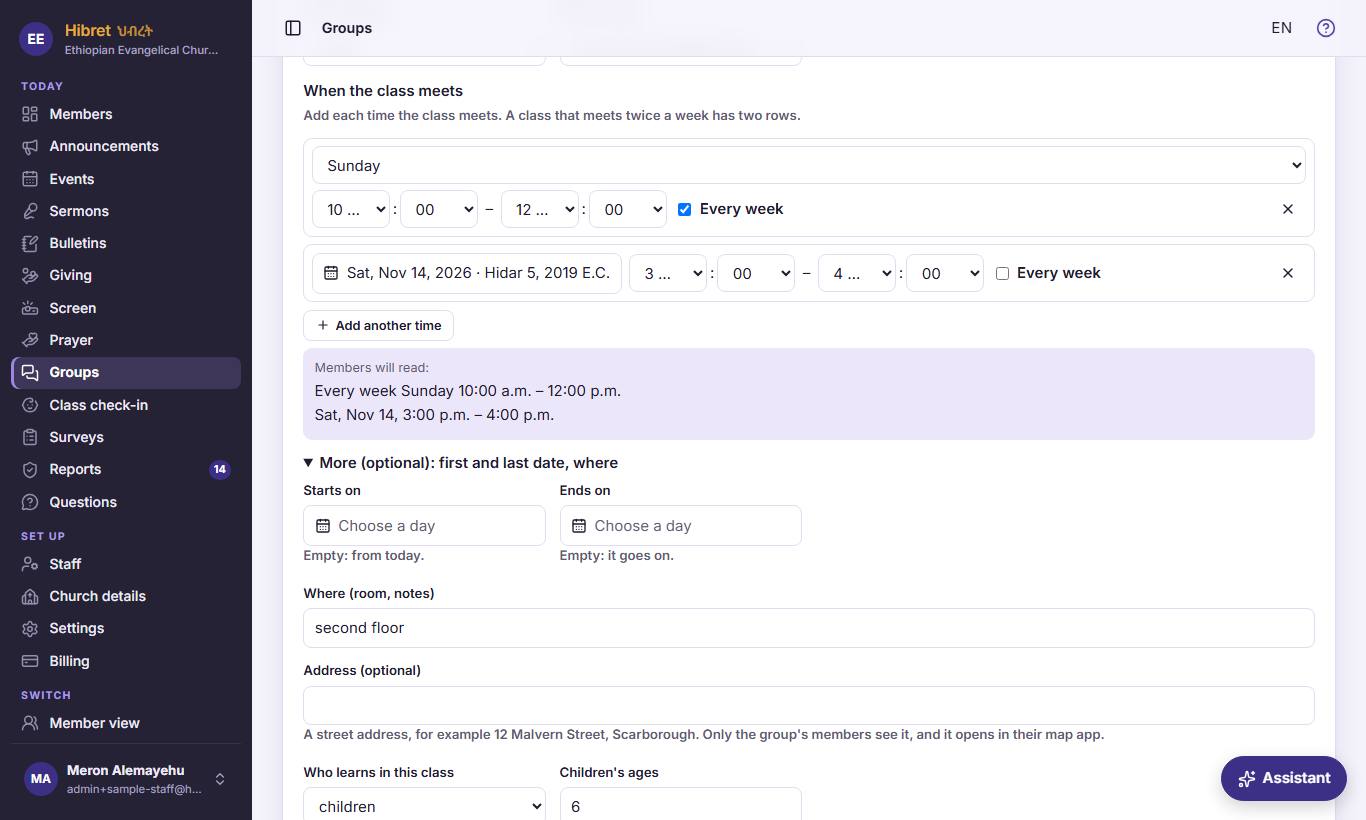
A class: "When the class meets". One row for each time 1 2, "Add another time" 3, and what members will read 4.
- 1 A weekly time: the day, from and to, and "Every week" ticked. In Amharic the hours are on the Ethiopian clock. ✕ removes the row.
- 2 Untick "Every week" for a class on one date only, like a special Saturday class. Then choose the date.
- 3 A class that meets twice a week has two rows. Hibret makes the class dates from these rows, for the calendar and for check-in.
- 4 "Members will read:" check here that the times are right before you save.
-
 12343
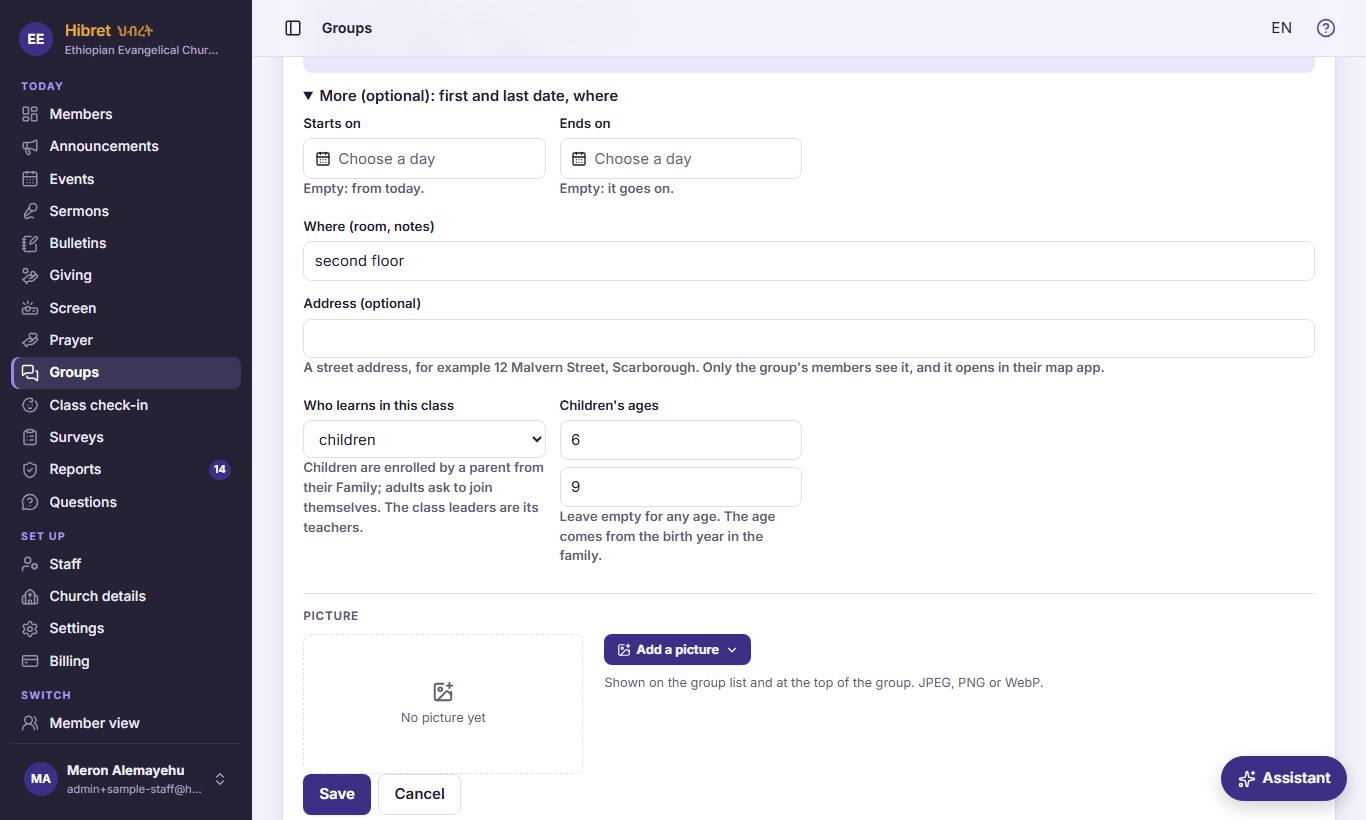
"More (optional): first and last date, where" 1. Then "Who learns in this class" 2 and "Children's ages" 3. "Address (optional)" 4 is for any group.
- 1 Optional: the first and last date of the class, and the room. Empty dates mean from today, and it goes on.
- 2 "children": a parent enrolls them from their family, and they use check-in. "adults": they ask to join themselves. Or both. The class leaders are its teachers.
- 3 For children: the youngest and oldest age. Leave empty for any age. Hibret takes the age from the birth year in the family.
- 4 "Address (optional)": the street address where the group meets, for example a home. Only the group's members see it, and a tap opens it in their phone's map app.
-
 124
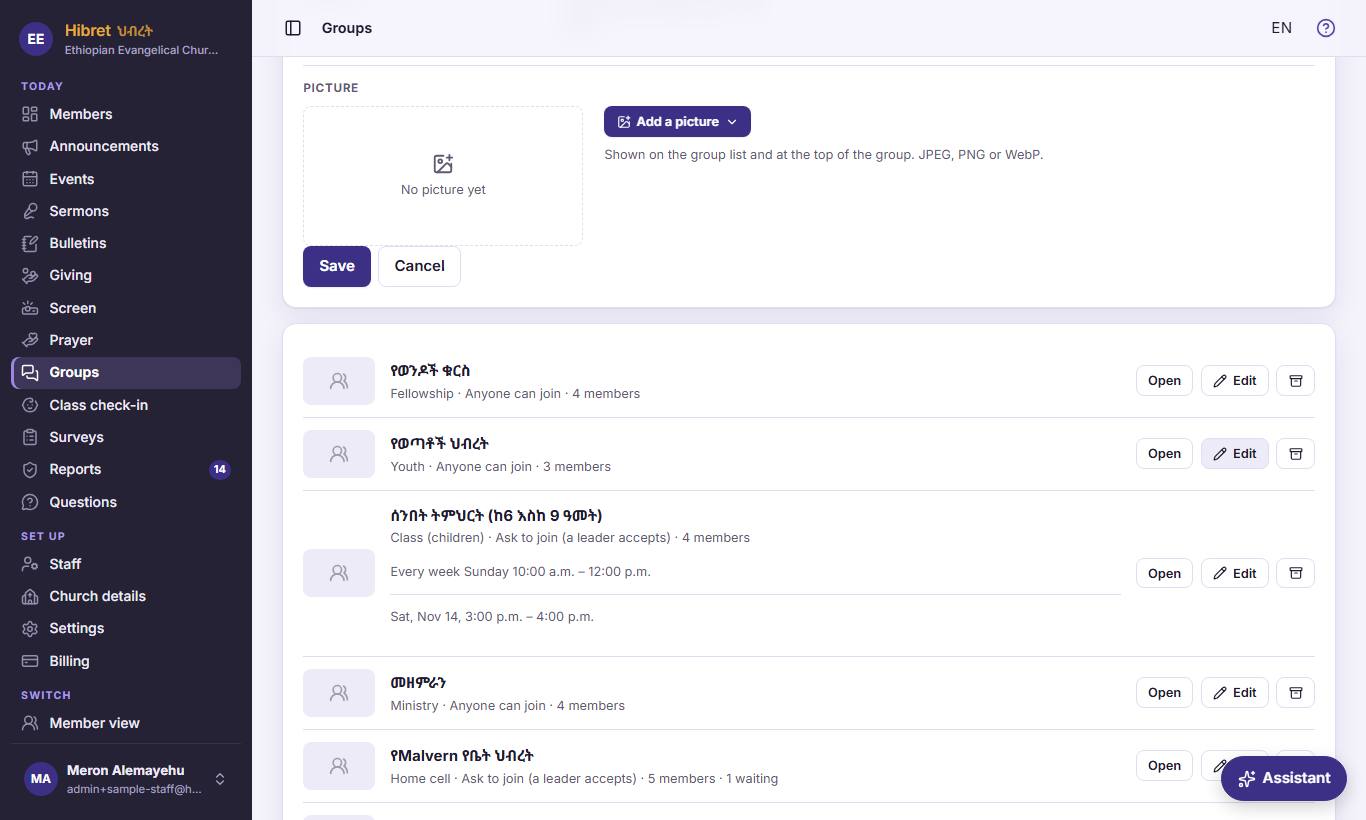
"Picture": the picture menu 1. Then "Save" 2.
- 1 "Upload a picture" takes a photo of the group; "Draw with AI" paints one from the name and the words. It shows on the list and at the top of the group.
- 2 "Save" keeps the group. A new group also has a box for its first leader ("First teacher" for a class).
-
 15
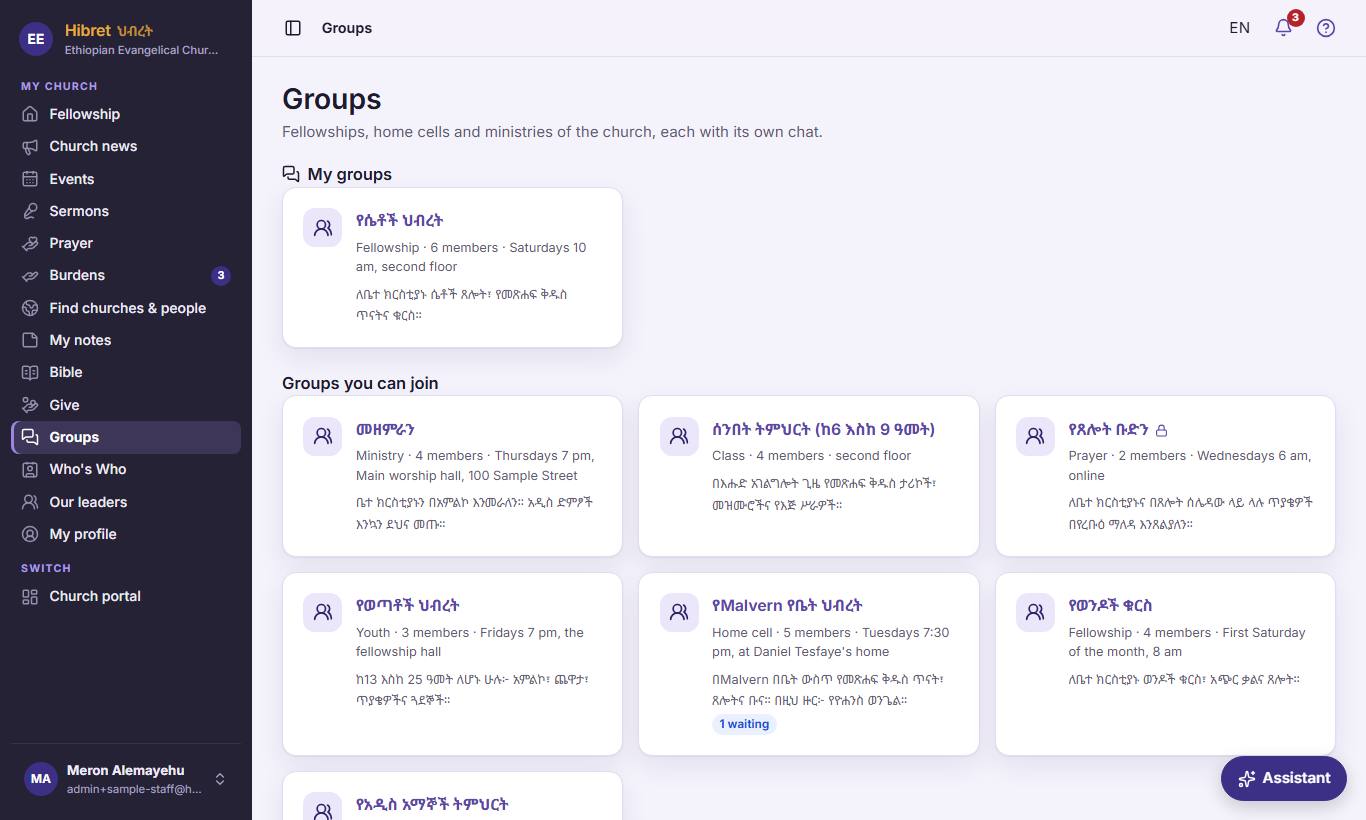
Members find the groups in "Groups" 1: they join or ask to join, chat with the group, and see its events.
- 1 "Groups" shows the member's own groups first, then the groups they can join.