 Hibret ህብረት
Add the people your church already knows
Put your church's list into Hibret and invite the people. When they sign up with their own link, or with the phone number on the list, they are approved at once.
-
 11
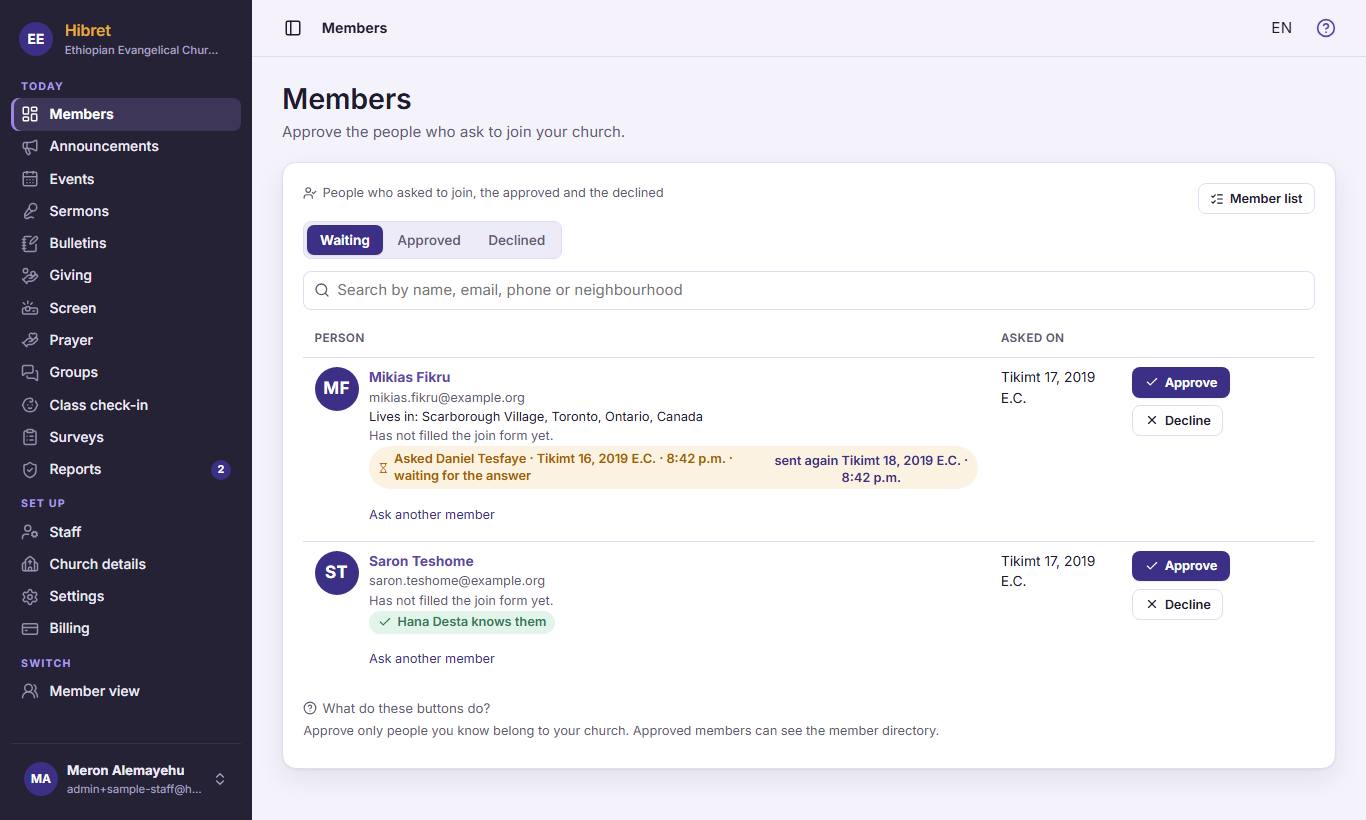
11On "Members", press "Member list" 1.
-
 1232
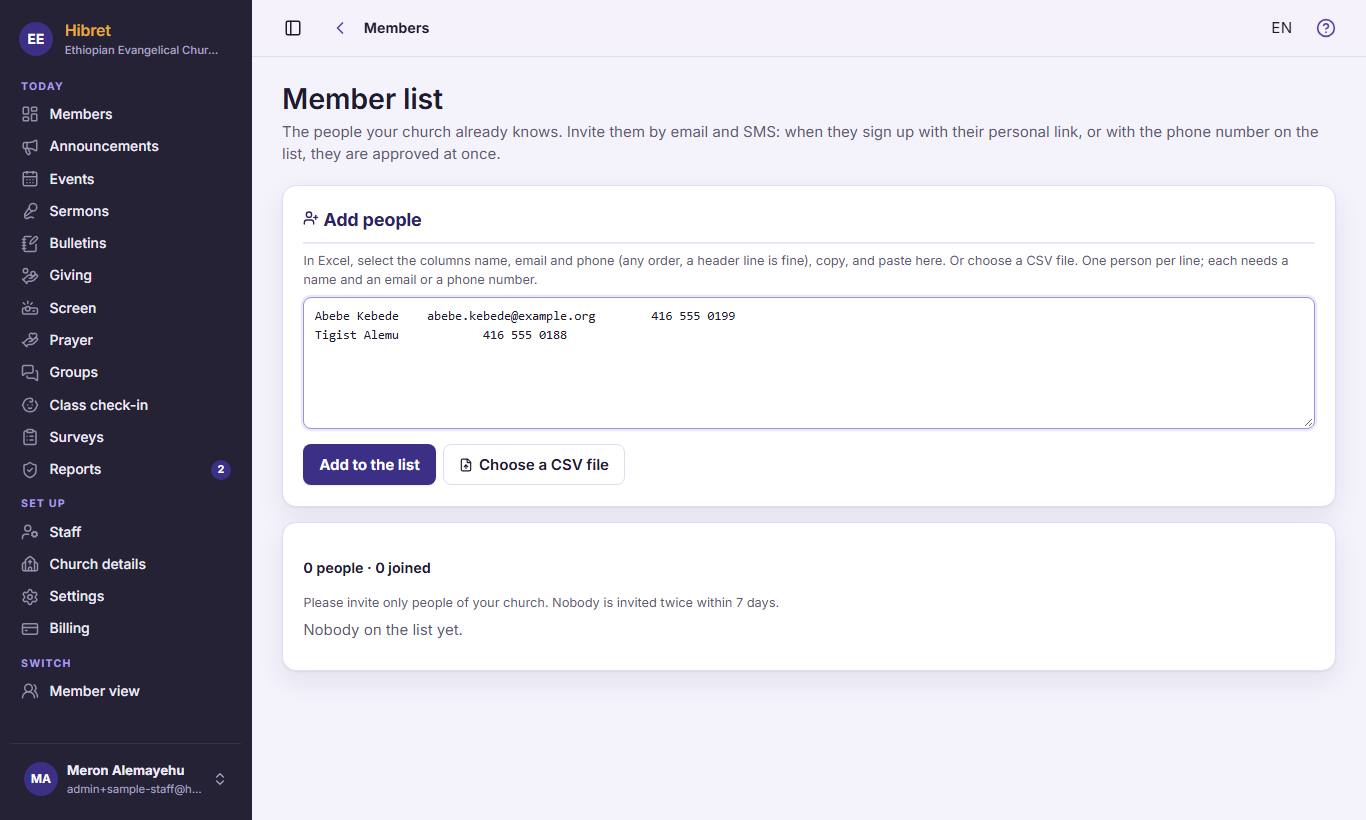
1232In Excel, copy the columns name, email and phone, and paste them here 1. Then press "Add to the list" 2. You can also press "Choose a CSV file" 3 to choose a file.
The people are on the list, ready to invite by email and SMS. Nobody is invited twice within 7 days.