 Hibret ህብረት
Write church news
News goes to your members' Church news and Fellowship. Write it in the church's language; everyone sees it exactly as you write it.
-
 11
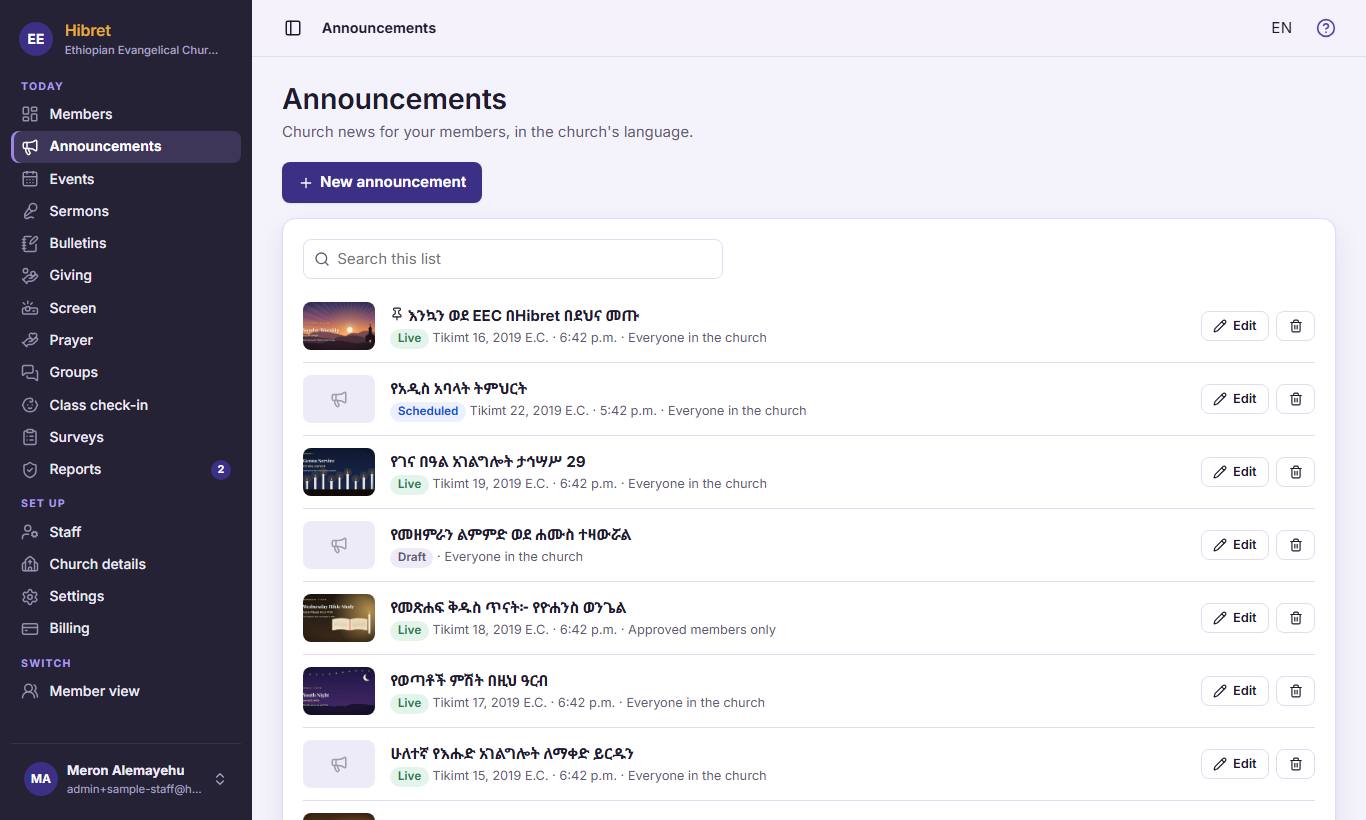
11In "Announcements", press "New announcement" 1.
-
 12342
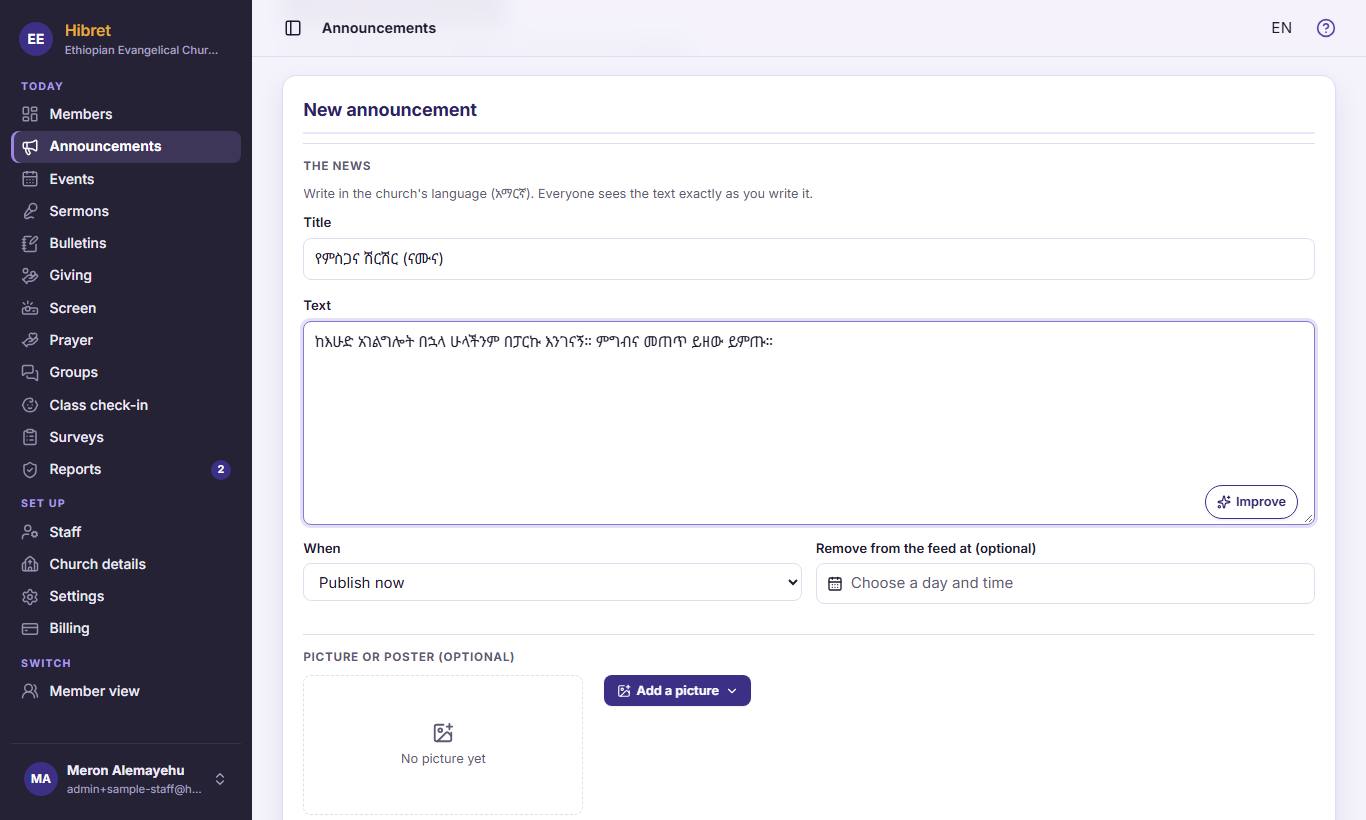
12342Write the title 1 and the text 2. "Improve" 3 suggests better words; you choose to use them or keep yours. In "When" 4 choose now, later, or a draft.
-
 123
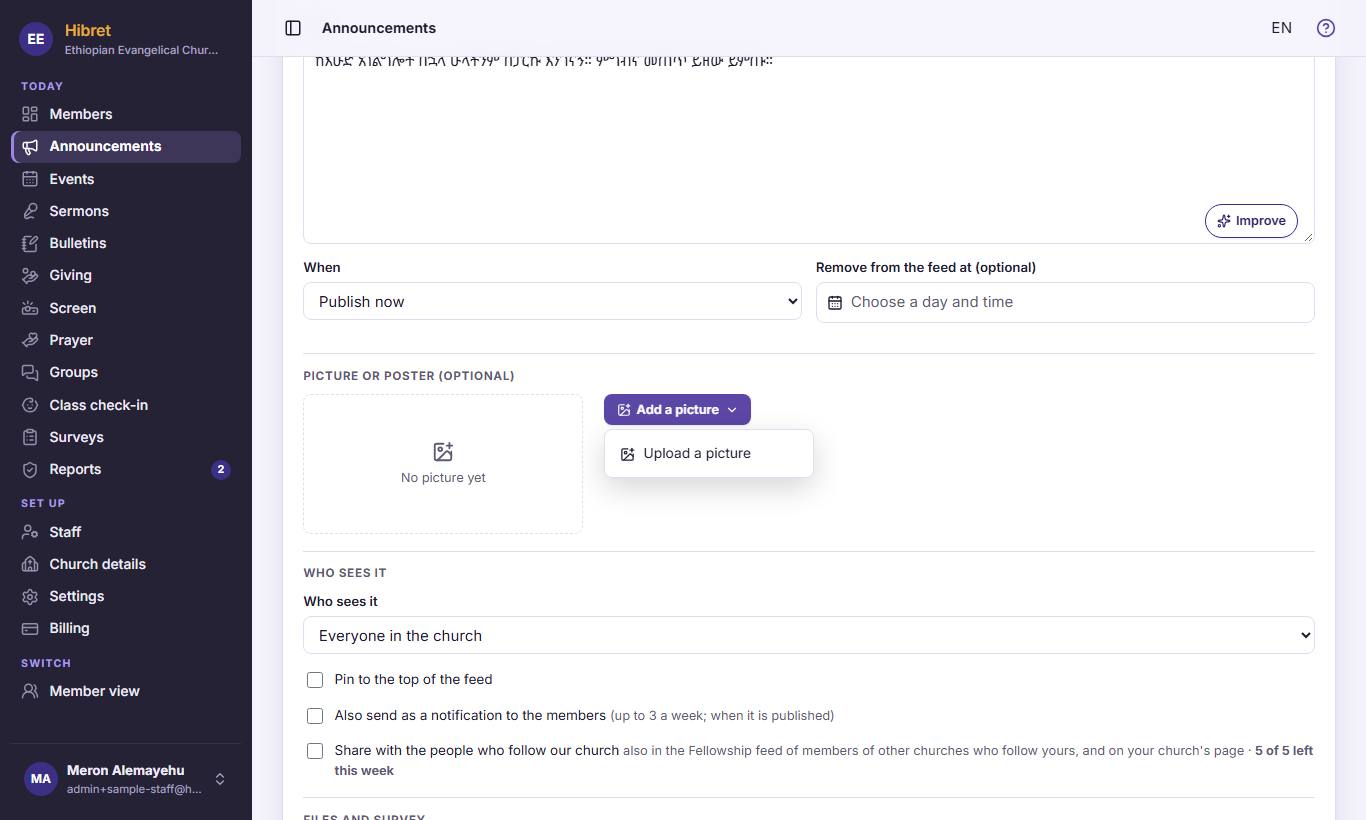
123To add a picture or a poster, press "Add a picture" 1, then "Upload a picture" 2.
The picture shows on top of the news.
-
 123454
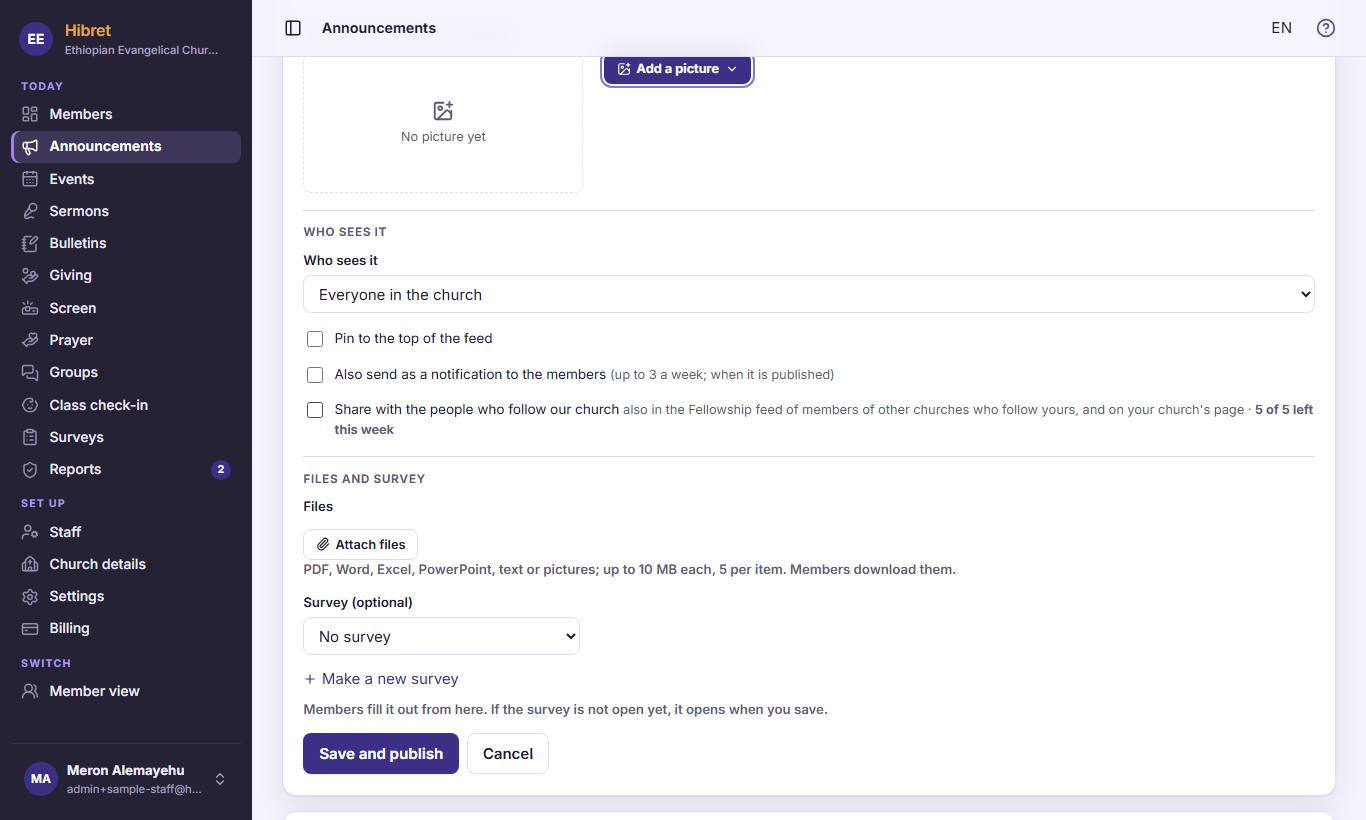
Choose "Who sees it" 1. Tick "Pin to the top of the feed" 2 to keep it first. Tick "Also send as a notification to the members" 3 for important news. Tick "Share with the people who follow our church" 4 so people who follow your church see it too. Press "Save and publish" 5.
Your members see the news in Church news and on Fellowship.