 Hibret ህብረት
Find your way in the church portal
The church portal is where staff look after the church on Hibret. The menu on the left opens every part.
-
 123451
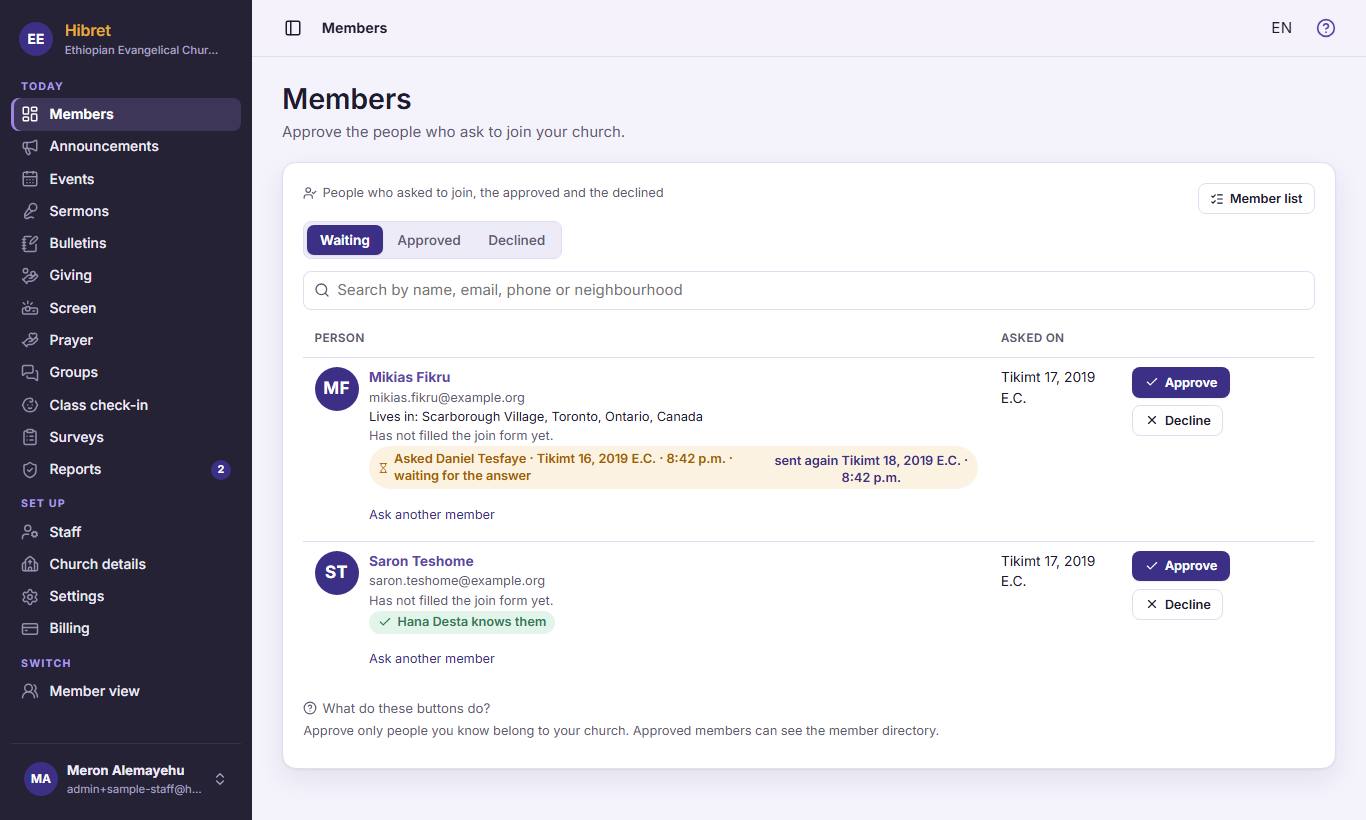
The menu on the left has every part of the portal. "Members" 1 shows the people who ask to join. "Announcements" 2 is the church news, "Events" 3 the calendar, "Sermons" 4 the sermon library and "Bulletins" 5 the Sunday outline.
-
 123452
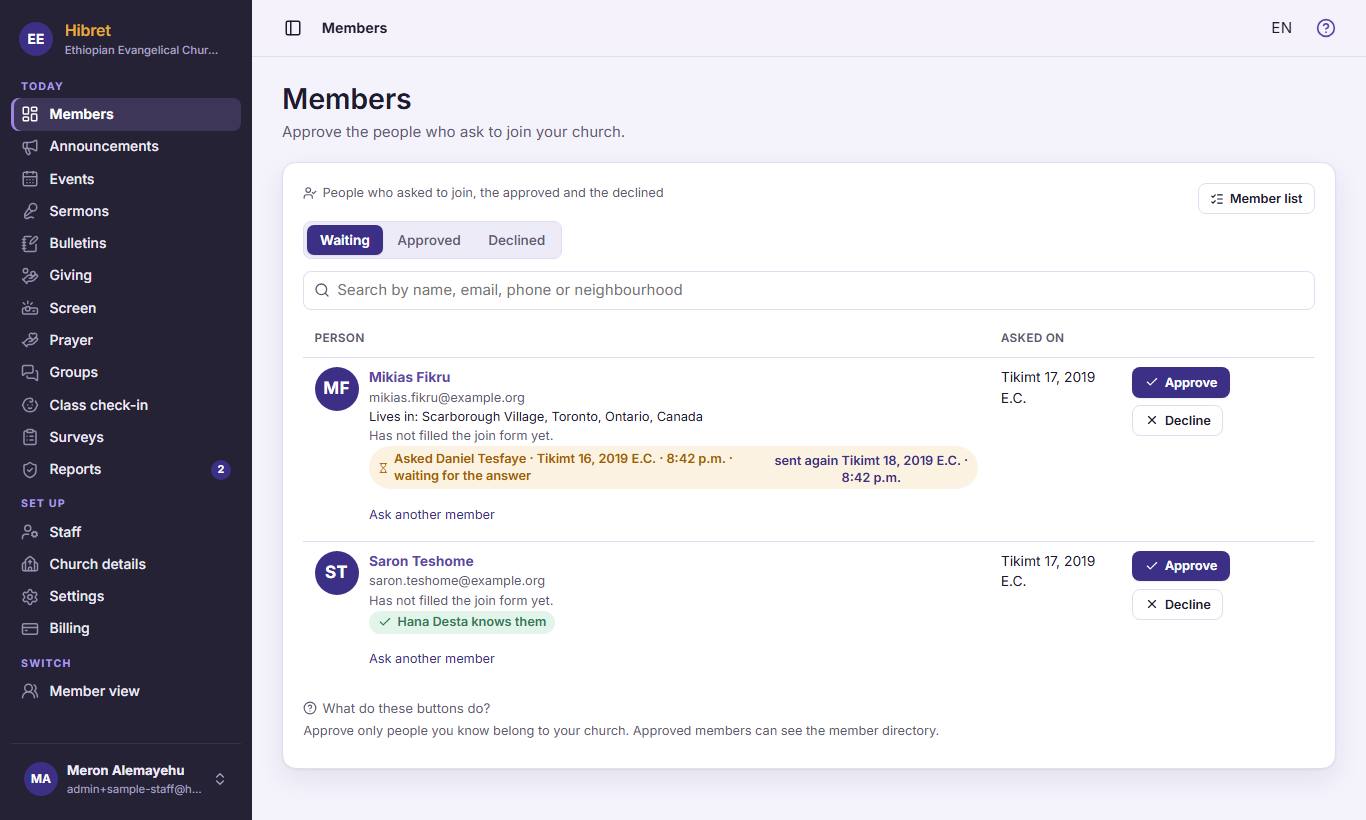
"Giving" 1 holds the ways to give. "Screen" 2 is the slideshow for the projector. "Prayer" 3 is the prayer board. "Groups" 4 holds the groups and classes, and "Class check-in" 5 the children's check-in.
-
 12343
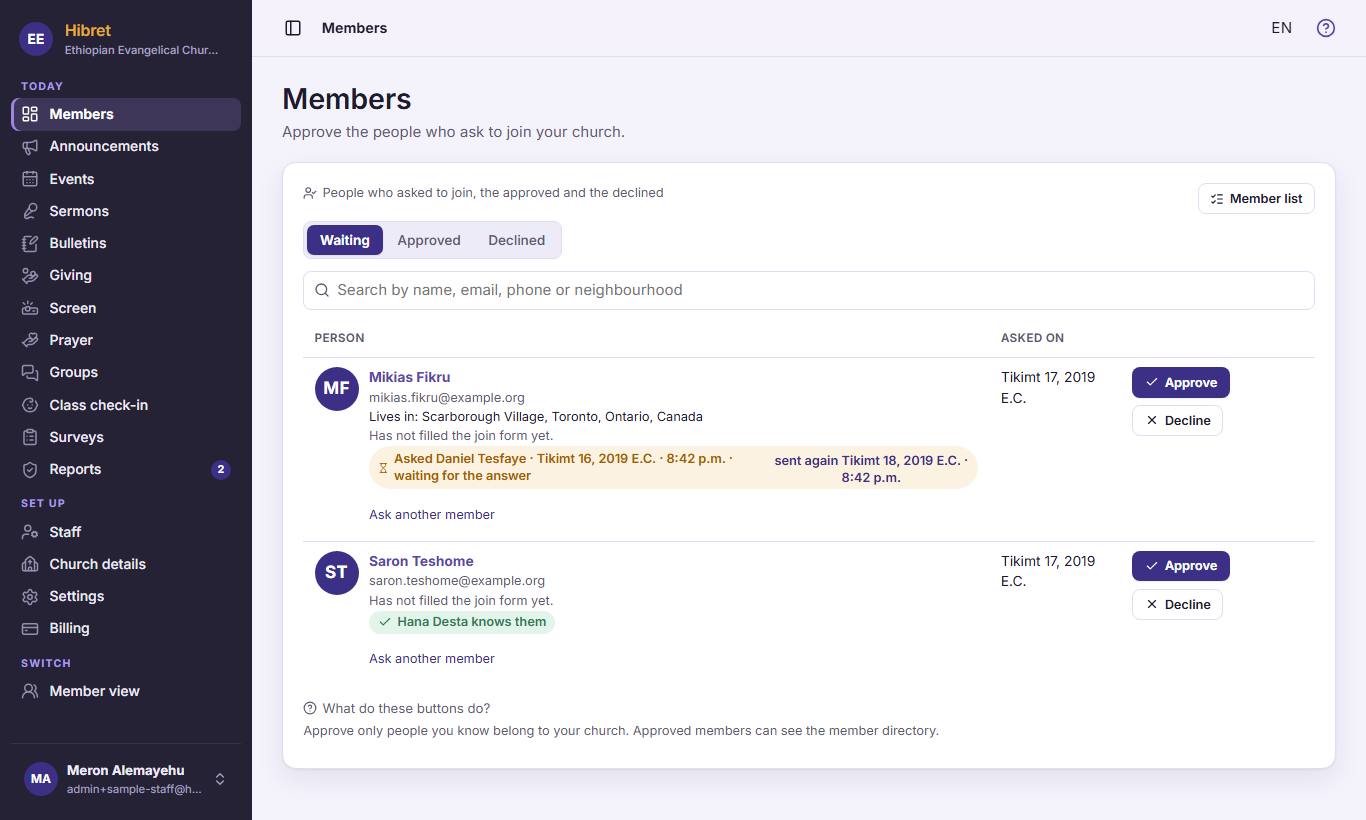
12343"Surveys" 1 asks the church questions. "Reports" 2 shows what members reported; the number says how many wait. "Staff" 3 lists who runs the church on Hibret. "Member view" 4 shows Hibret as your members see it.
In the member view, "Church portal" brings you back here.