 Hibret ህብረት
Make a survey
Ask the whole church, or one group or class. Members answer in Hibret.
-
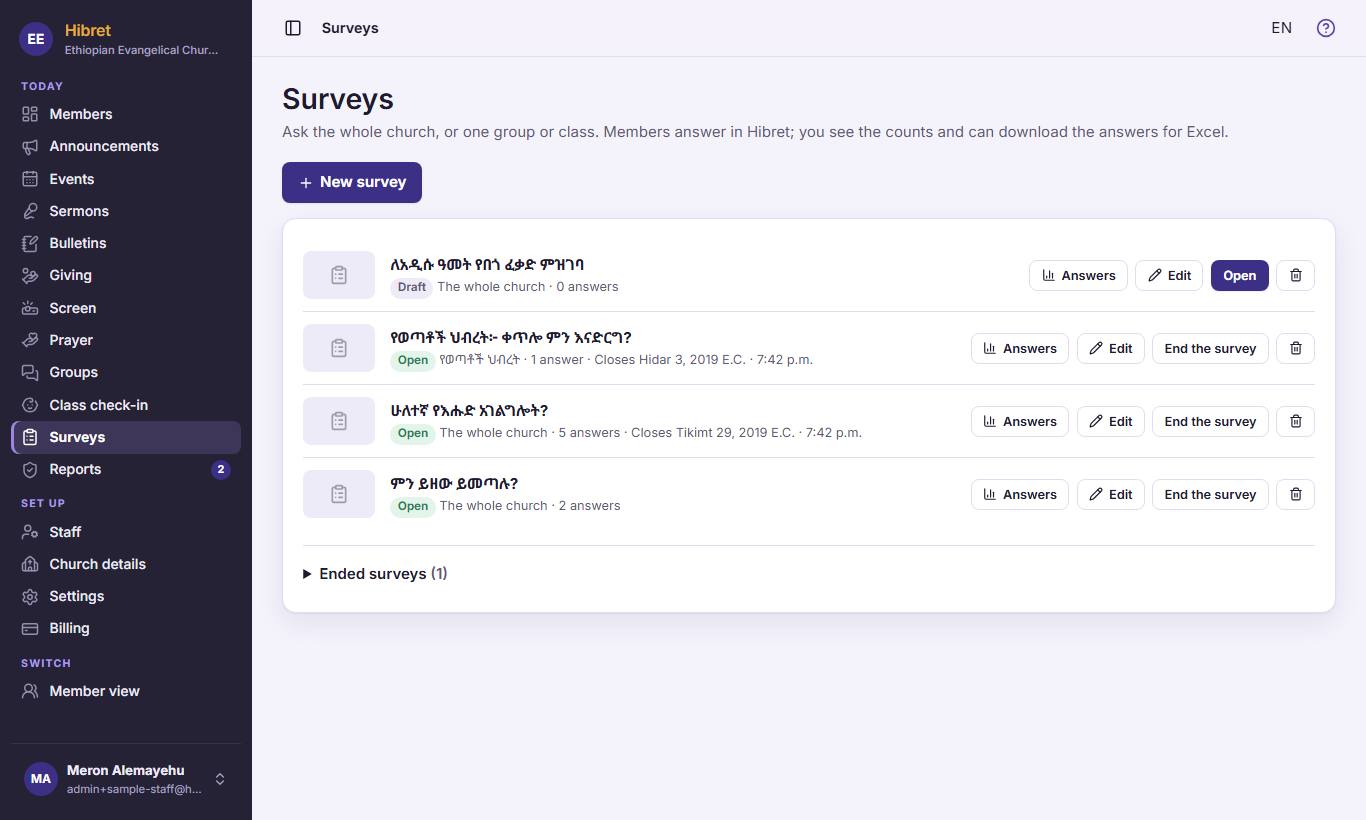 11
11In "Surveys", press "New survey" 1.
-
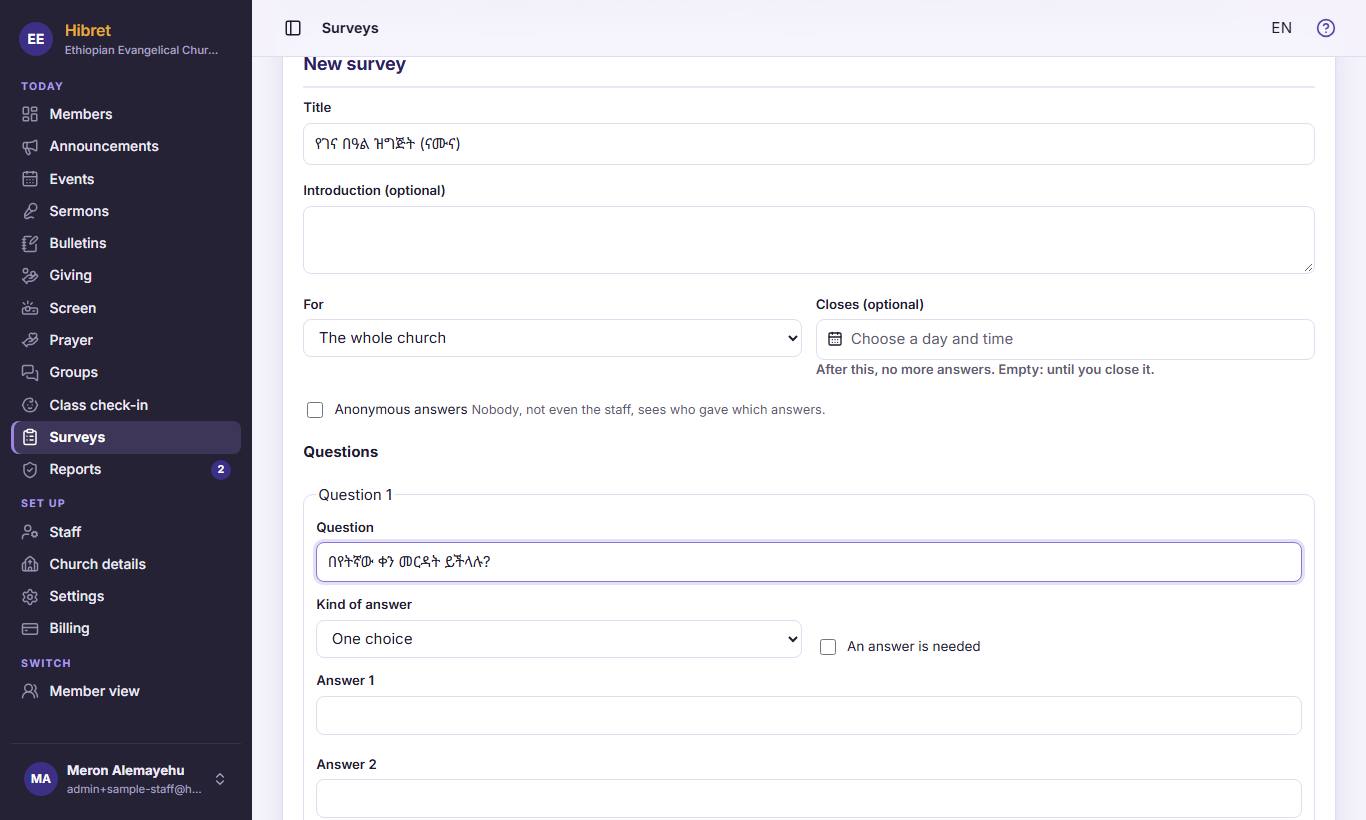 123452
Write the title 1. Choose who it is "For" 2. Tick "Anonymous answers" 3 if nobody should see who answered what. Write the question 4 and choose the "Kind of answer" 5.
-
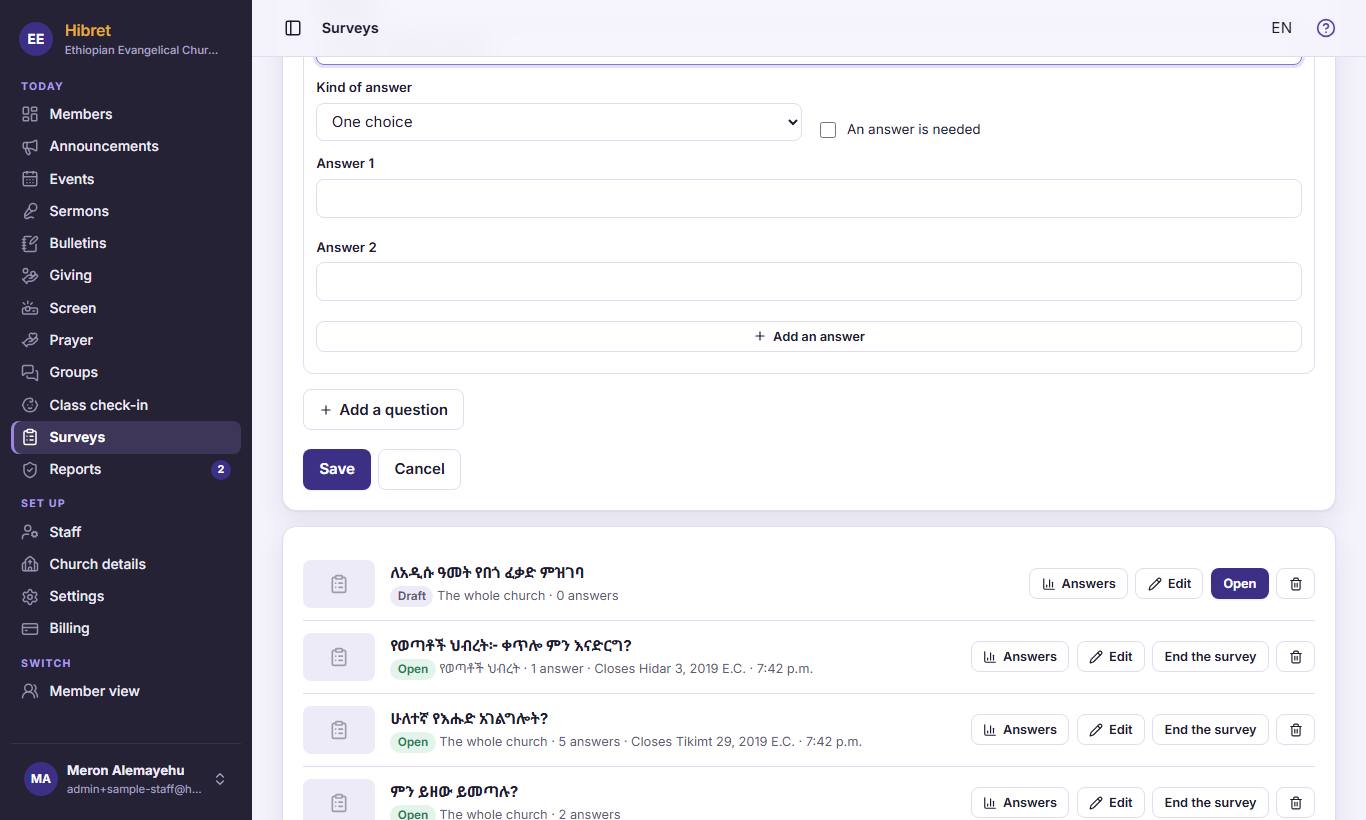 1233
1233Press "Add an answer" 1 for more answers, and "Add a question" 2 for the next question. Press "Save" 3.
The survey is saved as a draft. Press "Open" in the list when members may answer.