 Hibret ህብረት
Show the church slideshow on the projector
The screen shows this Sunday's sermon, your news, the events of the next two weeks and your own slides, in very large letters.
-
 121
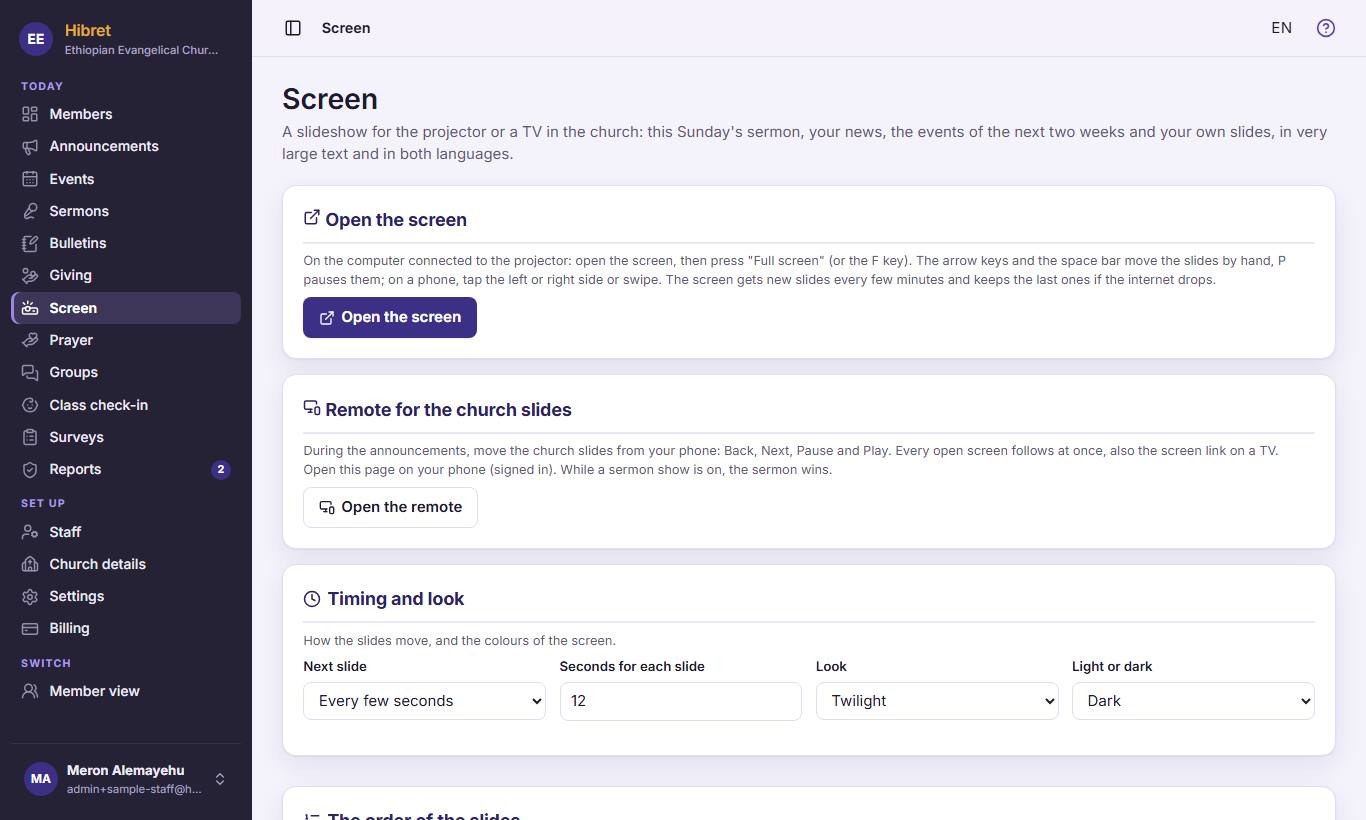
121In "Screen", on the computer connected to the projector, press "Open the screen" 1. On your phone, "Open the remote" 2 moves the slides during the announcements.
Press the F key for full screen. The screen gets new slides every few minutes.
-
 122
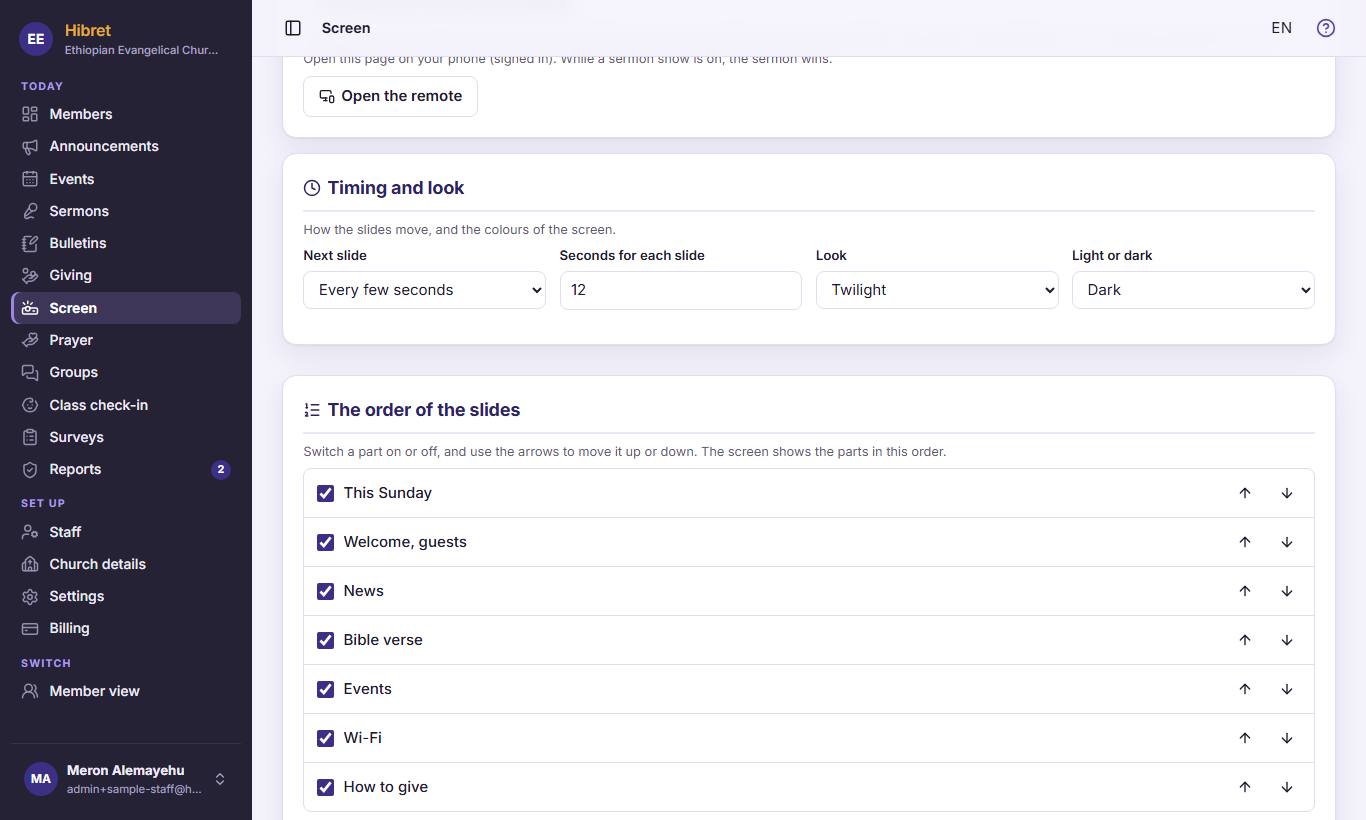
122In "Timing and look" 1 choose how fast the slides move and the colours. In "The order of the slides" 2 switch a part on or off and move it up or down.
-
 13
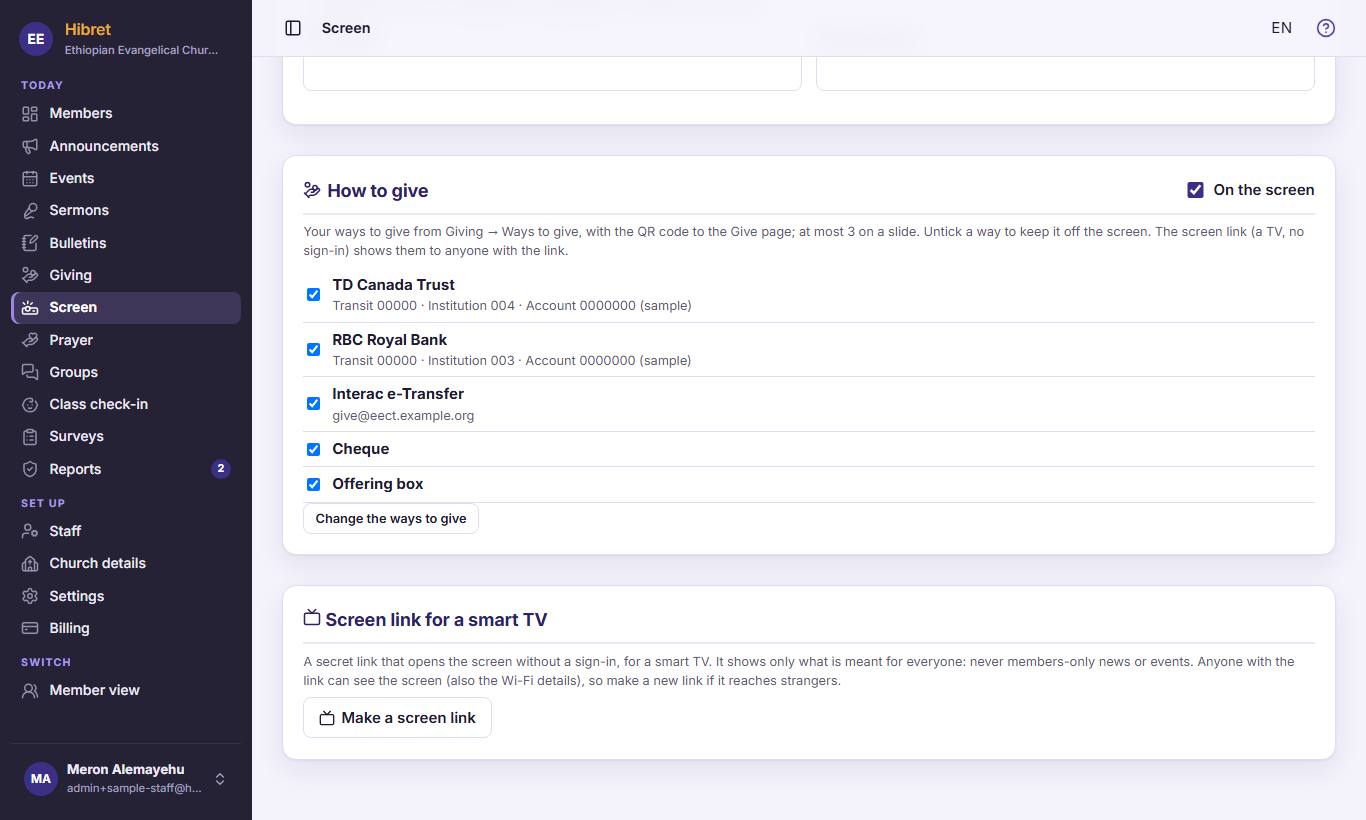
13For a smart TV without a sign-in, press "Make a screen link" 1.
The link shows only what is meant for everyone. Make a new link if it reaches strangers.