 Hibret ህብረት
Your class page and its times
Each class has its own page. As the teacher you see the class times, the children and the check-in.
-
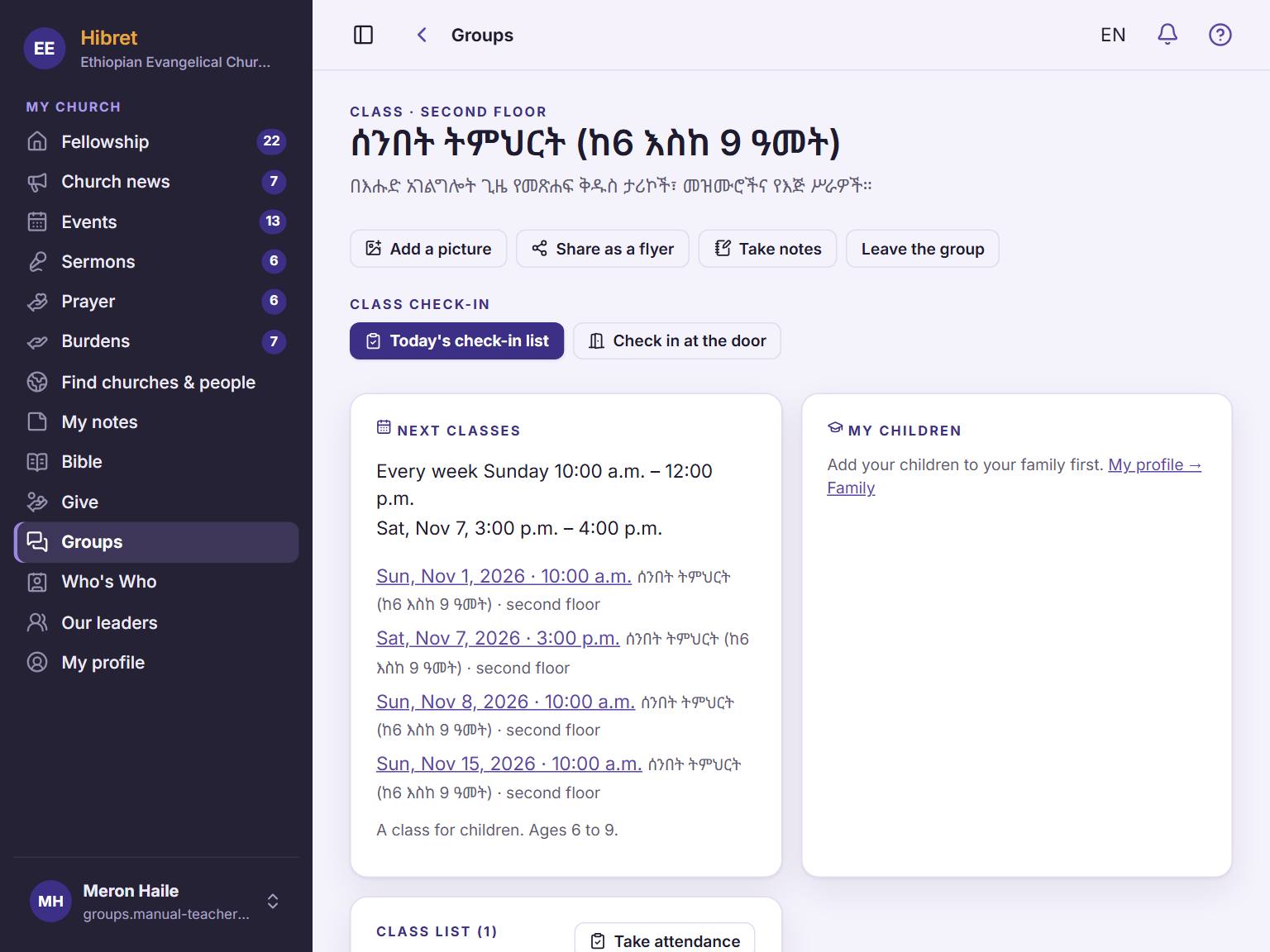 1231
1231Open "Groups" and tap your class. "Next classes" 1 shows when the class meets. On Sunday, use "Today's check-in list" 2 and "Check in at the door" 3.
-
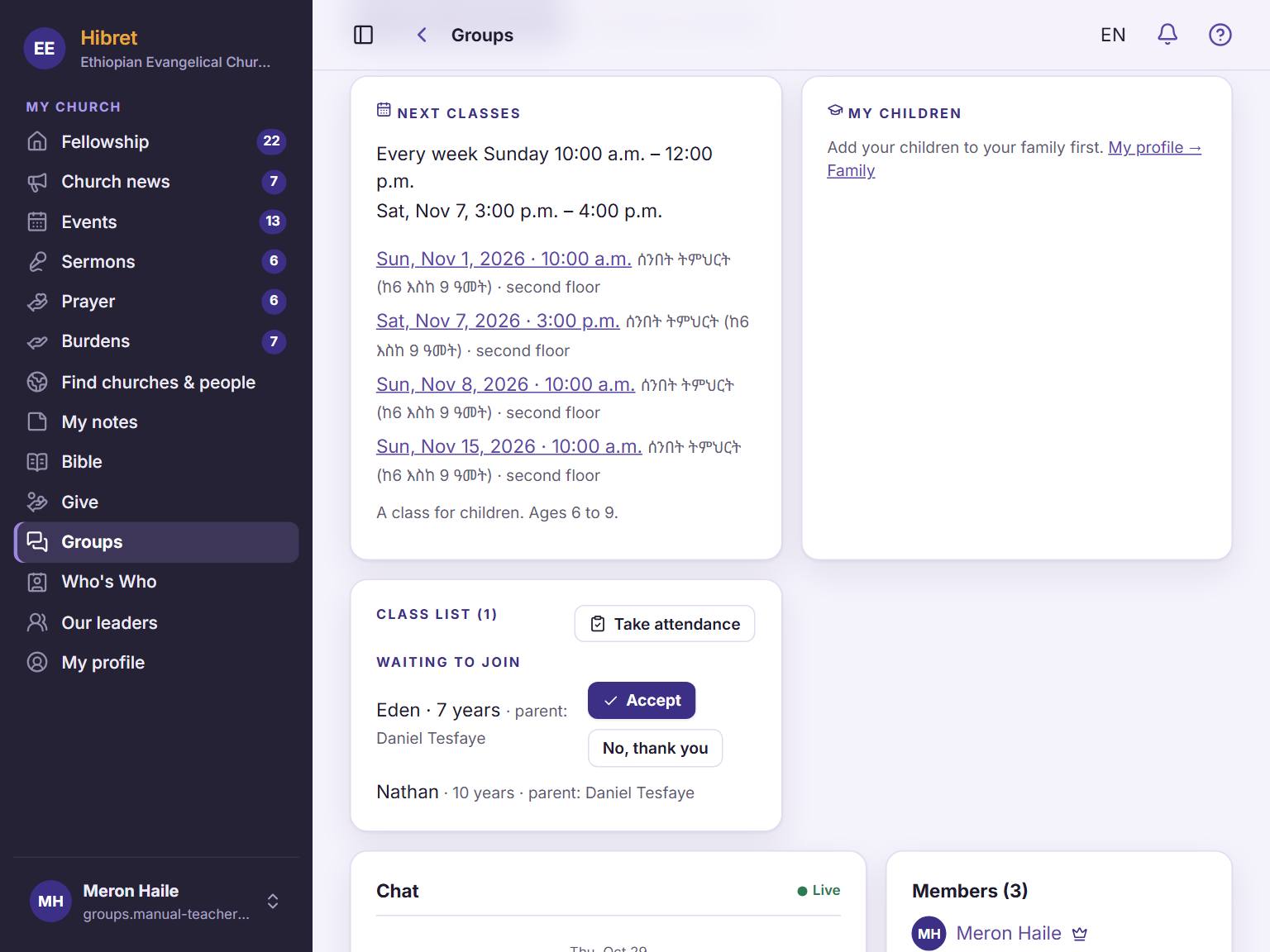 122
122Further down is the class list 1. Tap "Take attendance" 2 to mark who came.
Checking a child in also marks the child present.