 Hibret ህብረት
Check children in at the door
When a parent brings children without checking in on the phone, you check them in at the door.
-
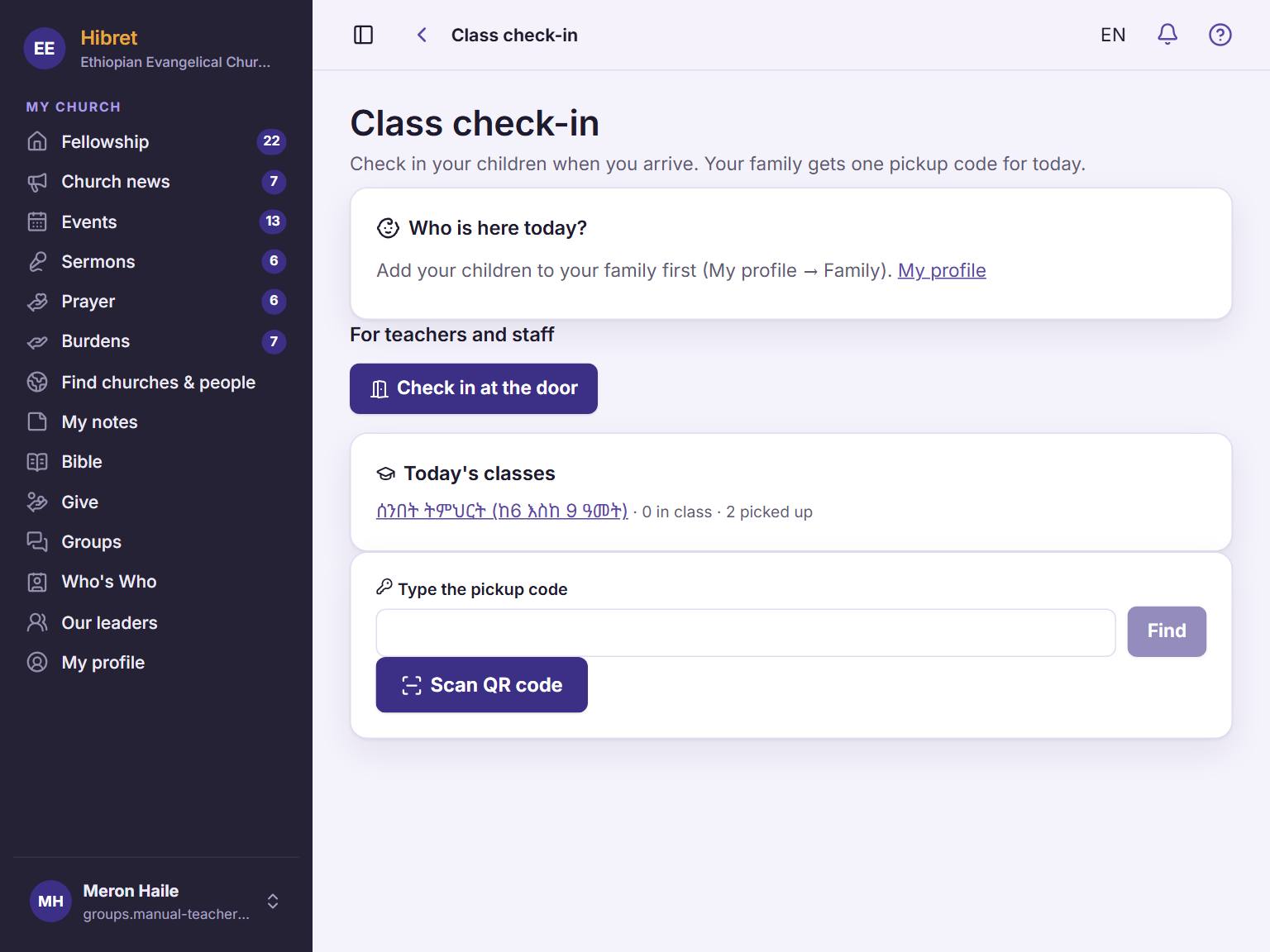 11
11Open "Class check-in". Tap "Check in at the door" 1.
-
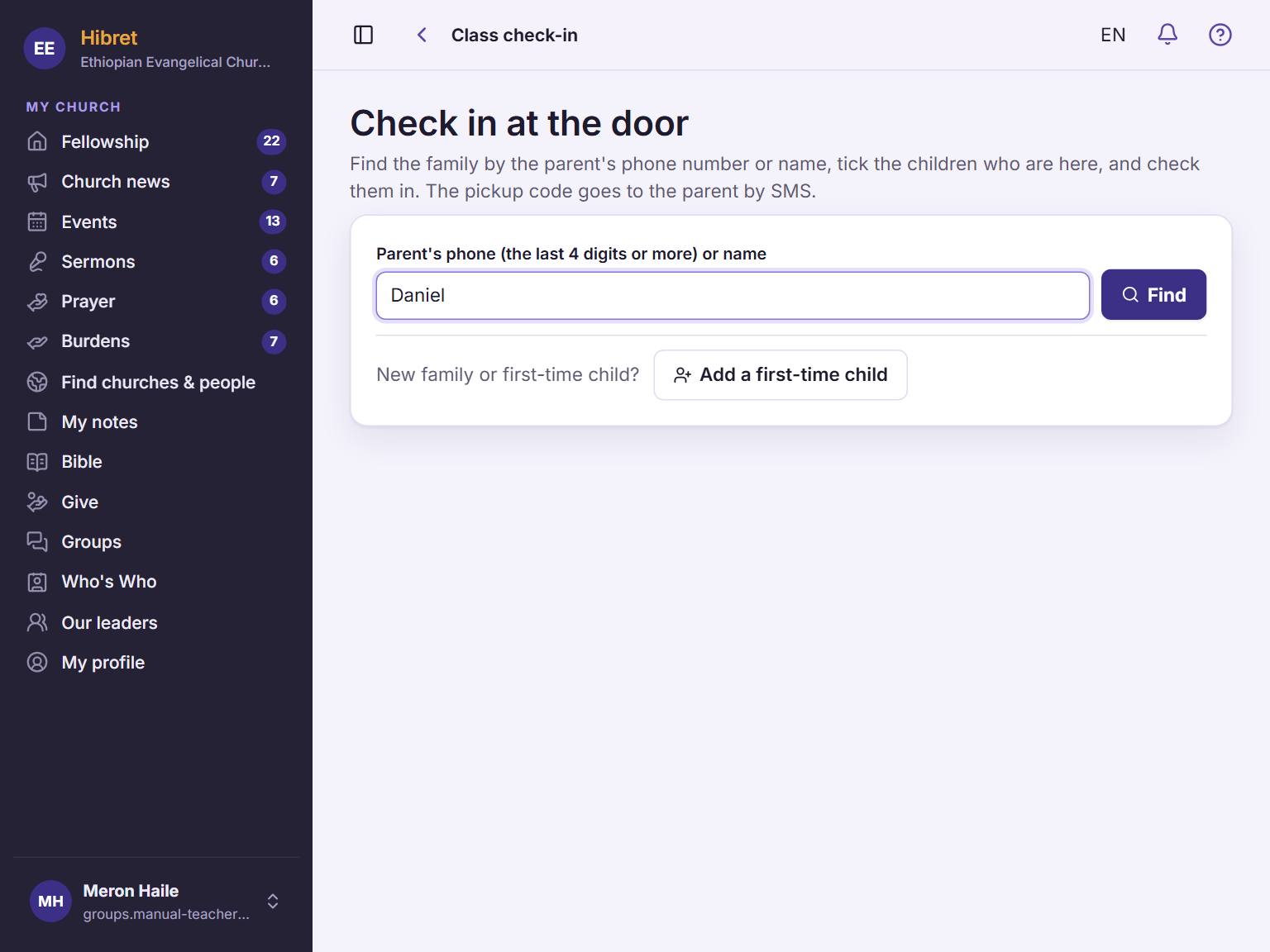 1232
1232Type the parent's name or the last 4 digits of the phone 1. Tap "Find" 2. A child who comes for the first time: tap "Add a first-time child" 3.
-
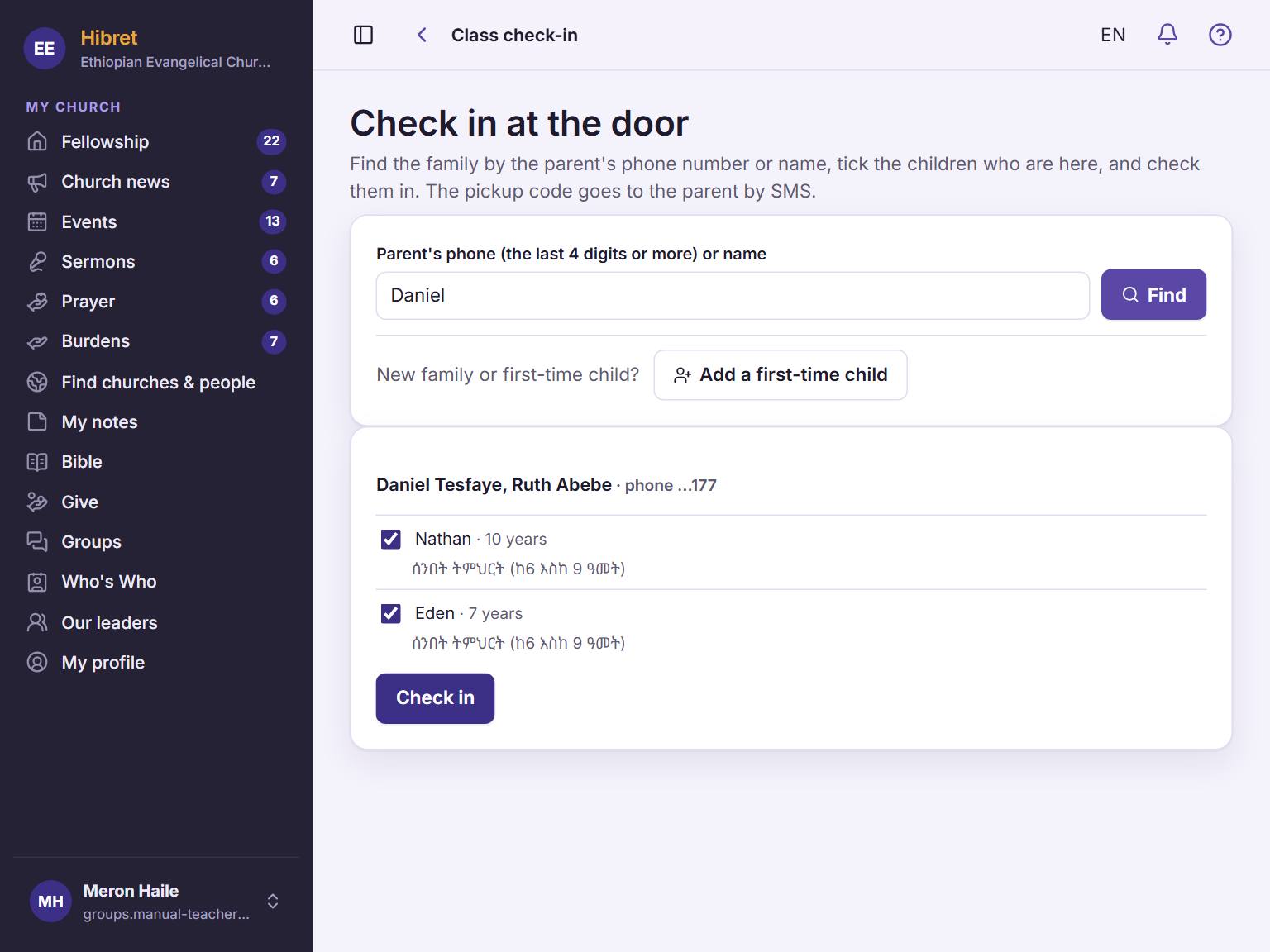 123
123Tick the children who are here 1. Tap "Check in" 2.
-
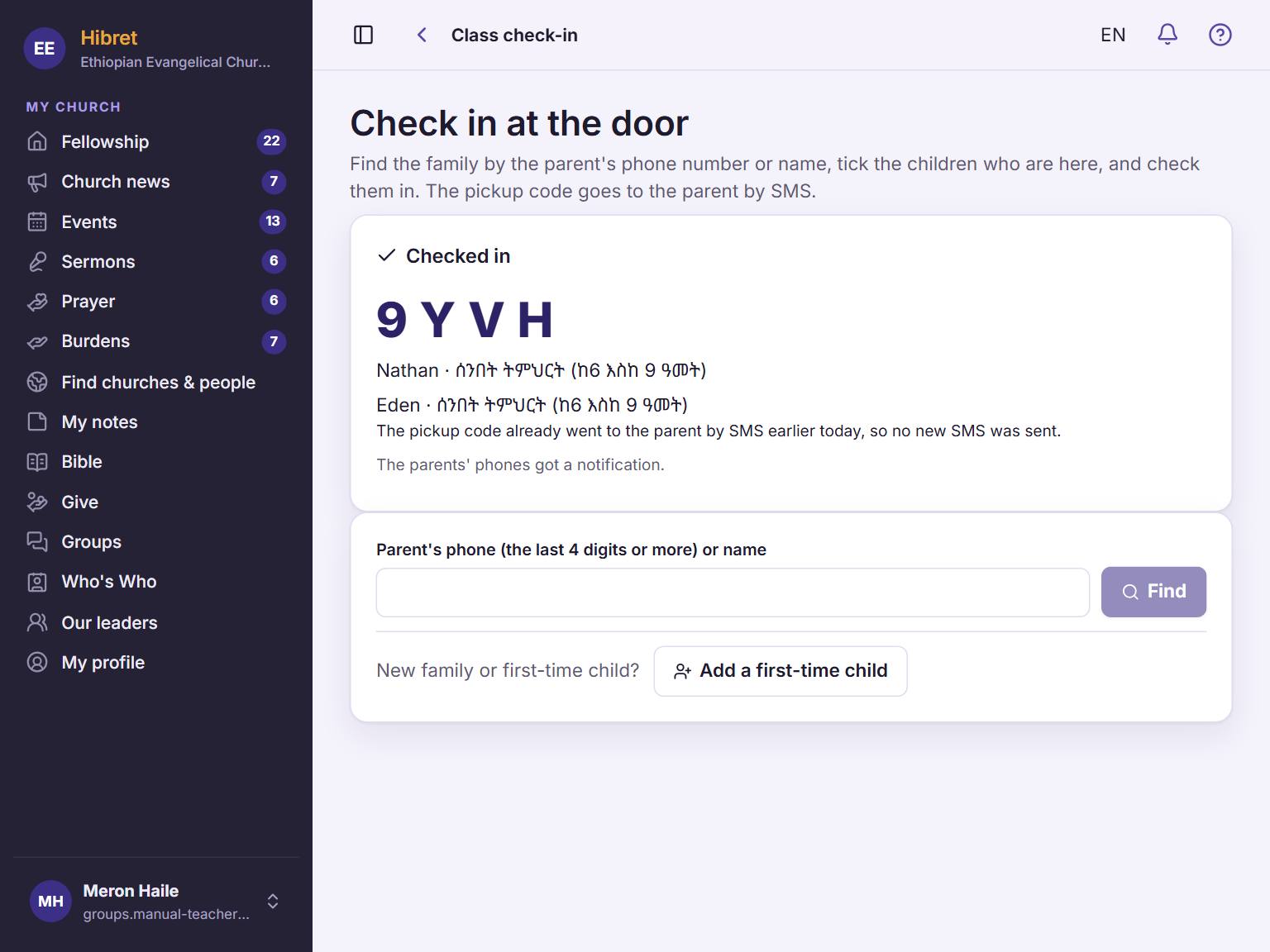 14
14The children are in. The family's pickup code shows here 1.
The parents' phones get a notice, and a text message with the code goes to the parent's phone number. The page says when no text message was sent: then tell the parent the code.