 Hibret ህብረት
Ethiopian or Gregorian calendar
Choose how dates and times show for your members.
-
 1231
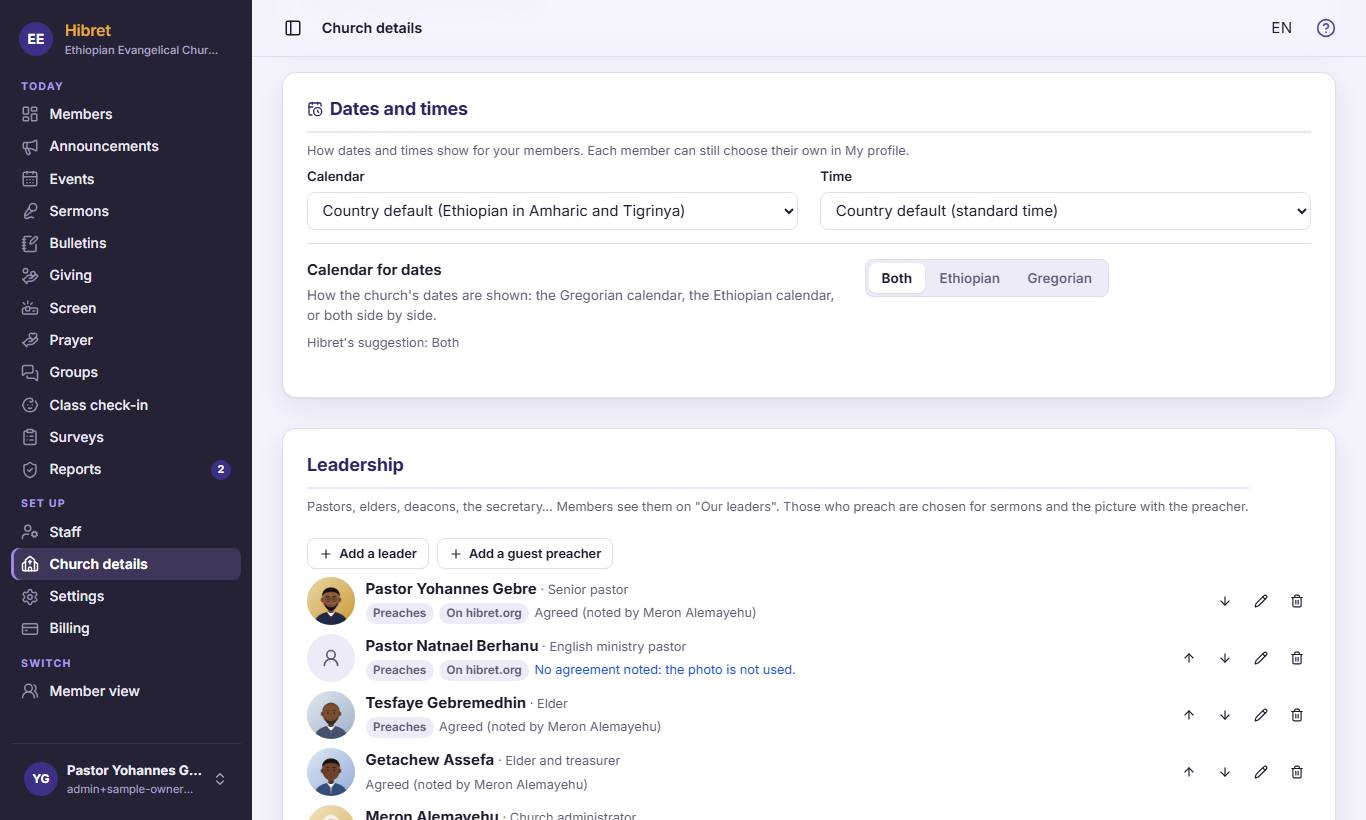
1231On "Church details", find "Dates and times". Choose the calendar 1 and the clock 2. Then choose how the church's dates show 3: Ethiopian, Gregorian or both side by side.
A change is saved at once. Each member can still choose their own in My profile.