 Hibret ህብረት
Invite members with the join link and QR code
People who scan the QR code or open the link sign up with your church already chosen.
-
 123451
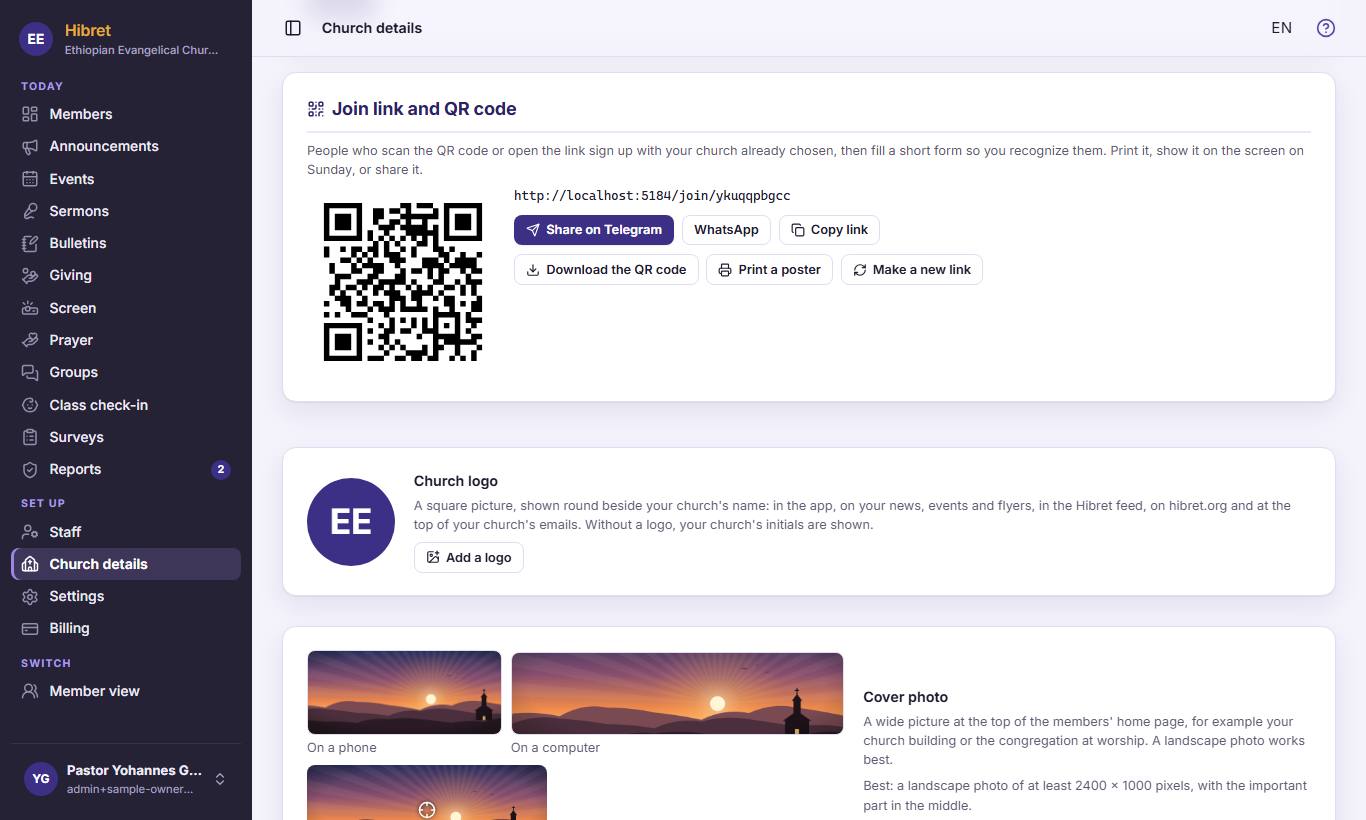
On "Church details", find "Join link and QR code". Show the QR code 1 on the screen on Sunday. Send the link with "Share on Telegram" 2 or "WhatsApp" 3, or click "Copy link" 4. Click "Print a poster" 5 for a poster for the church door.
New people fill a short form, and staff approve them on "Members".
-
 12
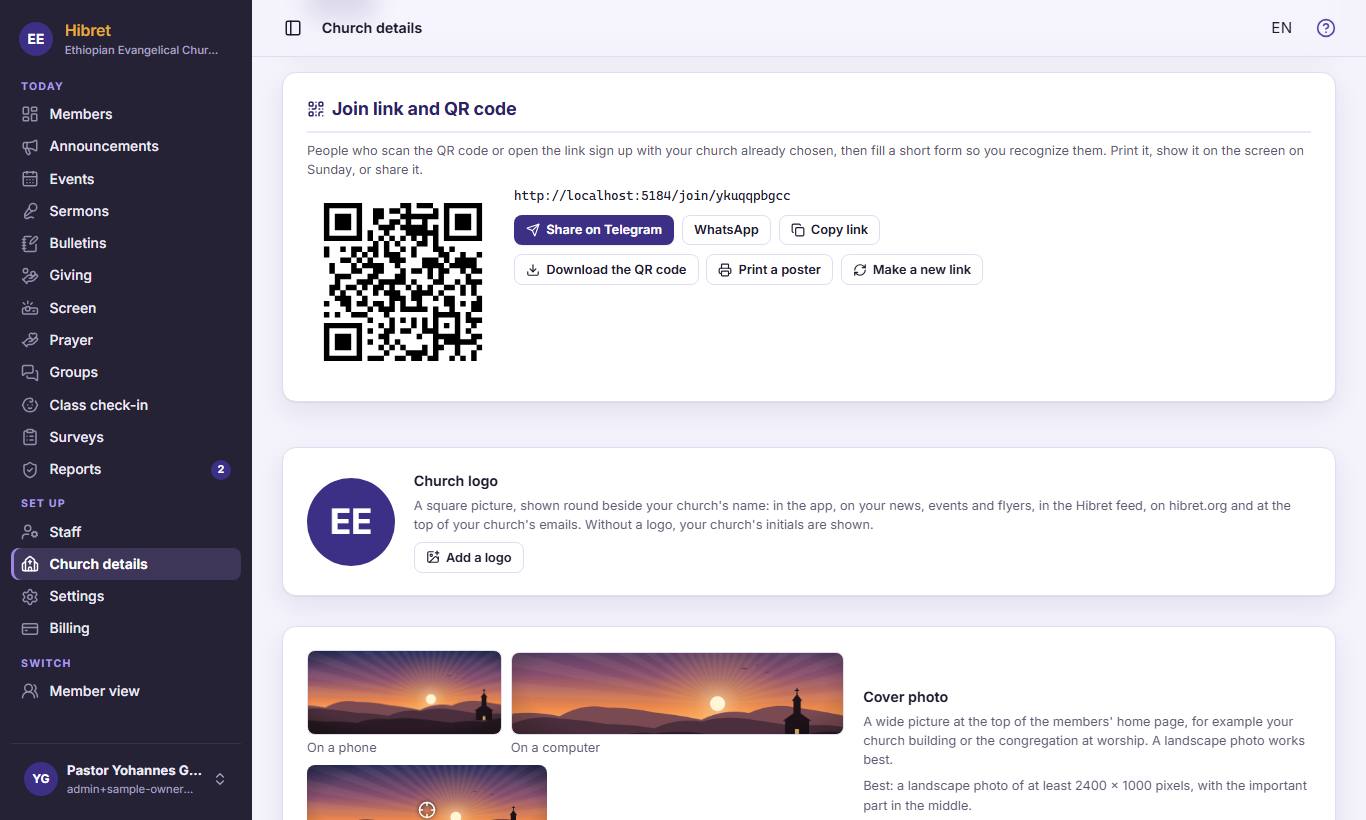
12If strangers have the link, click "Make a new link" 1.
-
 123
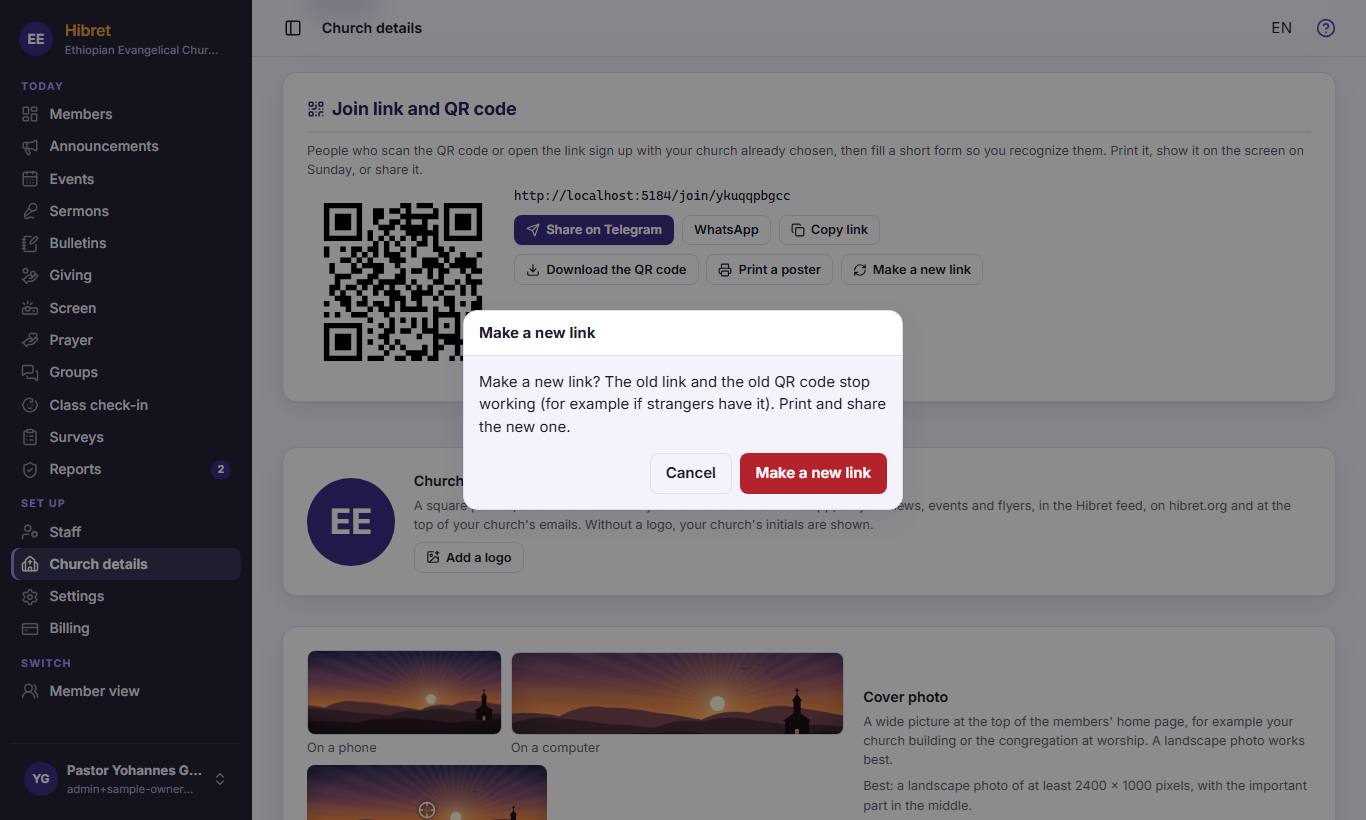
123Hibret asks first. Click "Cancel" 1 to keep the old link, or "Make a new link" 2 to make a new one.
The old link and the old QR code stop working. Print and share the new ones.