 Hibret ህብረት
Add a sermon
The sermon library keeps each sermon with its Bible passages, the preacher, a YouTube link or a recording.
-
 11
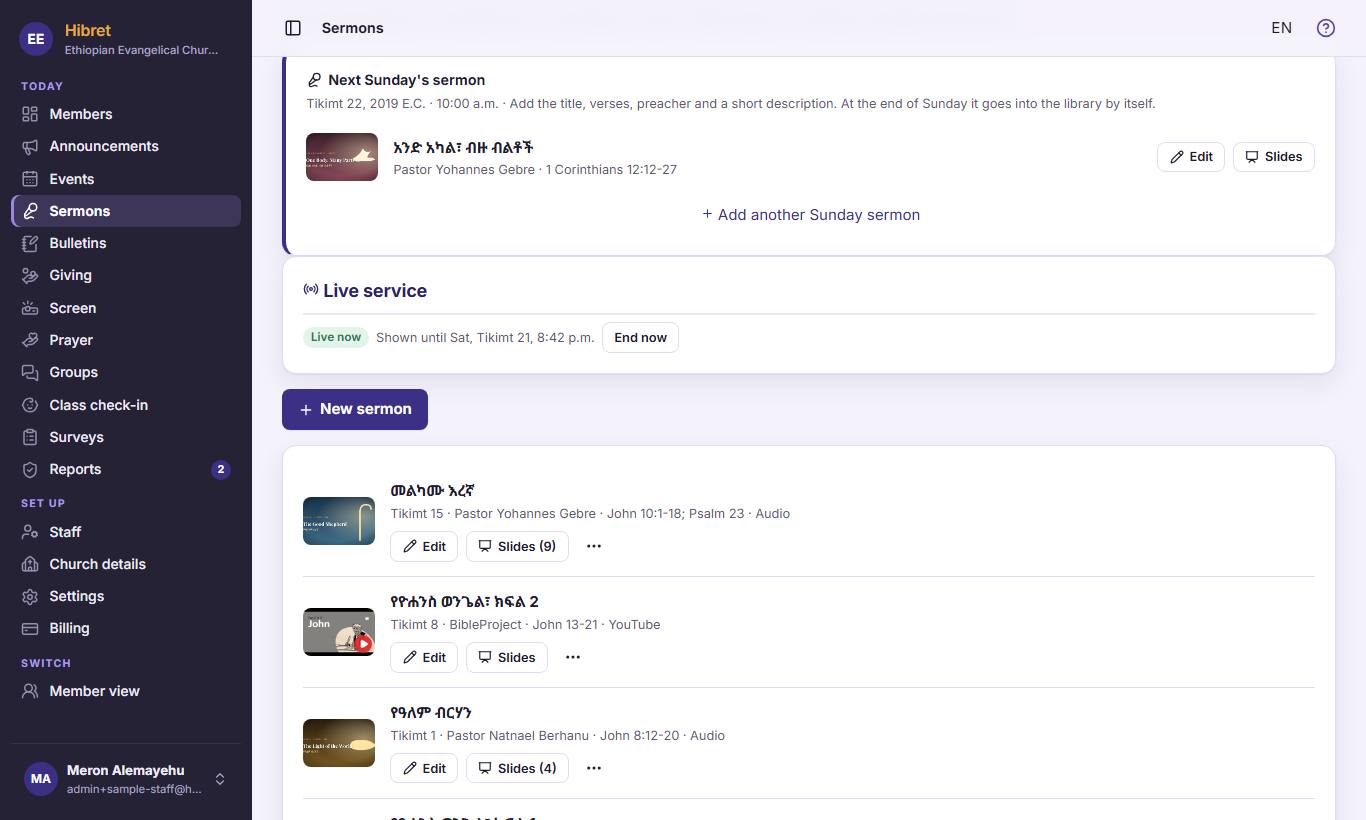
11In "Sermons", press "New sermon" 1.
-
 123452
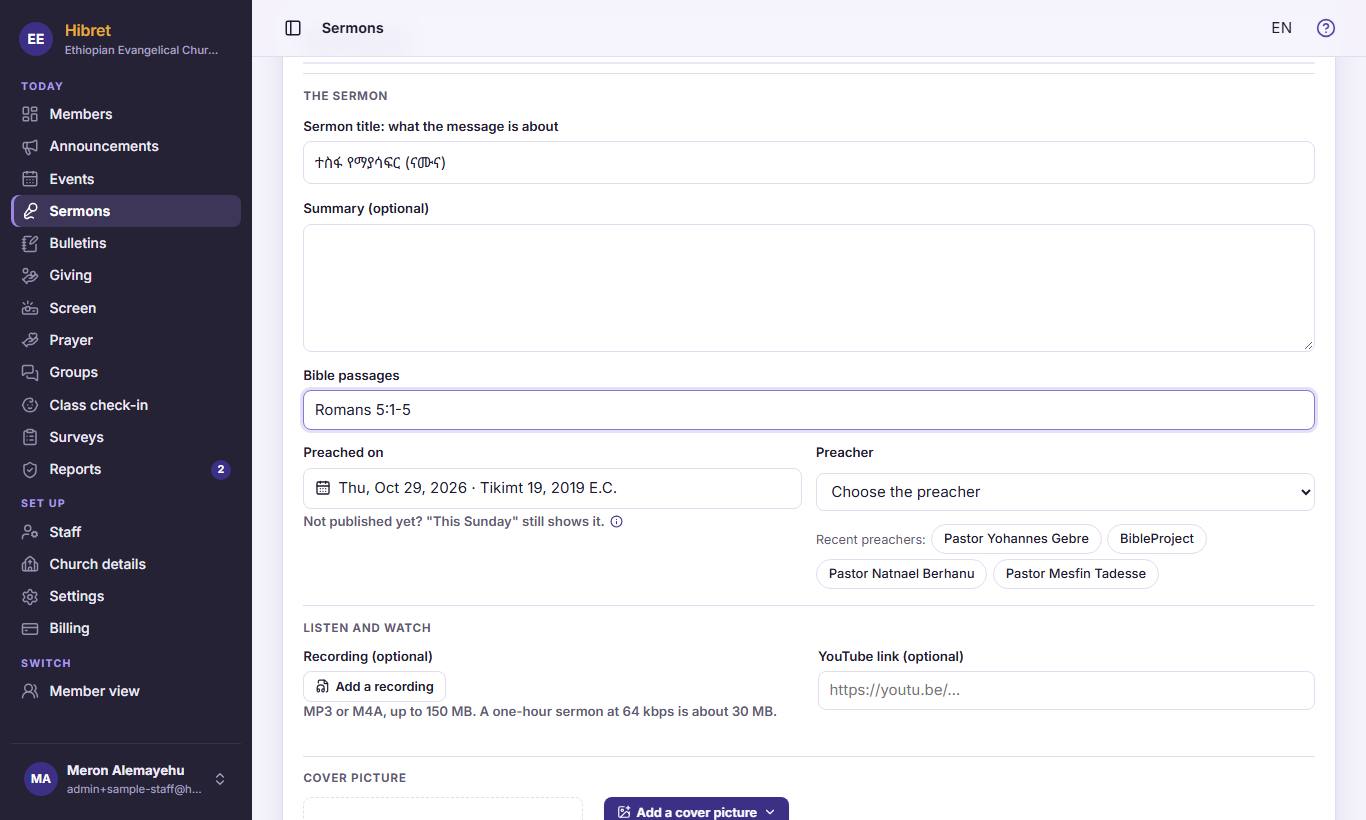
Write the title 1 and the Bible passages 2. Choose the "Preacher" 3. Paste the YouTube link 4, or press "Add a recording" 5 for a recording.
-
 1233
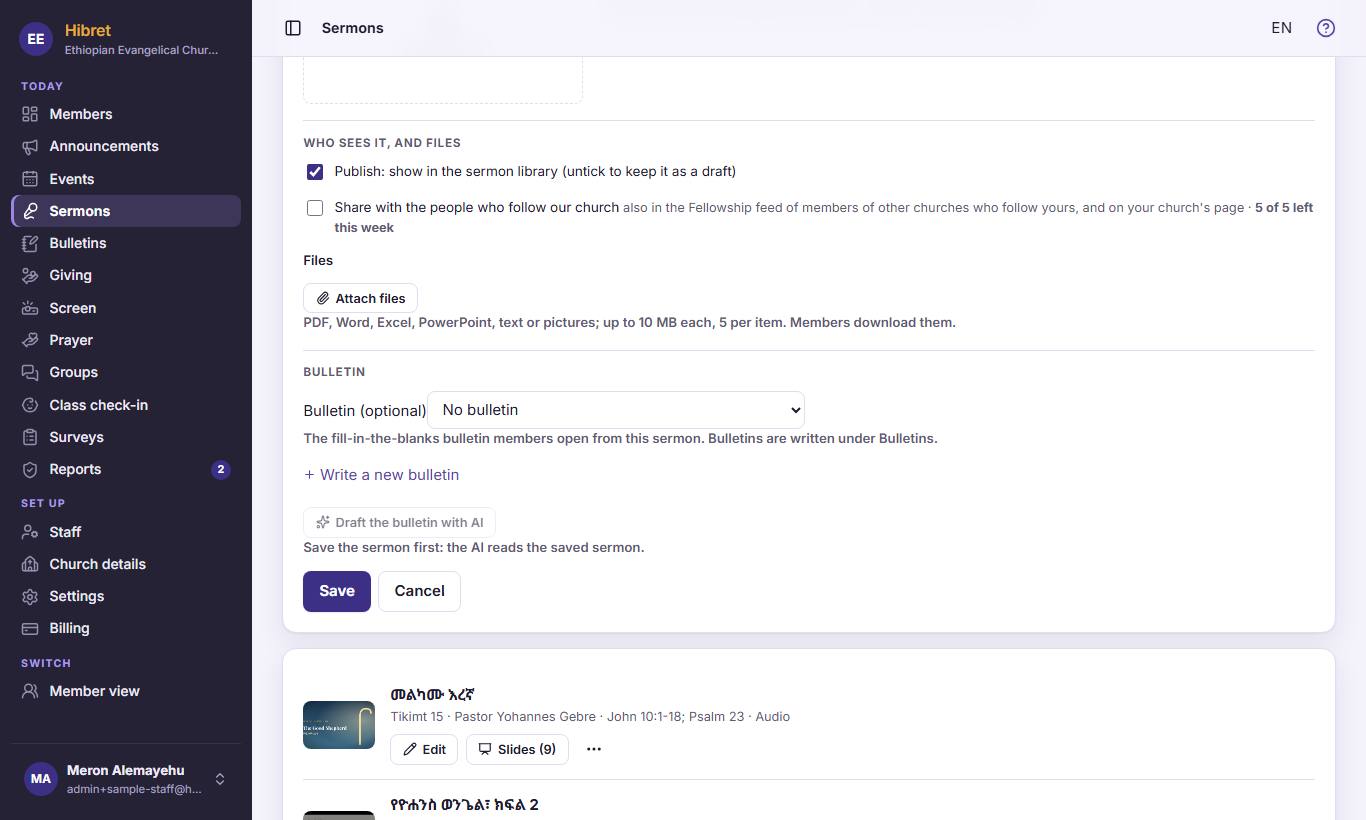
1233Keep "Publish: show in the sermon library (untick to keep it as a draft)" 1 ticked. Choose the Sunday bulletin 2 if there is one. Press "Save" 3.
The sermon is in the library. Members can watch or listen, and open the slides and the bulletin.