 Hibret ህብረት
Prepare the sermon slides
Slides for the big screen: titles, Bible verses, points and pictures. Prepare them any time before Sunday.
-
 11
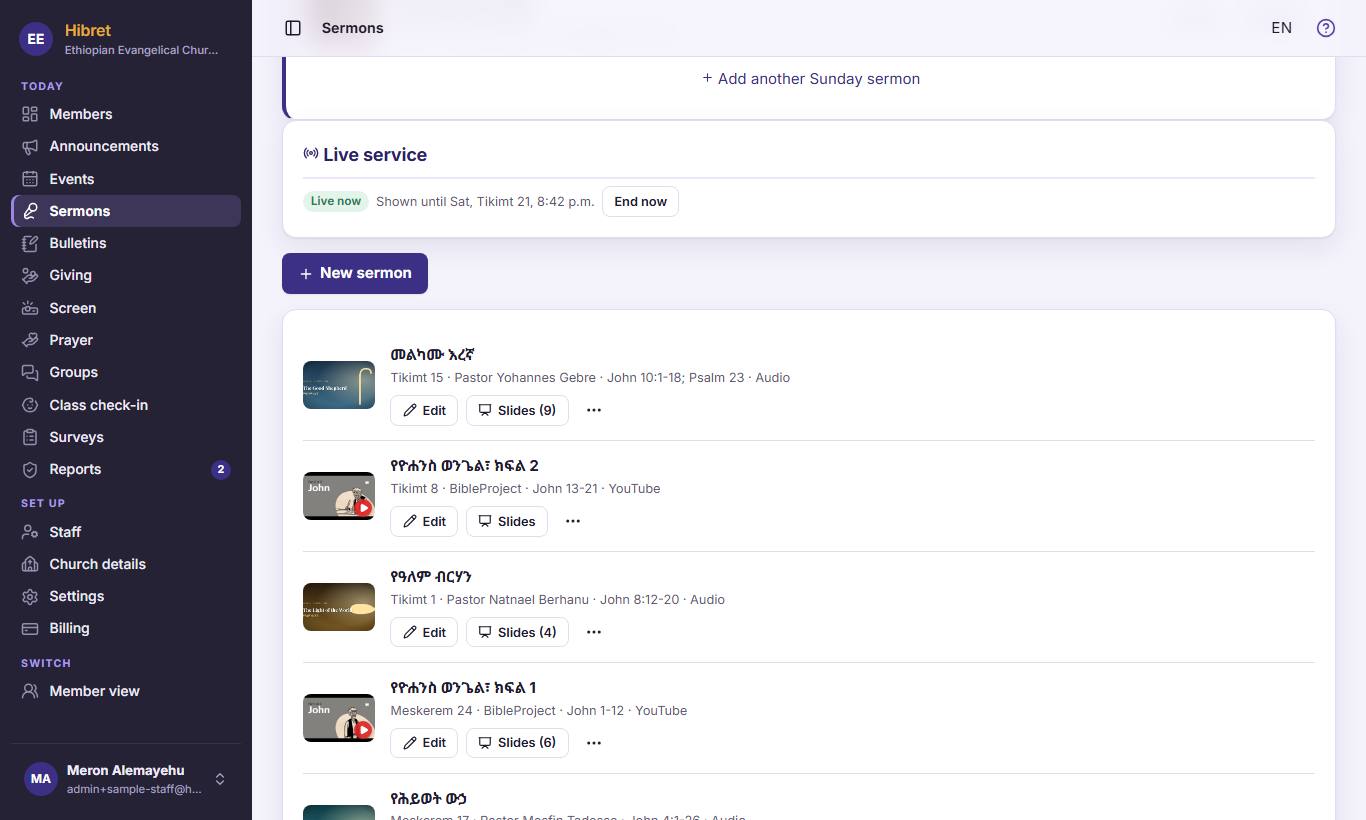
11In "Sermons", press "Slides" 1 next to the sermon. The number says how many slides it has.
-
 1232
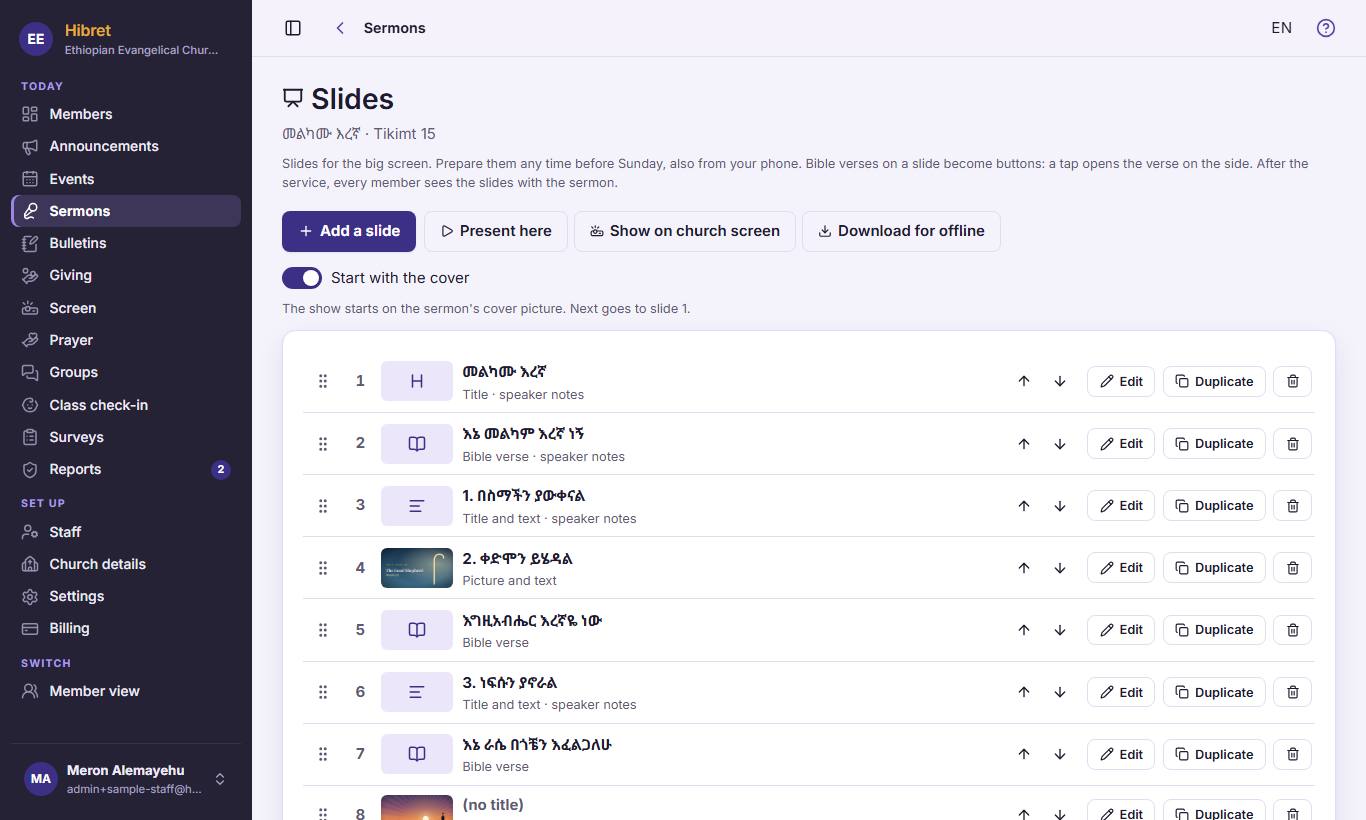
1232Press "Add a slide" 1 for a new slide. Move a slide up or down with the arrows 2. Press "Edit" 3 to change one.
-
 1233
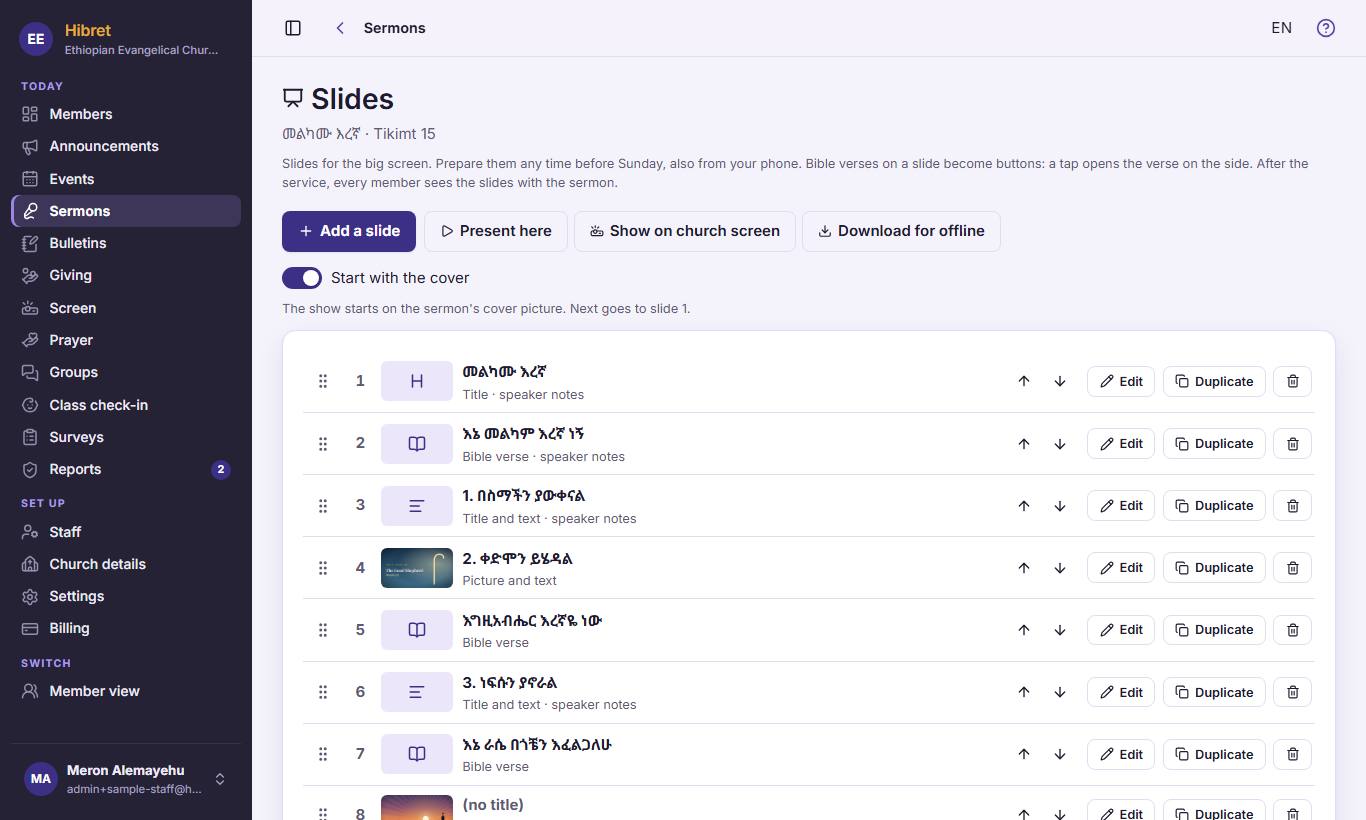
1233"Present here" 1 shows the slides on this computer. "Show on church screen" 2 shows them on the church screen. "Download for offline" 3 keeps them for a church without internet.
After the service, every member sees the slides with the sermon.