 Hibret ህብረት
A Sunday bulletin from start to finish
Everything a bulletin can have: the service day and sermon, headings and points, blanks members fill in, files, and how members use it.
-
 1231
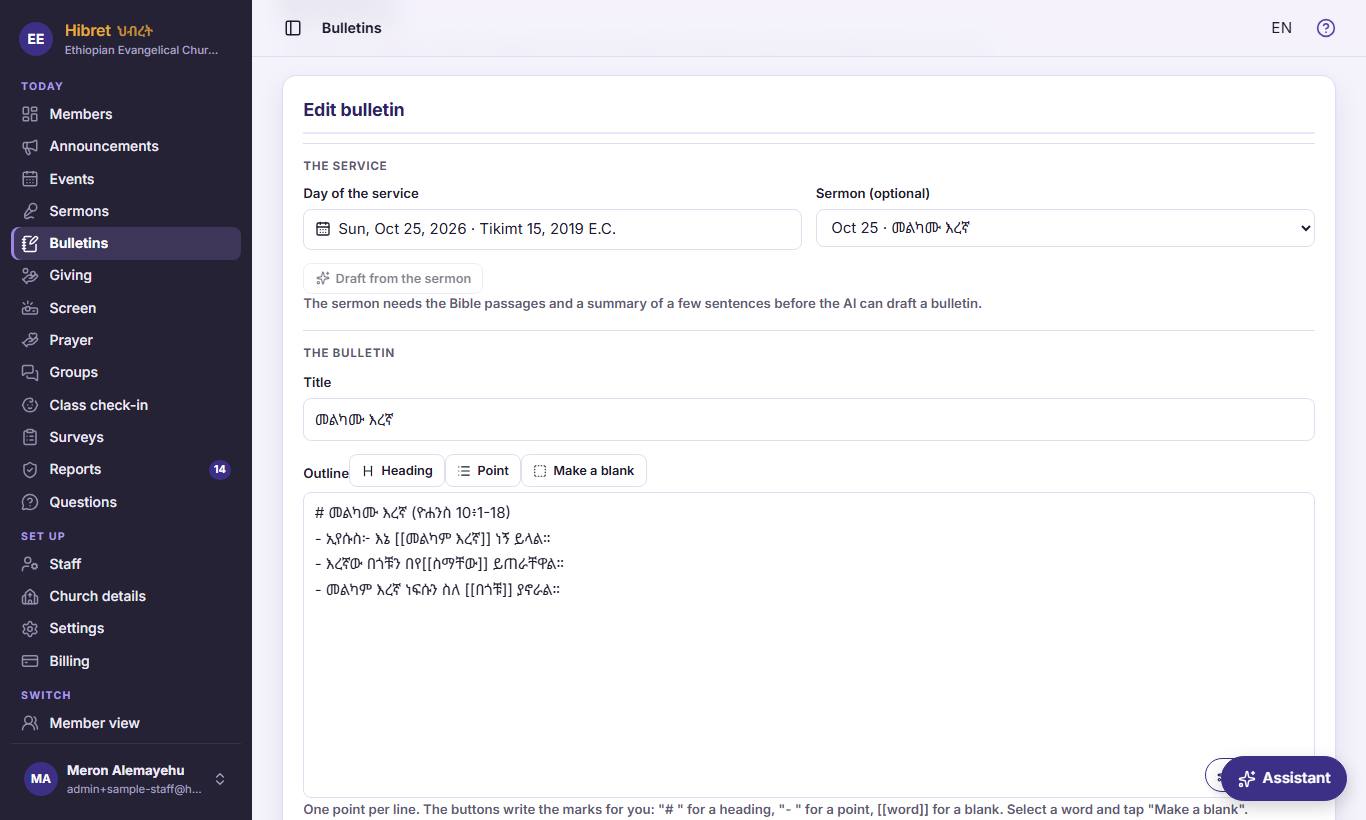
In "Bulletins", press "New bulletin", or "Edit" on a bulletin. Choose the day of the service 1 and the sermon 2. "Draft from the sermon" 3 writes a first outline.
- 1 The Sunday the bulletin is for. Members choose bulletins by this date.
- 2 Optional: the sermon of that day. "No sermon linked" is fine for a bulletin with only the program.
- 3 The AI writes a title and an outline with blanks from the sermon's title, summary and passages. The draft is not published: read it and check every verse. Three drafts per sermon.
-
 123452
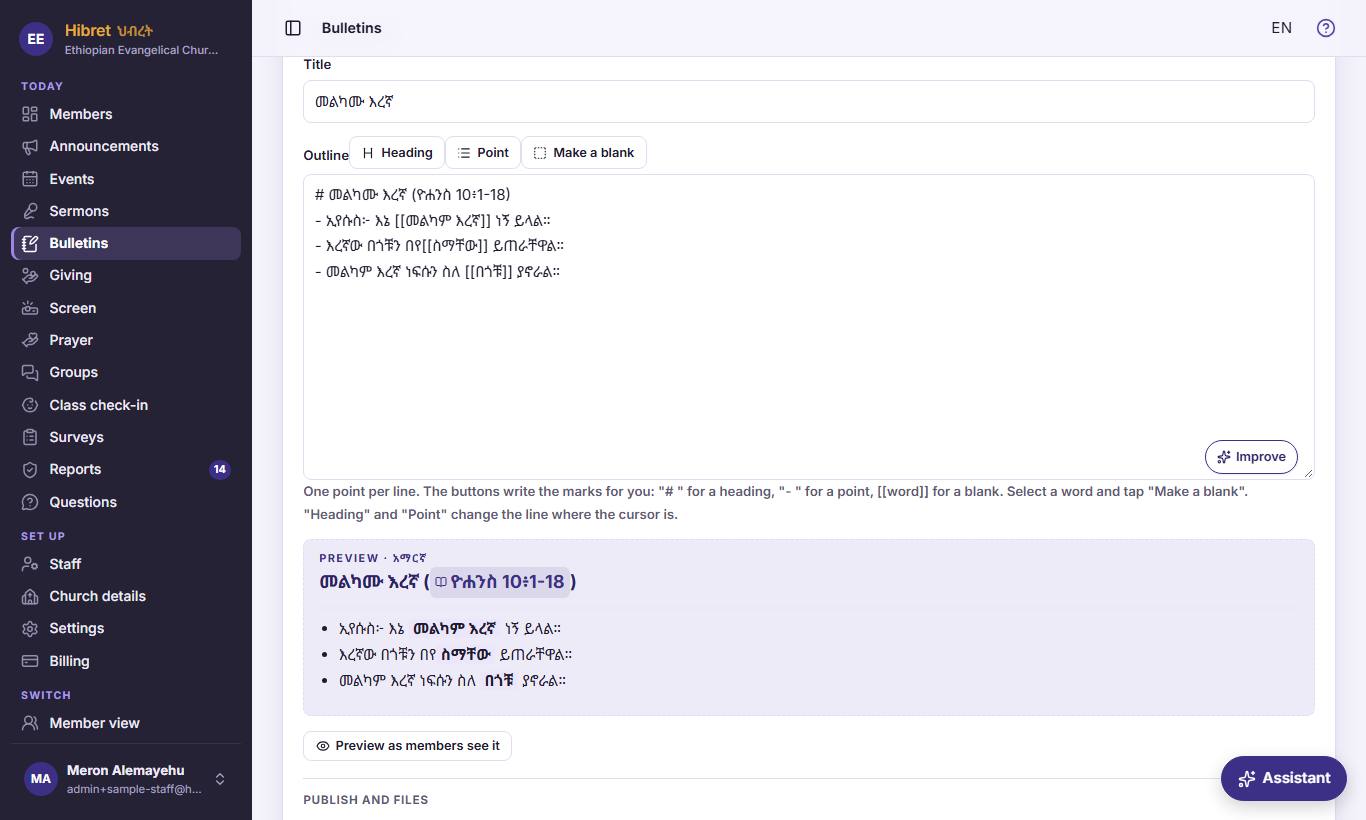
Write the title 1 and the outline 2. "Heading" 3, "Point" 4 and "Make a blank" 5 shape it.
- 1 The title at the top of the bulletin, often the sermon title.
- 2 One point per line: the order of the service and the sermon notes. A preview shows under the box.
- 3 Makes the line where the cursor is a heading, like "Order of service".
- 4 Makes the line a point in a list.
- 5 Select a word, then press it: the word becomes a blank. Members fill it in during the sermon, and can show the answers.
-
 12343
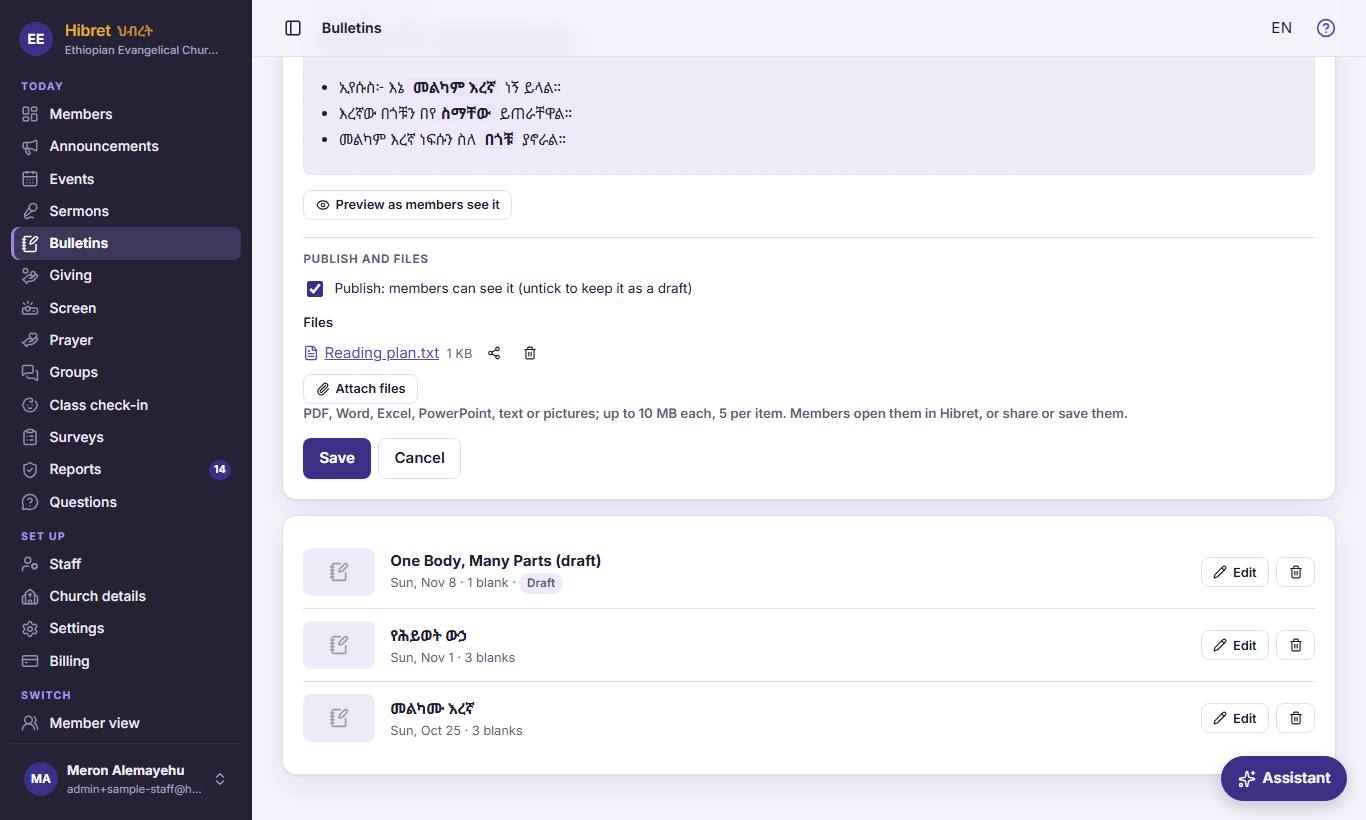
"Preview as members see it" 1, publish 2, files 3, then "Save" 4.
- 1 Opens the bulletin exactly as members see it. You can try the blanks; nothing you type there is saved.
- 2 Ticked: members can see it. Untick it to keep it as a draft while you work on it.
- 3 "Attach files" adds up to five files of 10 MB each, like a song sheet or a reading plan.
- 4 "Save" keeps the bulletin. "Cancel" closes without saving.
-
 12344
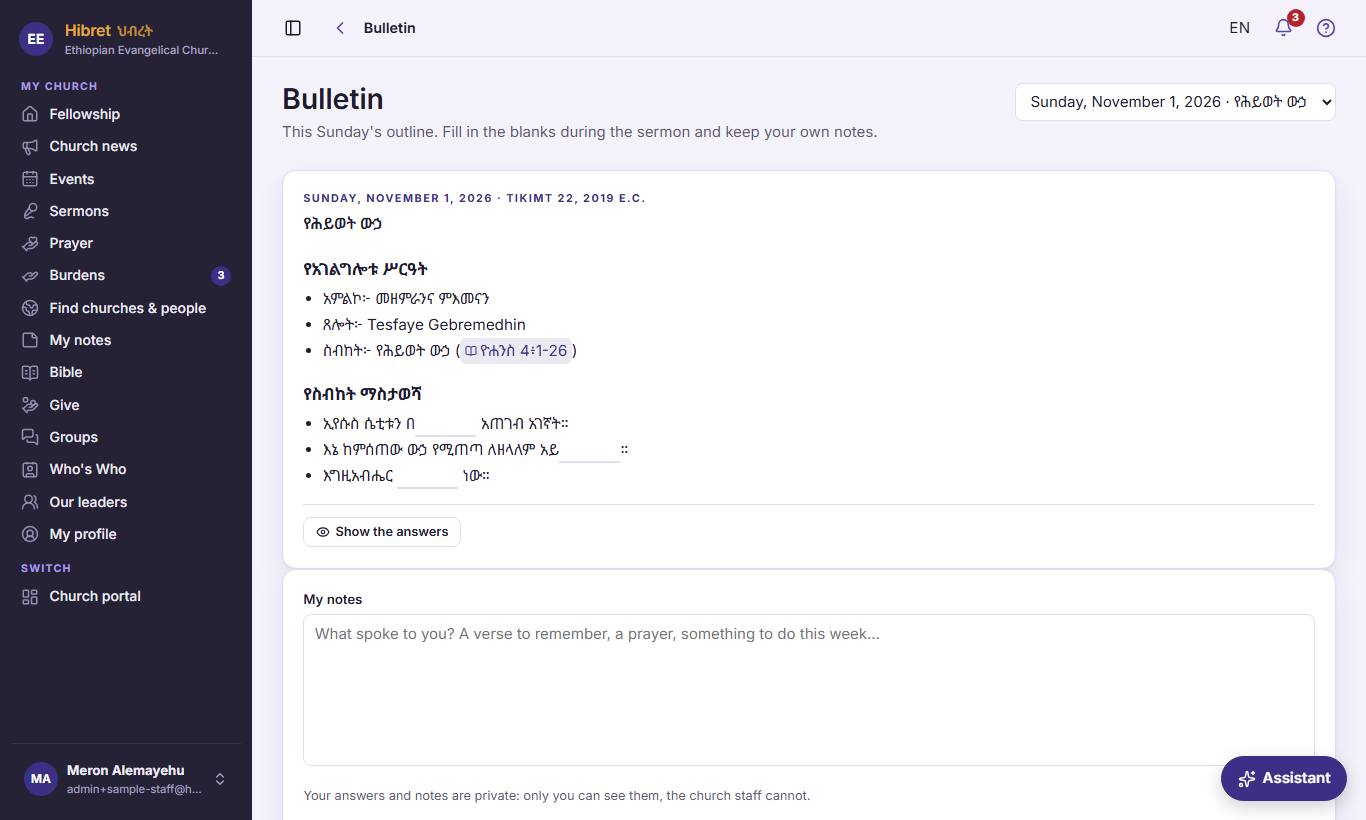
Members open the bulletin, fill in the blanks 1, can show the answers 2 and write their notes 3. 4 chooses another Sunday.
- 1 Members type the missing word during the sermon. Hibret saves it by itself.
- 2 "Show the answers" shows the right words, for a member who missed one.
- 3 "My notes": a verse to remember or a prayer. Answers and notes are private: the church staff cannot see them.
- 4 The list of published bulletins by Sunday, newest first.