 Hibret ህብረት
Prepare for Sunday without internet
Download on the computer you will use at church. Keep it signed in until after the service.
-
 1
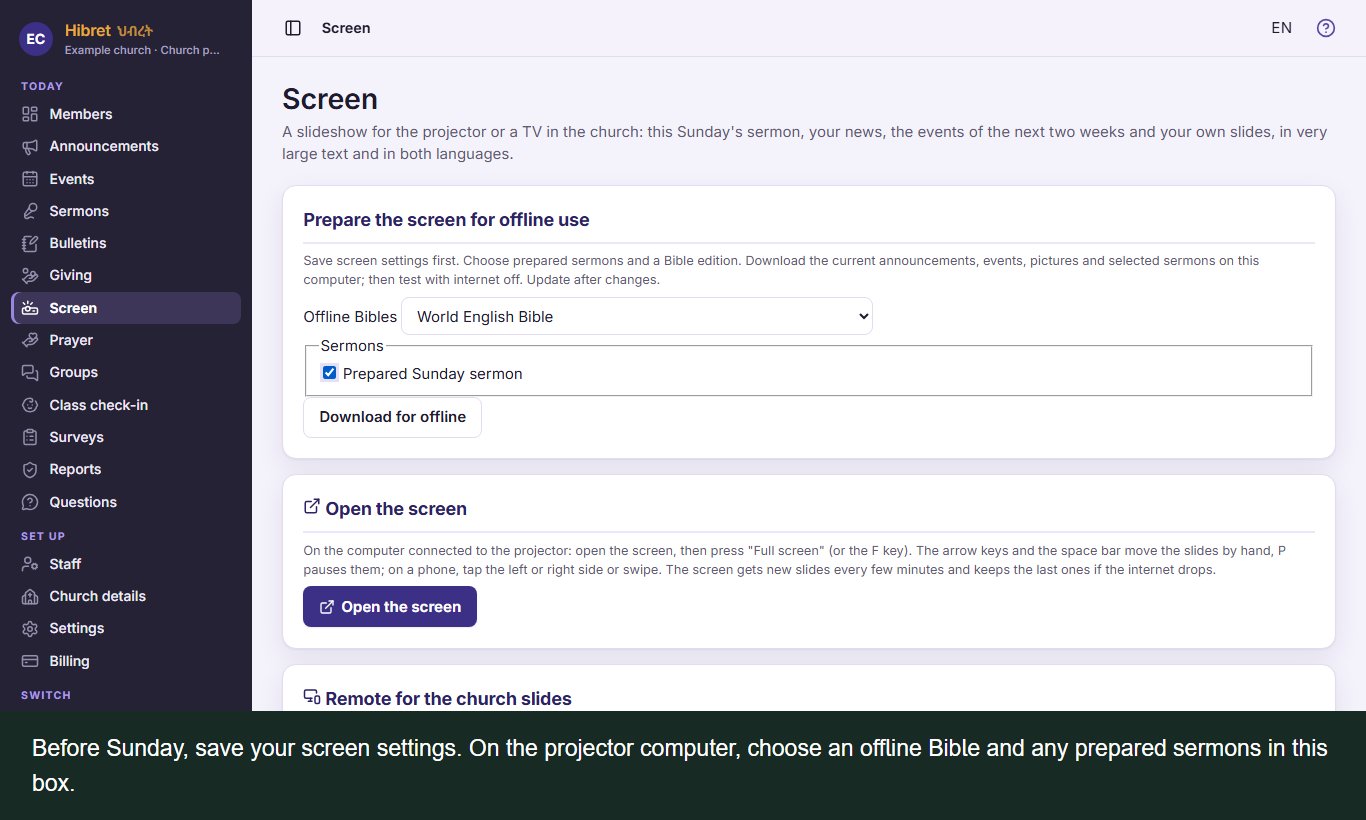
Before Sunday, save your screen settings. On the projector computer, choose an offline Bible and any prepared sermons in this box.
-
 2
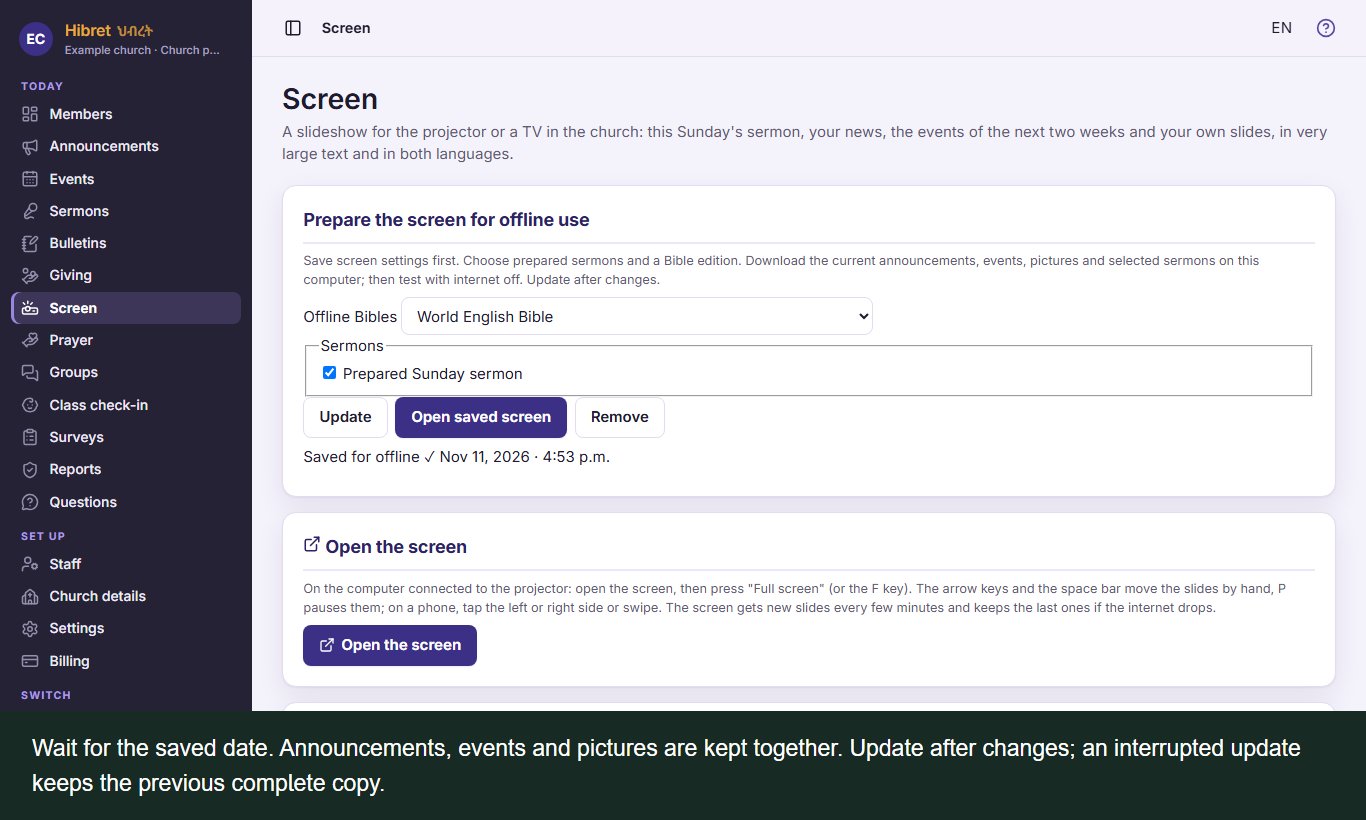
Wait for the saved date. Announcements, events and pictures are kept together. Update after changes; an interrupted update keeps the previous complete copy.
-
 3
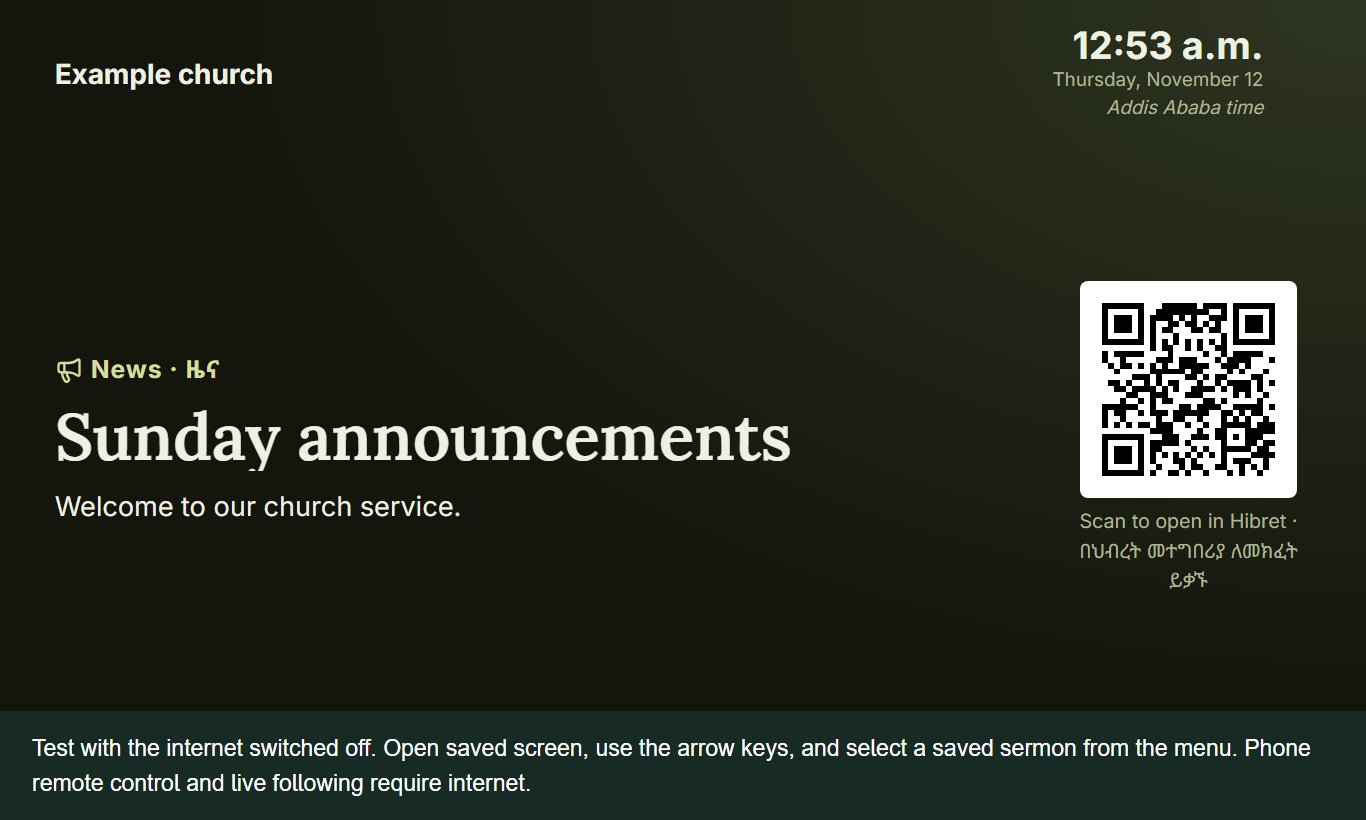
Test with the internet switched off. Open saved screen, use the arrow keys, and select a saved sermon from the menu. Phone remote control and live following require internet.