Hibret ህብረት

How to use Hibret › Church staff › Sermons and slides

Prepare for Sunday without internet

Download on the computer you will use at church. Keep it signed in until after the service.

Watch it as a short video, or follow the steps with pictures below.
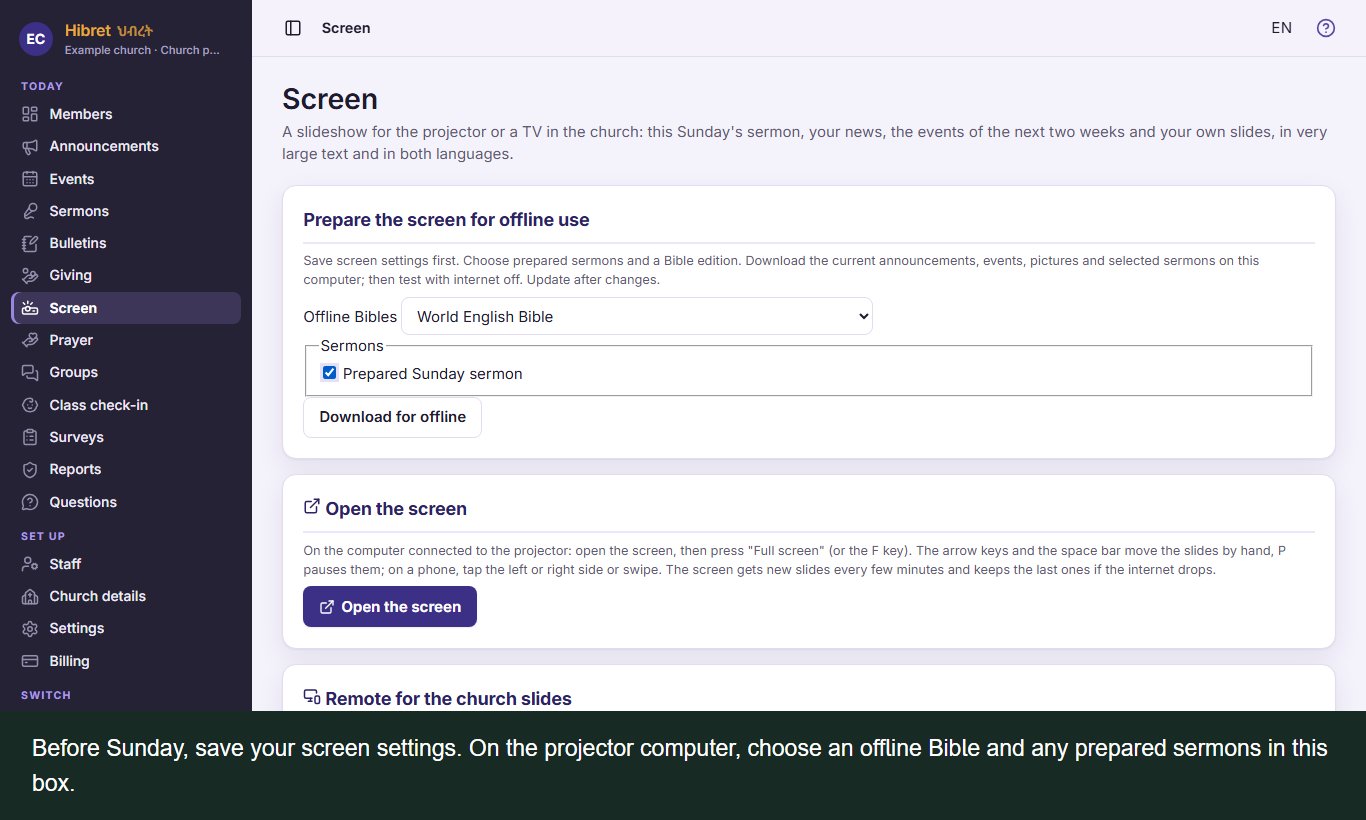
  1. Before Sunday, save your screen settings. On the projector computer, choose an offline Bible and any prepared sermons in this box.
    1

    Before Sunday, save your screen settings. On the projector computer, choose an offline Bible and any prepared sermons in this box.

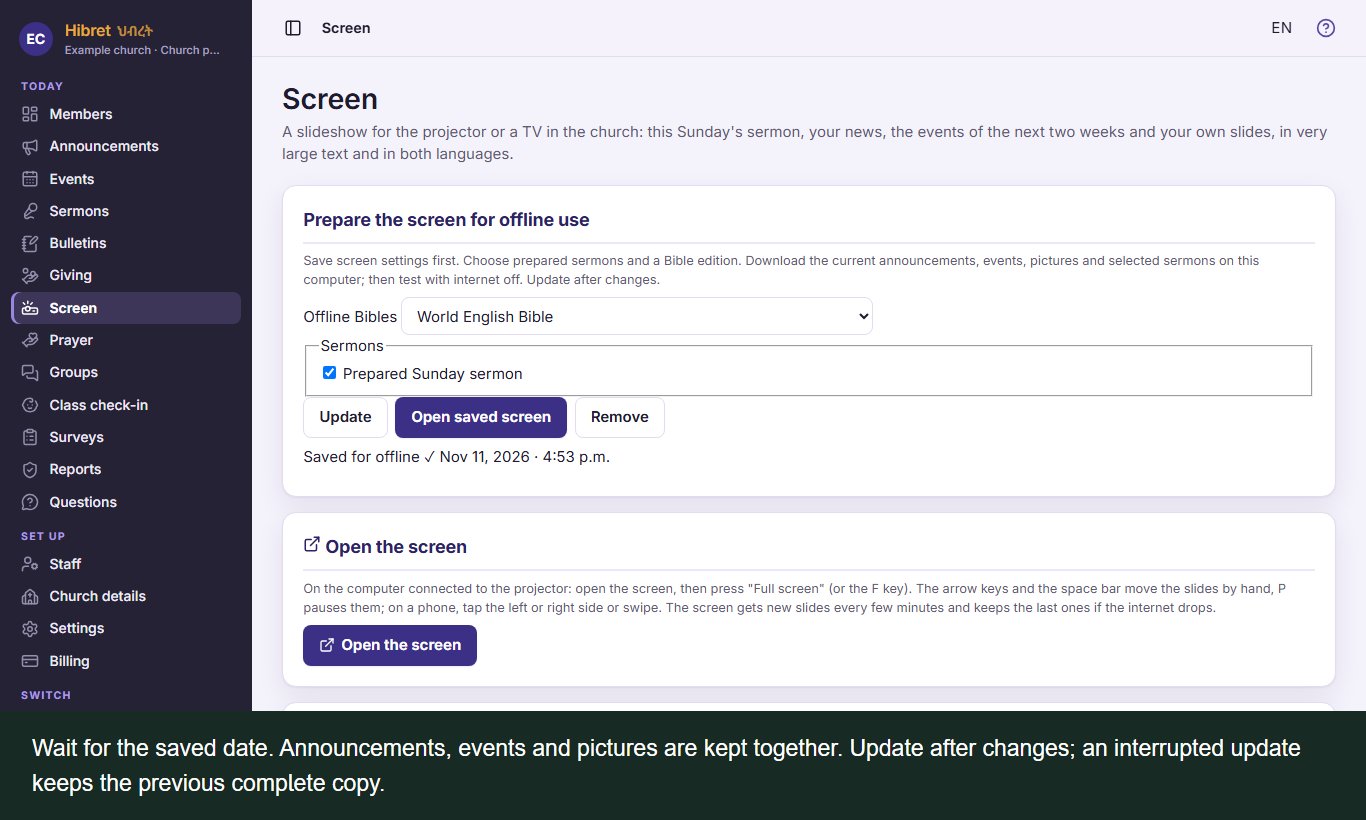
  2. Wait for the saved date. Announcements, events and pictures are kept together. Update after changes; an interrupted update keeps the previous complete copy.
    2

    Wait for the saved date. Announcements, events and pictures are kept together. Update after changes; an interrupted update keeps the previous complete copy.

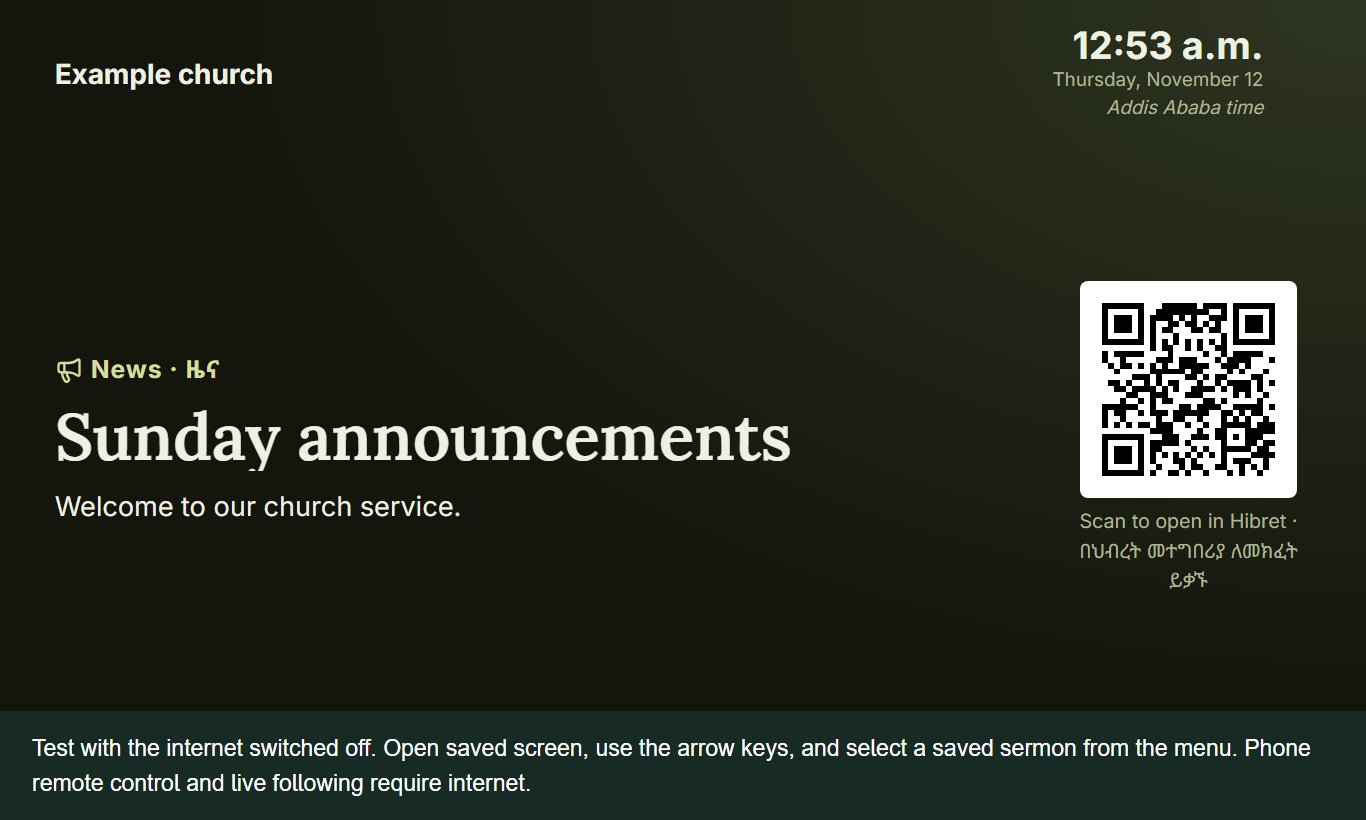
  3. Test with the internet switched off. Open saved screen, use the arrow keys, and select a saved sermon from the menu. Phone remote control and live following require internet.
    3

    Test with the internet switched off. Open saved screen, use the arrow keys, and select a saved sermon from the menu. Phone remote control and live following require internet.